Poster in Water Mockup

Product Details
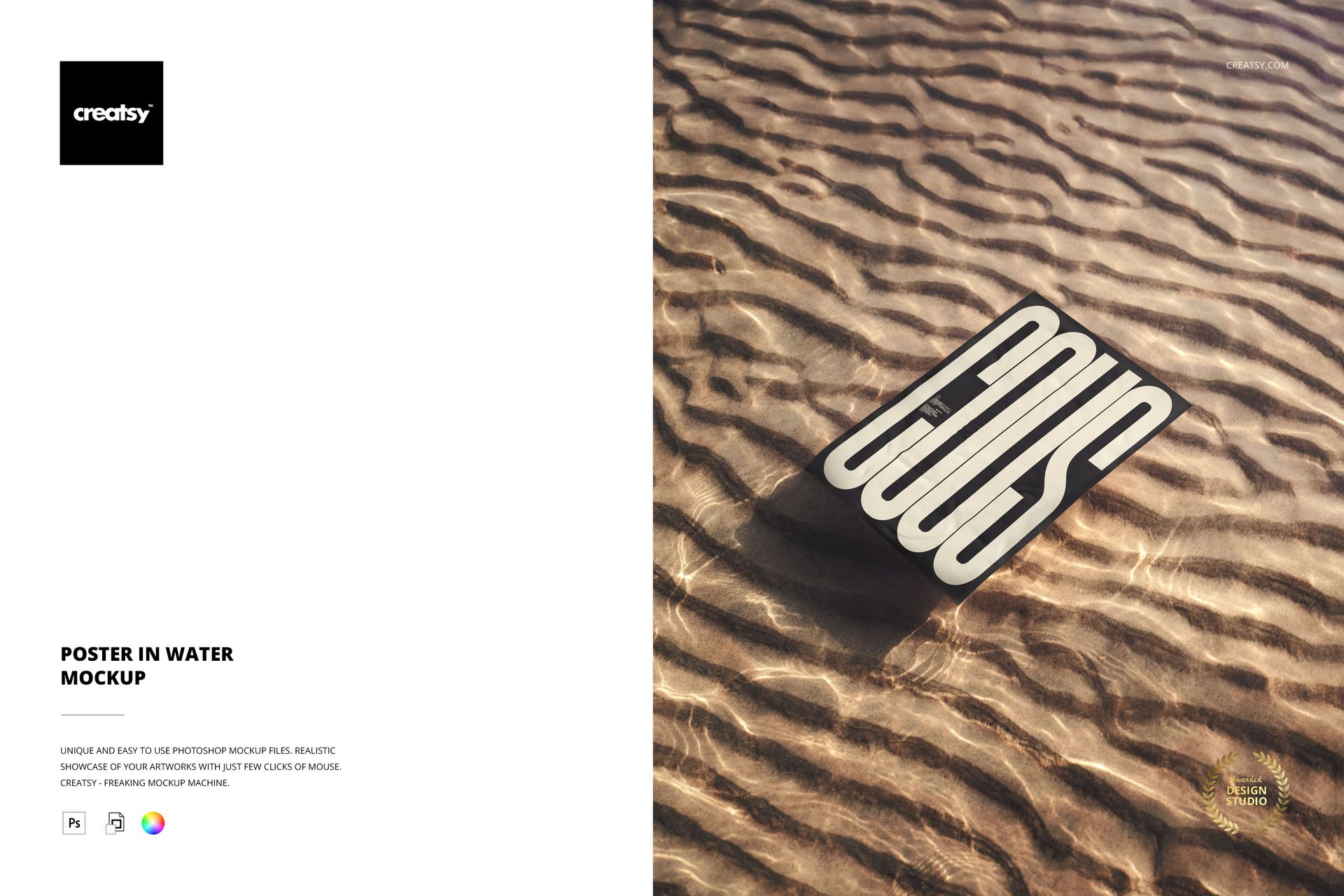
The poster sits on water. Not propped beside it, not photographed near it - directly on it. The surface ripples outward from the paper edges, bending light and shadow into patterns that shift with every design you drop in. This is a mockup that makes the medium part of the message, where the environment around the print carries as much visual weight as the artwork itself.
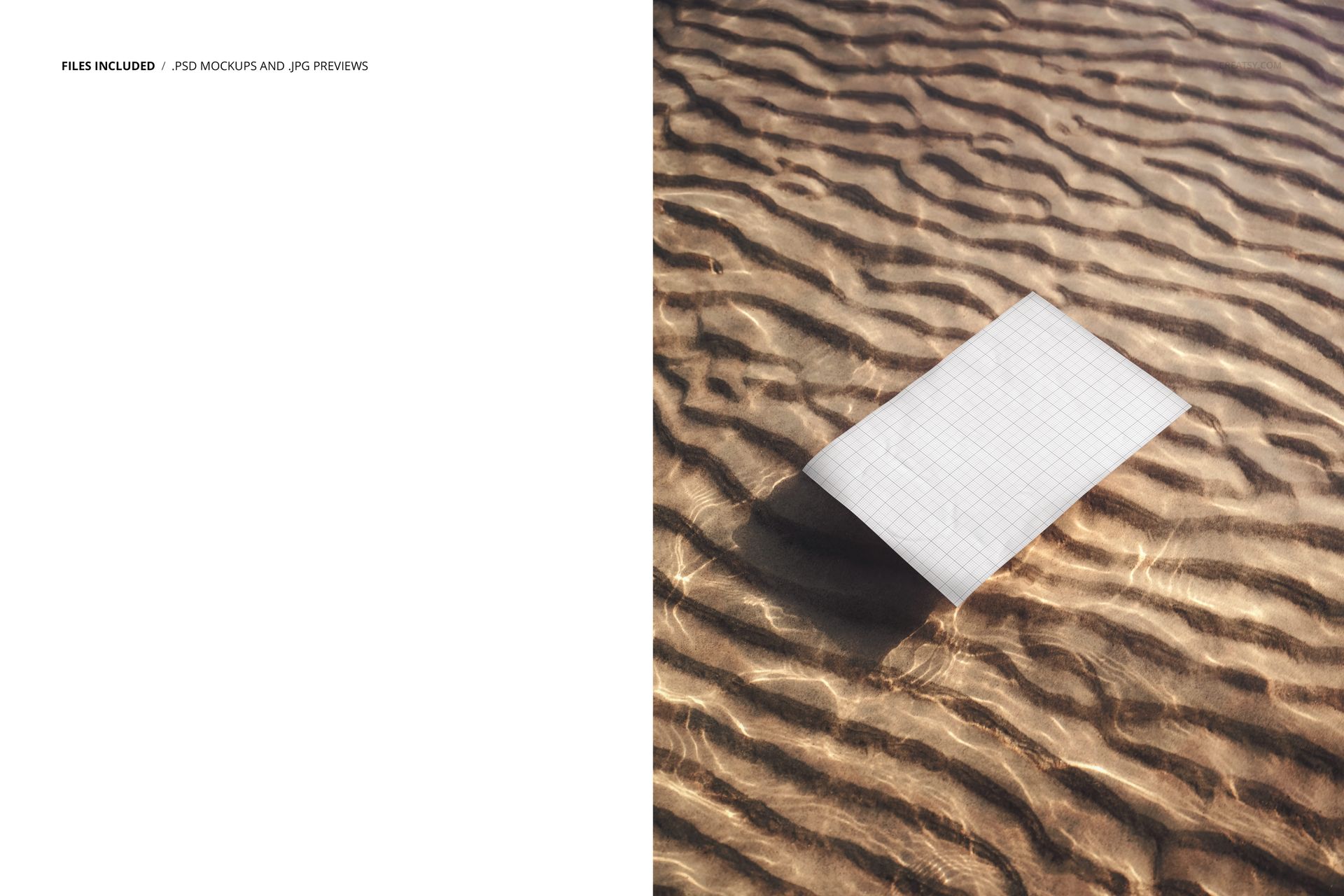
One PSD file delivers the entire scene. The composition is shot from directly above - a bird's-eye perspective that places the viewer at the edge of a shallow pool looking straight down at a rectangular poster resting on a wet, sandy surface. Water moves gently across and around the paper. The texture is not simulated or filtered. This is captured light refracting through actual liquid, with the camera positioned to record every ripple, every gradient of transparency where the water thins at the poster edge and reveals the sand beneath.
At 4000 by 5200 pixels in portrait orientation and 300 DPI, the file holds enough detail to show individual grains of sand beneath the water where the poster does not cover them. That level of resolution means your design sits in an environment that feels genuinely photographic, not digitally rendered. When you paste artwork into the Smart Object, the water reflections interact with the colors on the poster surface - warm designs bring out golden tones in the sand below, while cooler palettes emphasize the blue-gray undertones of the water itself. The optical relationship between your artwork and its surroundings changes with every design you test.
The lighting is dramatic but controlled. A strong directional source creates clear shadow definition where the poster edge meets the waterline, giving the paper a physical lift from the surface below. The same light produces a luminous band across the water in the upper portion of the frame, drawing the eye downward toward the design area. This is not flat, even studio lighting. It is shaped to tell a story about place, atmosphere, and the specific quality of light that occurs near water at certain hours of the day.
The scene works for a specific kind of presentation where conventional flat or wall-mounted contexts feel too ordinary. Editorial layouts and fine art portfolios where the work benefits from an atmospheric frame. Print-on-demand product listings on Etsy, Shopify, or Amazon where visual distinction in crowded search results directly affects conversion rates. Environmental campaign materials and conservation collateral where water imagery reinforces the core message. Surf, coastal, and outdoor lifestyle brand presentations. Travel photography prints, botanical illustrations, and any design that benefits from an organic, elemental context rather than a sterile white background.
Editing follows the standard Smart Object workflow. Open the PSD in Adobe Photoshop CC 2020 or newer, or in Photopea for free in your browser. Double-click the Smart Object layer, paste your design at any proportion, save, and the poster updates within the water scene. The ripples, reflections, and sand texture surrounding the poster remain untouched. Layers are cleanly organized and named for quick navigation even on a first open.
The file is compact at 60.8 MB on Windows and 63.7 MB on Mac, making it practical for designers working from laptops or with limited storage. Despite the small footprint, the full 300 DPI resolution is intact across the entire 4000 by 5200 pixel canvas - nothing is downsampled or compressed.
This mockup fills a gap that most poster template libraries leave open. The water setting is uncommon enough that it immediately distinguishes any portfolio page or product listing where it appears. One file, one scene, one mood that nothing else in your mockup collection is likely to replicate.
File details
- Compatibility
- Package size
- 60.8 MB
|63.7 MB
- Files type
- .psd, .jpg
- Files size
- 5200x4000

Reviews
Professional PSD mockups built in-house - editable, realistic, high-resolution, and supported by real people.
MEET THE SHOP
- $1615$19.00
- $1615$19.00
- $2890$34.00

HOW IT WORKS
3 clicks. That's it.
No tutorial needed. If you can copy-paste, you can use this.
- 1OpenDouble-click the smart object inside the PSD - in Adobe Photoshop, or free in your browser with Photopea.
- 2PasteDrop in your pattern, print, or artwork. Any design, any style.
- 3SaveHit save and the mockup wraps it in for you - shadows, folds, and lighting included.
FROM IDEA TO IMAGE
Built for real workflows
Show the finished print on the wall Poster, canvas, or acrylic - drop your art in and the client sees the hung piece before it goes to print.
See it on the product, not a swatch Drop your file into the smart object and the scene's lighting and folds wrap around it, so you judge the real thing before you commit.
Smart Objects
Edit once and you're done. Your artwork drops into a smart object and the mockup updates itself - no masking, no warping by hand.
Perfectly Organized
Named layers and folders you can actually navigate. Find what you need, change what you want, and get out fast.
Print-Ready
High-resolution files built to hold up on screen and in print. Exact size and DPI are in this product's Details above.


Mock up is really good working
Thank you so much for your review! We’re glad to hear the mockup works well for you and truly appreciate your support.