


ID: 1408573781 | Updated: Apr 1, 2023

Product Details

Luxury Office Canvas Print Mockup

Art changes the way a workspace feels.

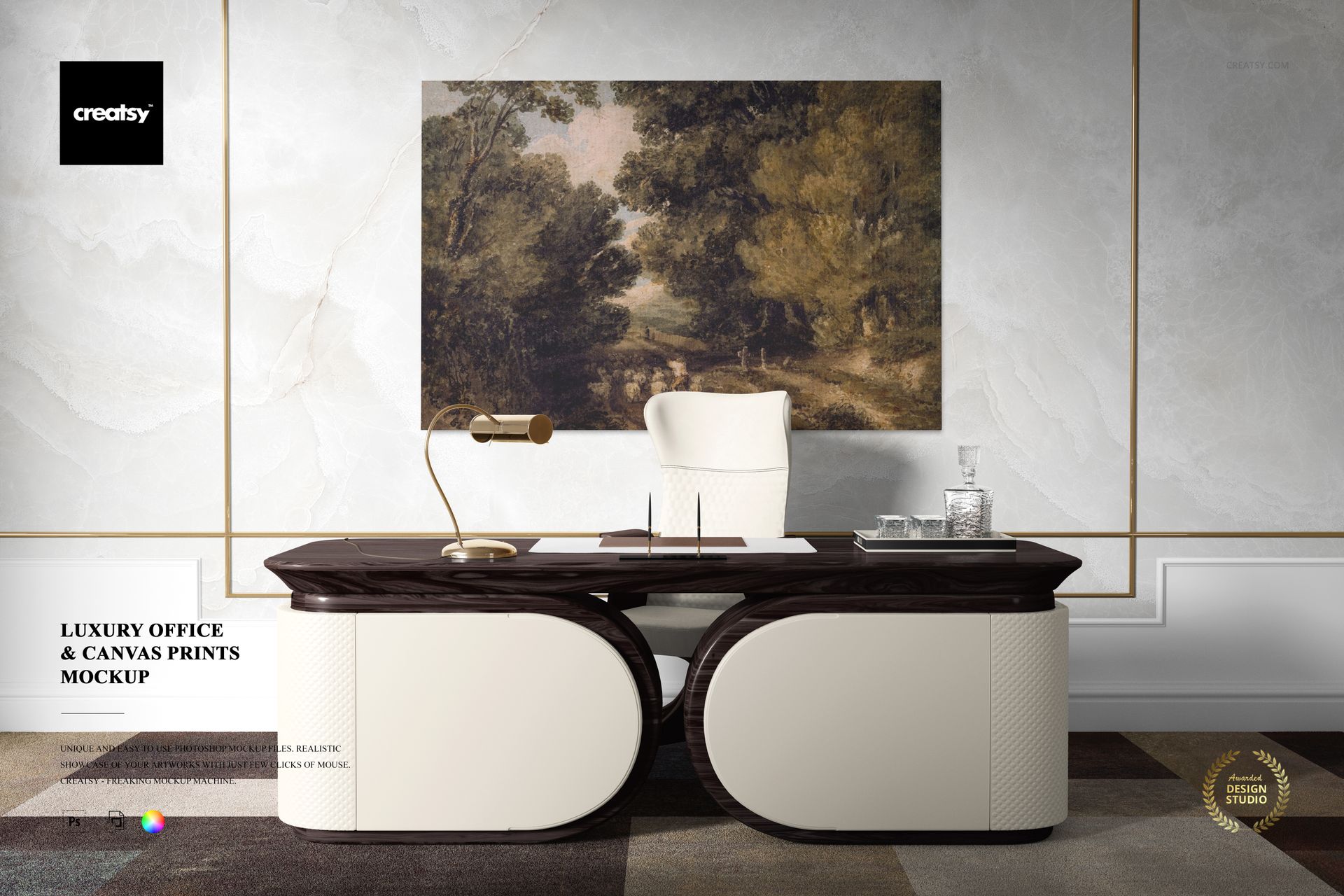
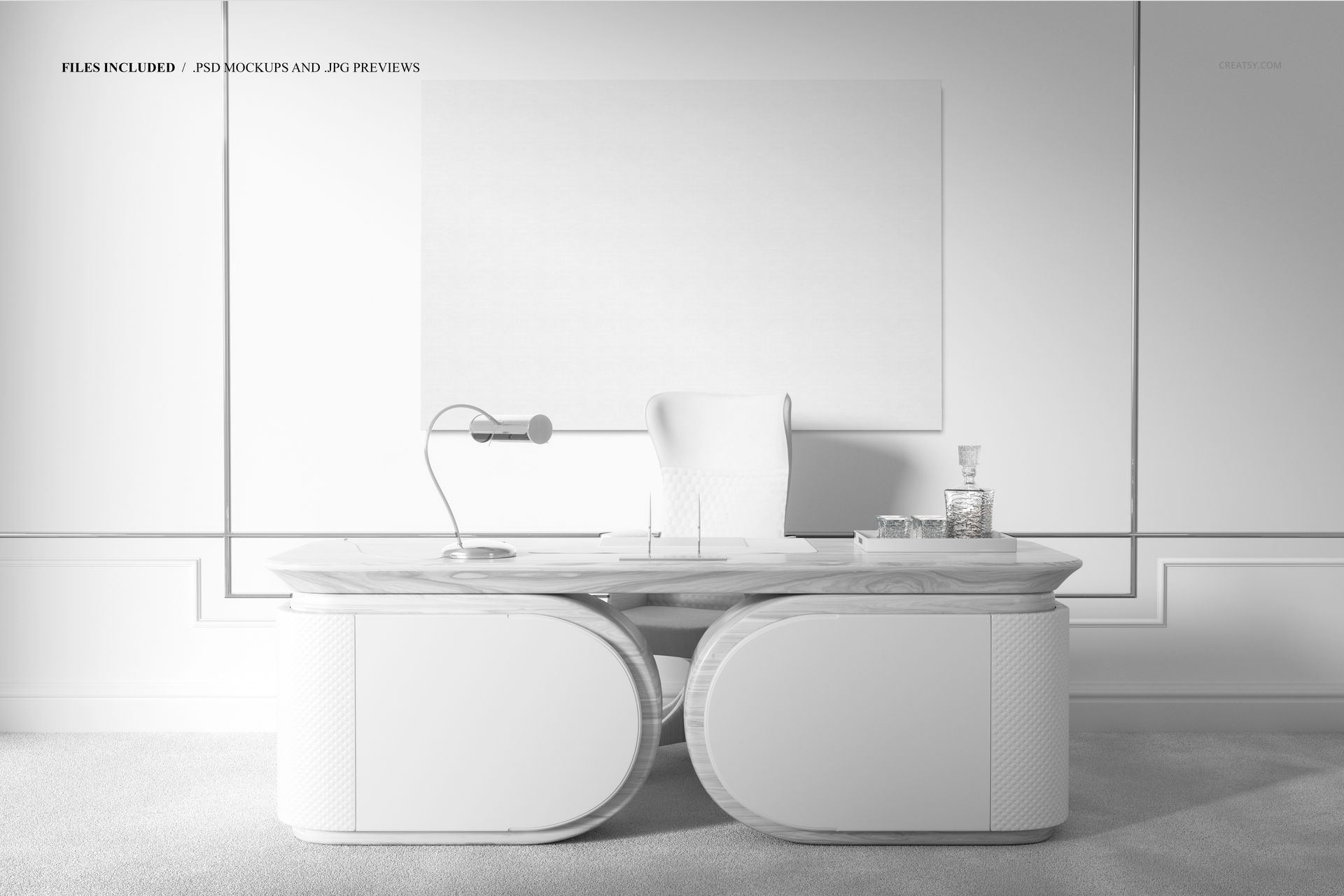
The Luxury Office Canvas Print Mockup places your artwork above a contemporary desk in a refined office interior with modern furniture, clean architectural lines and marble wall details. The setting gives the canvas a realistic sense of scale while keeping the artwork clearly visible as the main focus of the composition.

This is more than a blank wall with a picture added to it. The complete office environment helps your design feel considered, established and ready to become part of a real professional space.

Use it to present fine art, photography, abstract compositions, typography, architectural prints, corporate artwork and canvas collections in an interior that feels polished without becoming overly decorative.

Make the Artwork Feel Specified for the Space

A flat image can show the design, but it cannot show how that design changes the atmosphere of a room.

This mockup helps viewers understand how the artwork may look above a desk, alongside contemporary furniture and within a sophisticated office environment. The interior provides useful visual references for scale, proportion and placement, making the result easier to evaluate than an isolated canvas on a plain background.

It is particularly useful when presenting artwork intended for:

Executive offices
Creative studios
Meeting rooms
Consulting spaces
Corporate interiors
Boutique workspaces
Architecture studios
Premium hospitality offices
Modern home offices
Professional reception areas

The scene gives artwork a business-oriented context without making it feel cold or generic.

Designed for Art That Belongs in Professional Interiors

Office artwork often needs to do several things at once. It should add personality, support the wider interior design and remain appropriate for a space where people work, meet and make decisions.

This mockup can help you present:

Abstract canvas artwork
Fine art photography
Architectural photography
Geometric compositions
Minimalist prints
Typographic artwork
Nature and landscape photography
Corporate art collections
Black and white photography
Limited edition print series
Illustrated wall art
Large statement pieces

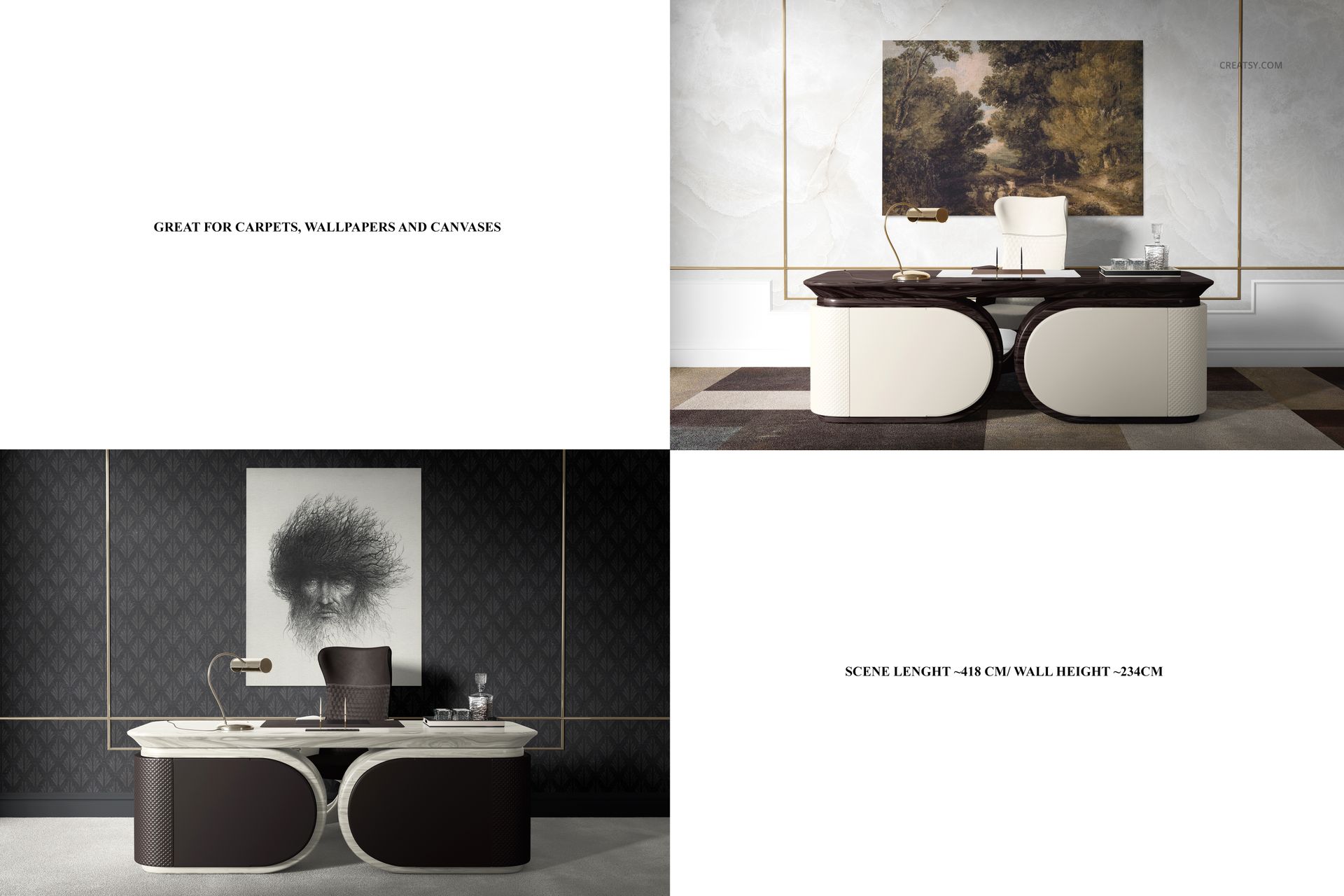
The office scene works with both restrained artwork and more expressive designs. A quiet monochrome print can create a refined result, while a colorful abstract piece can become the visual focal point of the room.

Compare Different Canvas Formats

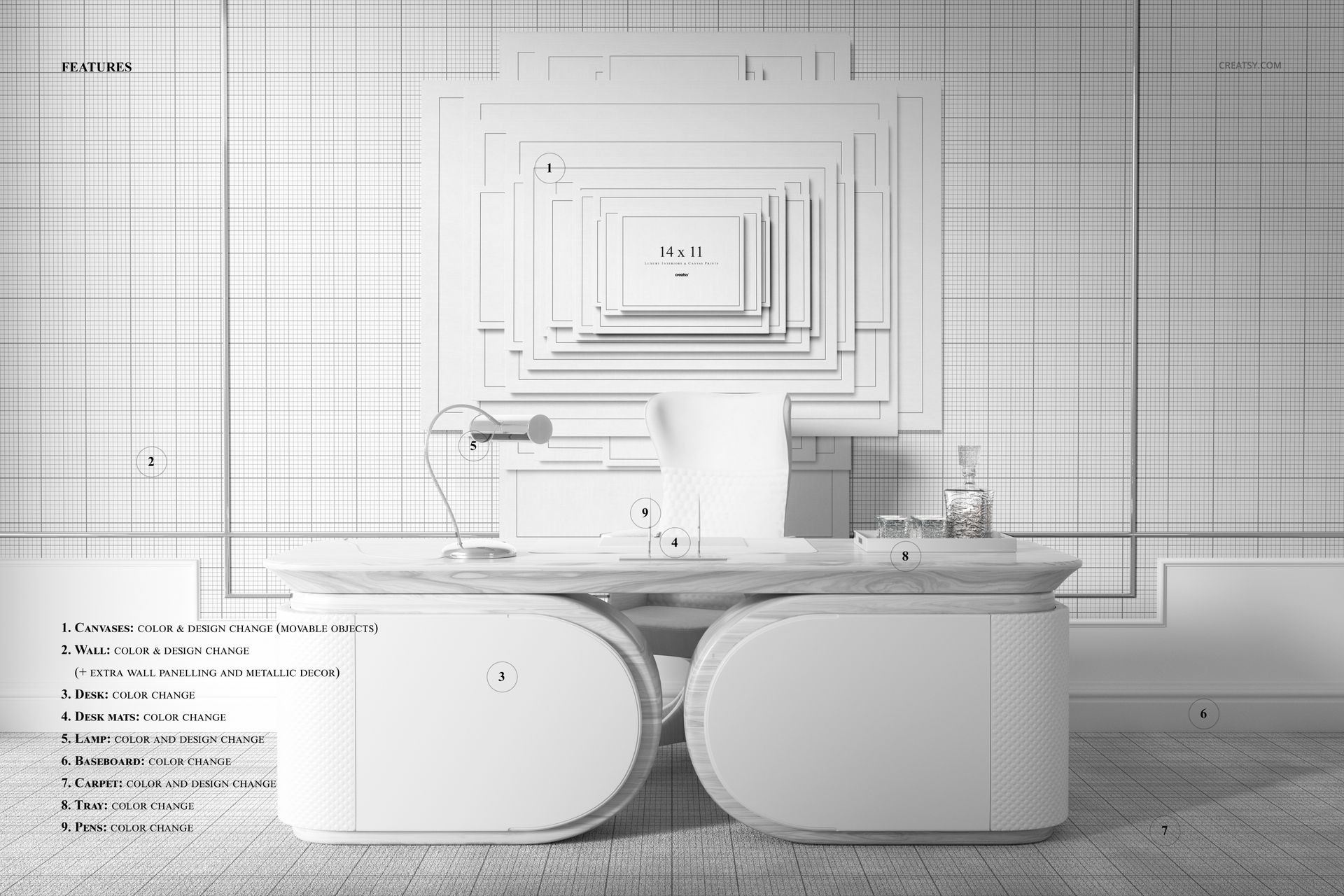
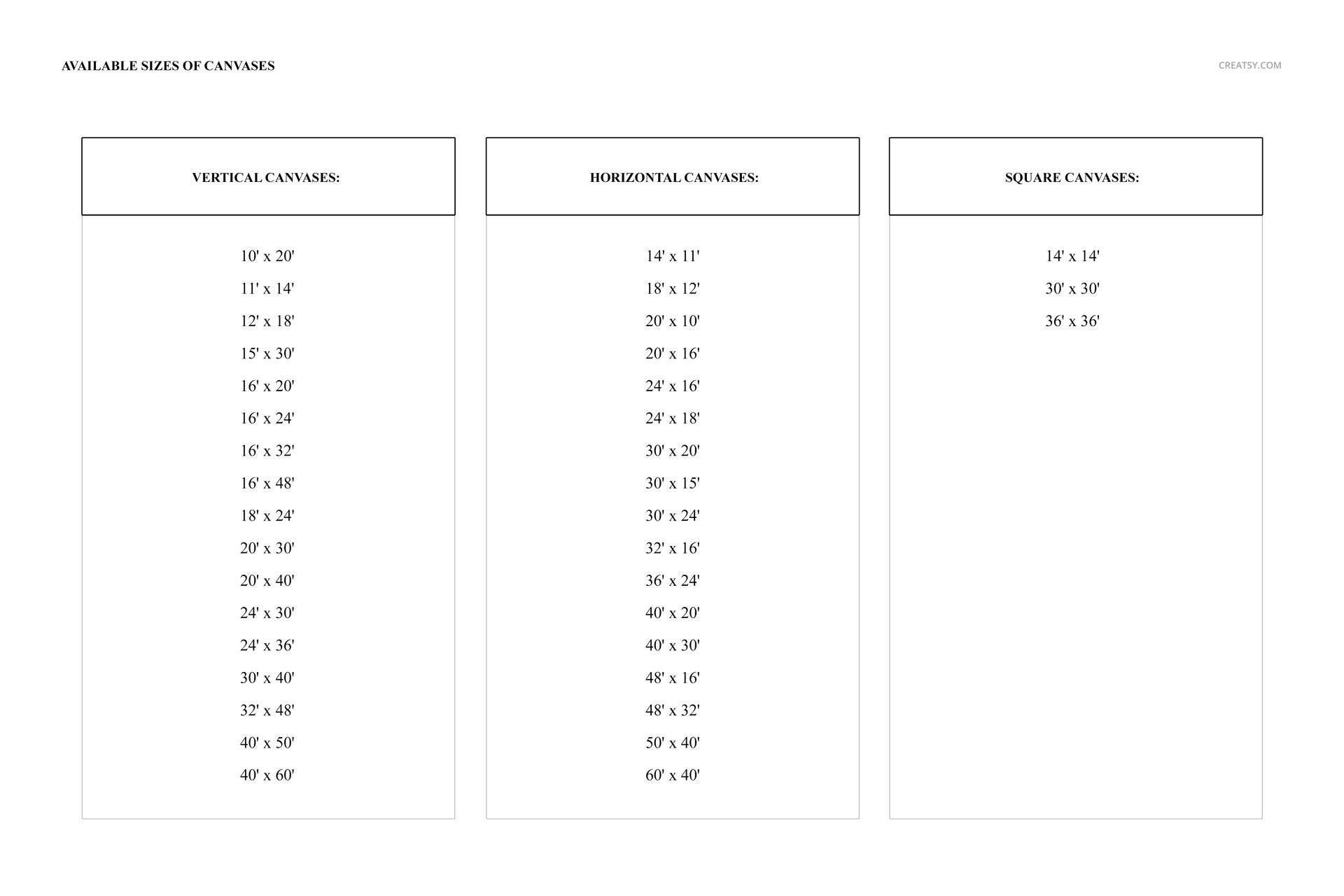
The product screenshots show canvas options organized into vertical, horizontal and square formats, allowing you to adapt the presentation to different artwork proportions. Check the screenshots for the exact available canvas sizes and scene options.

Use a vertical canvas for portrait photography, editorial artwork or narrow compositions.

Choose a horizontal format for landscapes, panoramic photography or wide abstract pieces.

Use a square canvas for geometric artwork, centered illustrations, album-style photography or balanced contemporary compositions.

This flexibility makes it easier to compare artwork formats within the same office environment instead of building a separate presentation from scratch for every proportion.

Useful for Artists, Photographers and Interior Designers

The scene can support several stages of a creative workflow.

Artists can use it to introduce a new canvas collection or build a more professional online portfolio.

Photographers can present architectural, landscape, fine art or black and white images at a realistic wall scale.

Interior designers can use the mockup to propose artwork for an office, studio or commercial workspace before anything is printed or installed.

Art shops and galleries can create polished product imagery that shows how a canvas may look in an upscale professional interior.

Branding studios can use the scene when developing artwork for corporate offices, hospitality interiors or branded workspaces.

Present More Than an Isolated Canvas

Showing artwork in a complete interior can help answer questions that a plain product image cannot.

The mockup can help viewers evaluate:

How large the artwork feels above a desk
Whether the composition suits a professional environment
How the colors interact with marble, neutral furniture and architectural details
Whether a vertical, horizontal or square format works best
How the artwork may look from a normal viewing distance
Whether the piece feels subtle or dominant within the room
How a collection could be positioned for corporate or commercial interiors

That makes the scene useful for final marketing images as well as internal design reviews and client approvals.

Build a More Persuasive Art Portfolio

A portfolio becomes more effective when it shows not only the artwork, but also how that artwork could live in the real world.

Use the finished visual in:

Artist portfolio pages
Photography presentations
Canvas print product pages
Interior design proposals
Client approval decks
Art licensing presentations
Corporate artwork pitches
Behance case studies
Digital catalogs
Gallery collection previews
Website hero graphics
Instagram and Pinterest content
Newsletter campaigns
Wholesale presentations

The office context can help position the artwork for a more professional or premium audience without changing the design itself.

Simple Smart Object Workflow

Open the PSD in Adobe Photoshop or Photopea, locate the editable Smart Object and add your artwork. Save the Smart Object and the canvas updates within the original scene, perspective and lighting.

The product page lists color and design as editable components and describes the layers as well organized. Check the product screenshots for the exact customization controls and available canvas options.

This workflow allows you to:

Compare several artworks in the same room
Test different canvas proportions
Prepare alternate collection visuals
Review scale before printing
Create client presentation images
Build a consistent online gallery
Produce campaign content without arranging an interior photoshoot

What You Can Showcase

Use the Luxury Office Canvas Print Mockup to present:

Canvas print designs
Fine art collections
Professional photography
Abstract wall artwork
Corporate office art
Architectural prints
Large statement canvases
Minimalist artwork
Geometric compositions
Landscape photography
Black and white photography
Typographic wall art
Art licensing collections
Interior design proposals
Client presentation visuals

File Specifications

Part of Fabric Factory v.12 Mockup Bundle, Upholsteries, Wallpapers & Canvas Prints
Pack includes 1 editable PSD file
3 files included in total
File formats: PSD, JPG and PDF
PSD dimensions: 6000x4000 px
Resolution: 300 DPI
Compatible with Adobe Photoshop CC2020 or newer
Compatible with Photopea
Editable components listed: color and design
Vertical, horizontal and square canvas formats shown in the screenshots
Well-organized layers
Example artwork is not included
Compressed package size: approximately 516 MB for Windows and 541 MB for macOS
PSD file size: approximately 995 MB for Windows and 1.04 GB for macOS

File details

Compatibility
PhotopeaAdobe Photoshop
Package size
516 MB516 MB|541 MB541 MB
Files type
.psd, .jpg, .pdf
Files size
6000x4000
TEST FOR FREE

Reviews

Professional PSD mockups built in-house - editable, realistic, high-resolution, and supported by real people.

5 (1 rating)
Sort by:

mullyjully avatar
mullyjully
Sep 27, 2025

Clearly you can tell these guys are experienced and have put a lot of time into their craft. High quality products, very customisable, and super user friendly. I've bought a few products from here and I've no doubt I'll be back again at some point. Keep up the great work!

Jakub Gruszka avatar
Jakub Gruszka Author
Sep 28, 2025

Thank you!


MEET THE SHOP

Creatsy logo

Creatsy

Poland
4.7 (669)

Bring your ideas to life.

We're a family-run studio in Katowice, Poland, making PSD mockups by hand since 2016. Everything in this shop starts in our own studio. We shoot the photography, build the 3D, and put together every Smart Object PSD ourselves - then we test it, organize the layers, and only ship it once it actually works...

GO TO SHOP

HOW IT WORKS

3 clicks. That's it.

No tutorial needed. If you can copy-paste, you can use this.

  1. 1OpenDouble-click the smart object inside the PSD - in Adobe Photoshop, or free in your browser with Photopea.
  2. 2PasteDrop in your pattern, print, or artwork. Any design, any style.
  3. 3SaveHit save and the mockup wraps it in for you - shadows, folds, and lighting included.

FROM IDEA TO IMAGE

Built for real workflows

Skip the photo shoot Show your artwork on the real product type for approvals or listings - no studio, no model, no sample.

See it on the product, not a swatch Drop your file into the smart object and the scene's lighting and folds wrap around it, so you judge the real thing before you commit.

Smart Objects

Edit once and you're done. Your artwork drops into a smart object and the mockup updates itself - no masking, no warping by hand.

Perfectly Organized

Named layers and folders you can actually navigate. Find what you need, change what you want, and get out fast.

Print-Ready

High-resolution files built to hold up on screen and in print. Exact size and DPI are in this product's Details above.