Free Business Card on Luxury Car Hood Branding PSD Mockup

ID: 1725593941 | Updated: Nov 14, 2025

Product Details

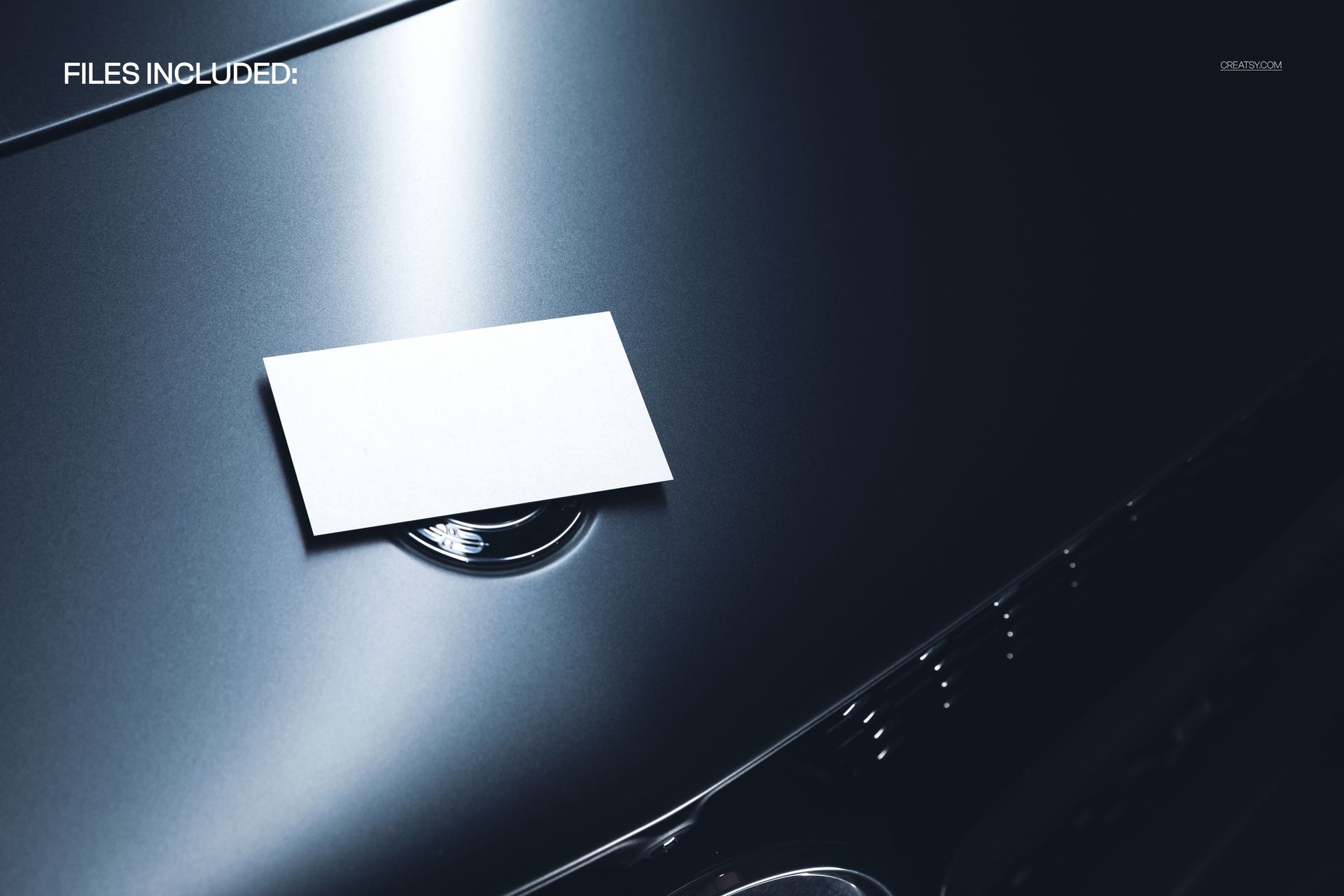
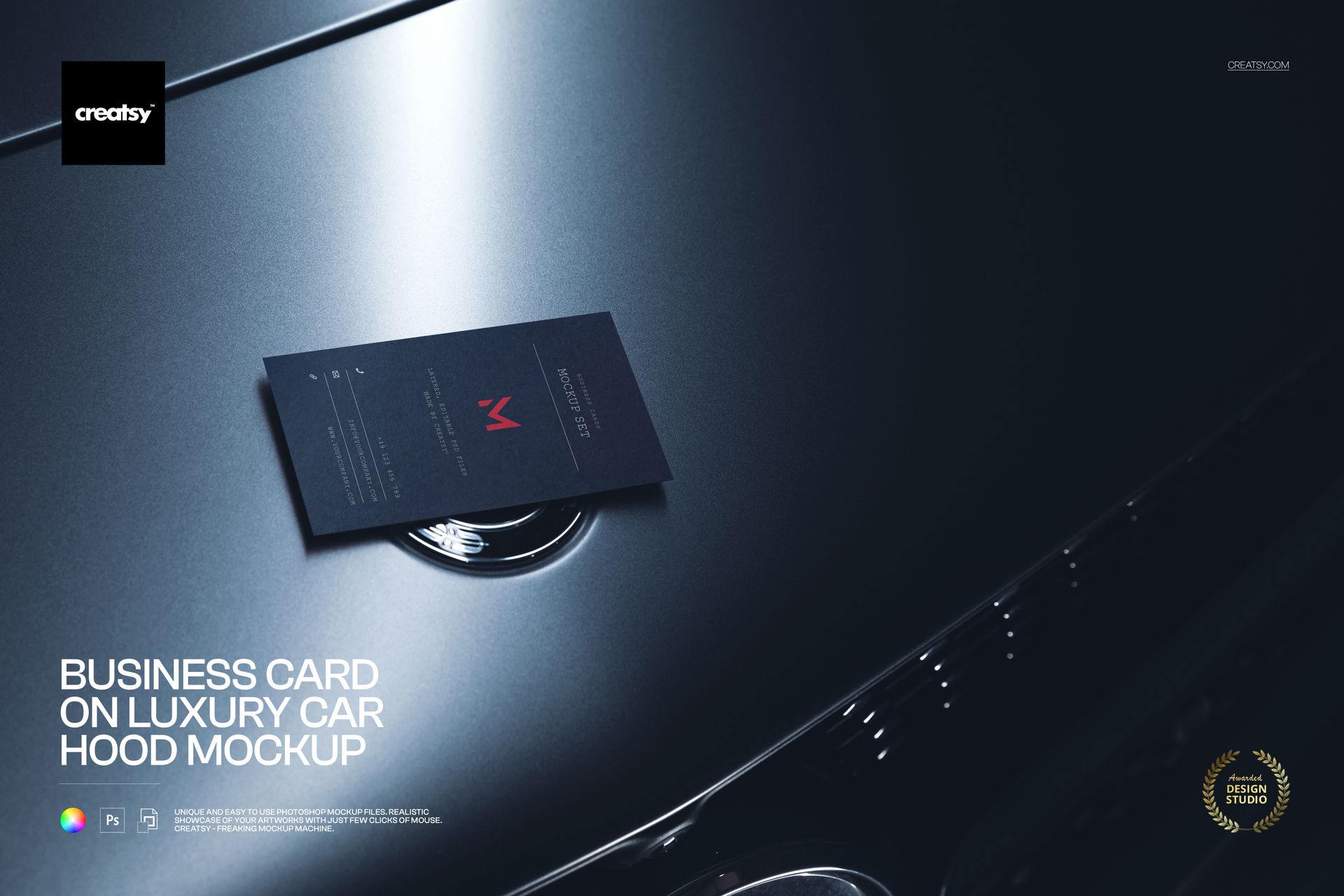
Show off sharp, high-end branding with this free Business Card on Luxury Car Hood Mockup. Drop your design into the Smart Object to see it printed on a business card resting on a sleek luxury car hood with glossy reflections and subtle metal details. Adjust the card color to match your palette and export polished visuals for portfolios, pitches, or social media – free for commercial use (see license for details).


Highlights

  • Format: 1× PSD, 6000×4000 px, 300 dpi

  • Workflow: Smart Objects; well-organized layers

  • Apps: Photoshop (min. CC 2020) + Photopea (free online editor)

  • Use cases: premium branding, automotive studios, garages and detailing, personal stationery, social posts, ecommerce listings

  • License: free for personal & commercial use (see terms)


What’s inside / Specs

  • Files: 1× PSD (+ JPG preview)

  • Canvas: 6000×4000 px, 300 dpi

  • Layers: Smart Object for business card artwork; card color adjustment layer; global shadows/highlights controls

  • Background: realistic luxury car hood with soft studio lighting and chrome accents

  • Compatibility: Photoshop CC 2020 or newer; works in Photopea

  • Approx. size: ~46.5–48.8 MB (archive may vary by compression)


How-to (Photoshop & Photopea)

  1. Open the PSD in Photoshop (CC2020+) or Photopea.

  2. Double-click the card Smart Object, paste your design, save, and return to the main file.

  3. Adjust the card color layer to match your branding.

  4. Export high-resolution JPG/PNG/WebP for web, print, or client presentations.


License & usage

Free for personal & commercial use (for 1 business, up to 5,000 end products). Source files may not be resold, shared, or redistributed in any form. See the full license on the product page – check the “Freebie” row for complete details.


File details

Compatibility
PhotopeaAdobe Photoshop
Number of files included
2
Package size
46.5 MB46.5 MB|48.8 MB48.8 MB
Files type
.psd, .jpg
Files size
6000x4000
TEST FOR FREE

Reviews

Professional PSD mockups built in-house - editable, realistic, high-resolution, and supported by real people.

5 (1 rating)
Sort by:

Noman_Reza avatar
Noman_Reza
Jun 28, 2026

nice

Malgorzata Hapon avatar
Malgorzata Hapon Author
Jun 29, 2026

Thank you so much! We’re so happy you like the mockup. We truly appreciate your support.


MEET THE SHOP

Creatsy logo

Creatsy

Poland
4.7 (647)

Bring your ideas to life.

We're a family-run studio in Katowice, Poland, making PSD mockups by hand since 2016. Everything in this shop starts in our own studio. We shoot the photography, build the 3D, and put together every Smart Object PSD ourselves - then we test it, organize the layers, and only ship it once it actually works...
GO TO SHOP

HOW IT WORKS

3 clicks. That's it.

No tutorial needed. If you can copy-paste, you can use this.

  1. 1OpenDouble-click the smart object inside the PSD - in Adobe Photoshop, or free in your browser with Photopea.
  2. 2PasteDrop in your pattern, print, or artwork. Any design, any style.
  3. 3SaveHit save and the mockup wraps it in for you - shadows, folds, and lighting included.

FROM IDEA TO IMAGE

Built for real workflows

Pitch the whole brand in one scene Lay the cards, tags, and labels out together so the client sees the identity as a set, not separate flat files.

See it on the product, not a swatch Drop your file into the smart object and the scene's lighting and folds wrap around it, so you judge the real thing before you commit.

Smart Objects

Edit once and you're done. Your artwork drops into a smart object and the mockup updates itself - no masking, no warping by hand.

Perfectly Organized

Named layers and folders you can actually navigate. Find what you need, change what you want, and get out fast.

Print-Ready

High-resolution files built to hold up on screen and in print. Exact size and DPI are in this product's Details above.