Personalized Hangers Mockup Set

Product Details
Personalized Hangers Mockup Set
Before the dress is worn, the hanger is often already part of the wedding story.
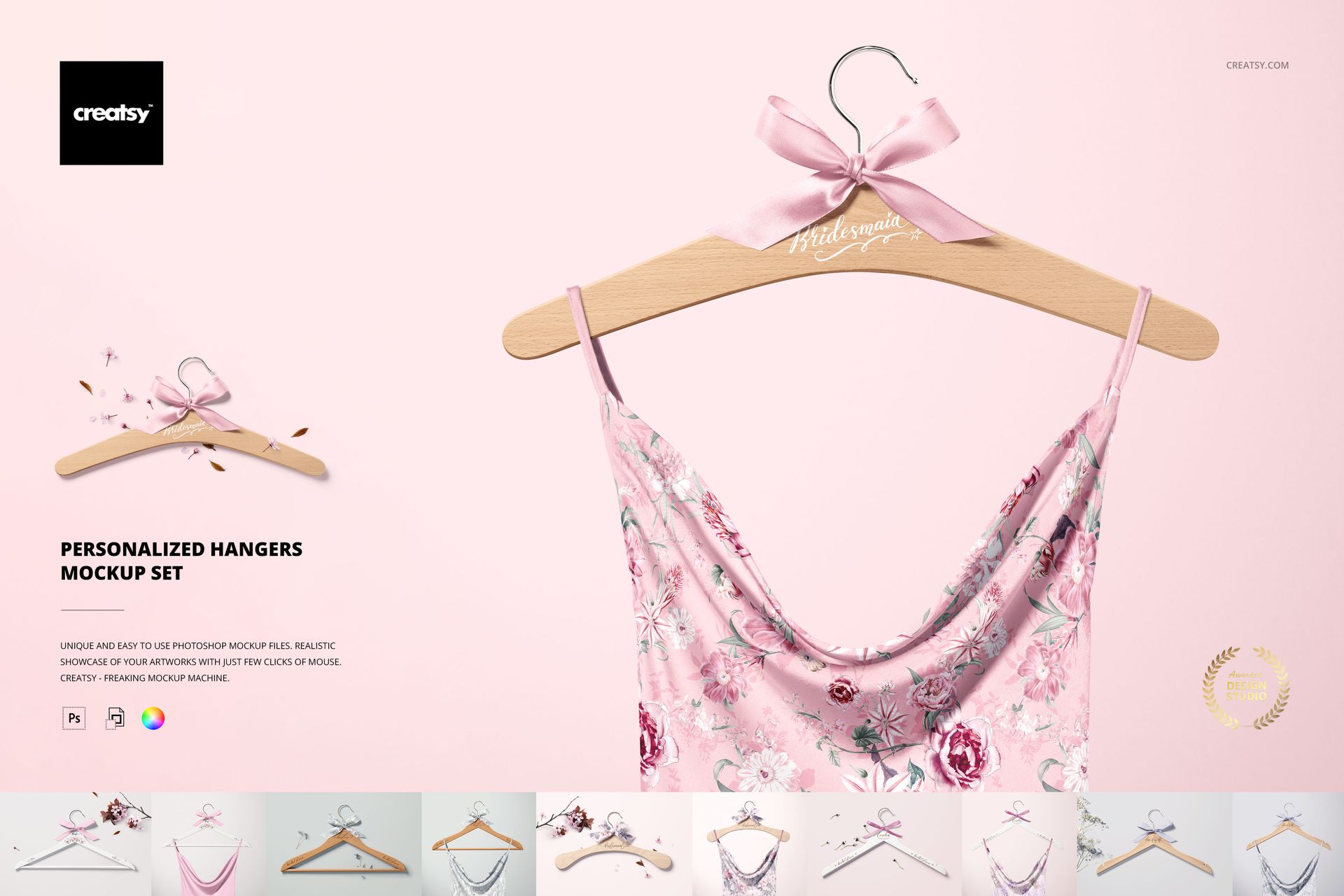
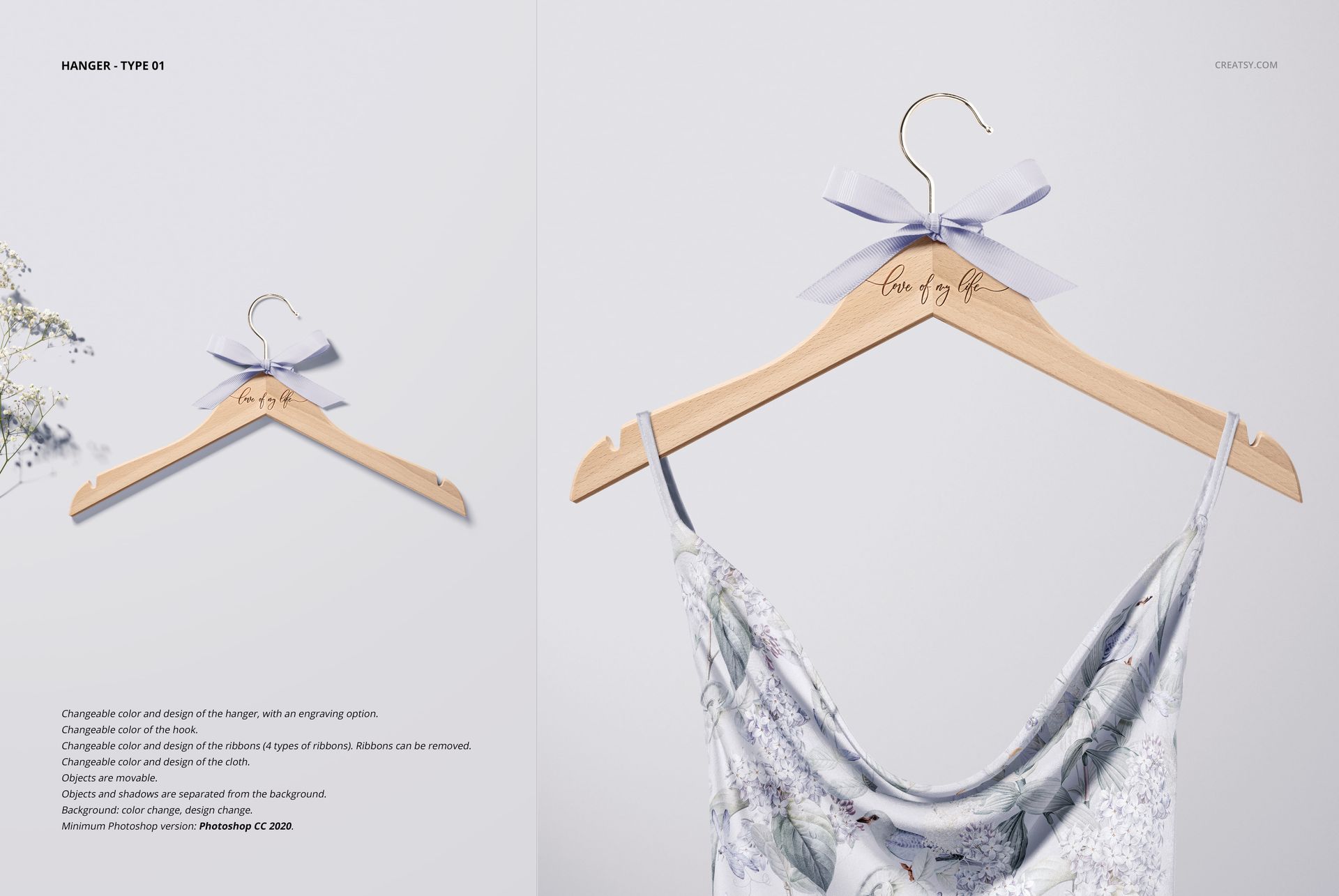
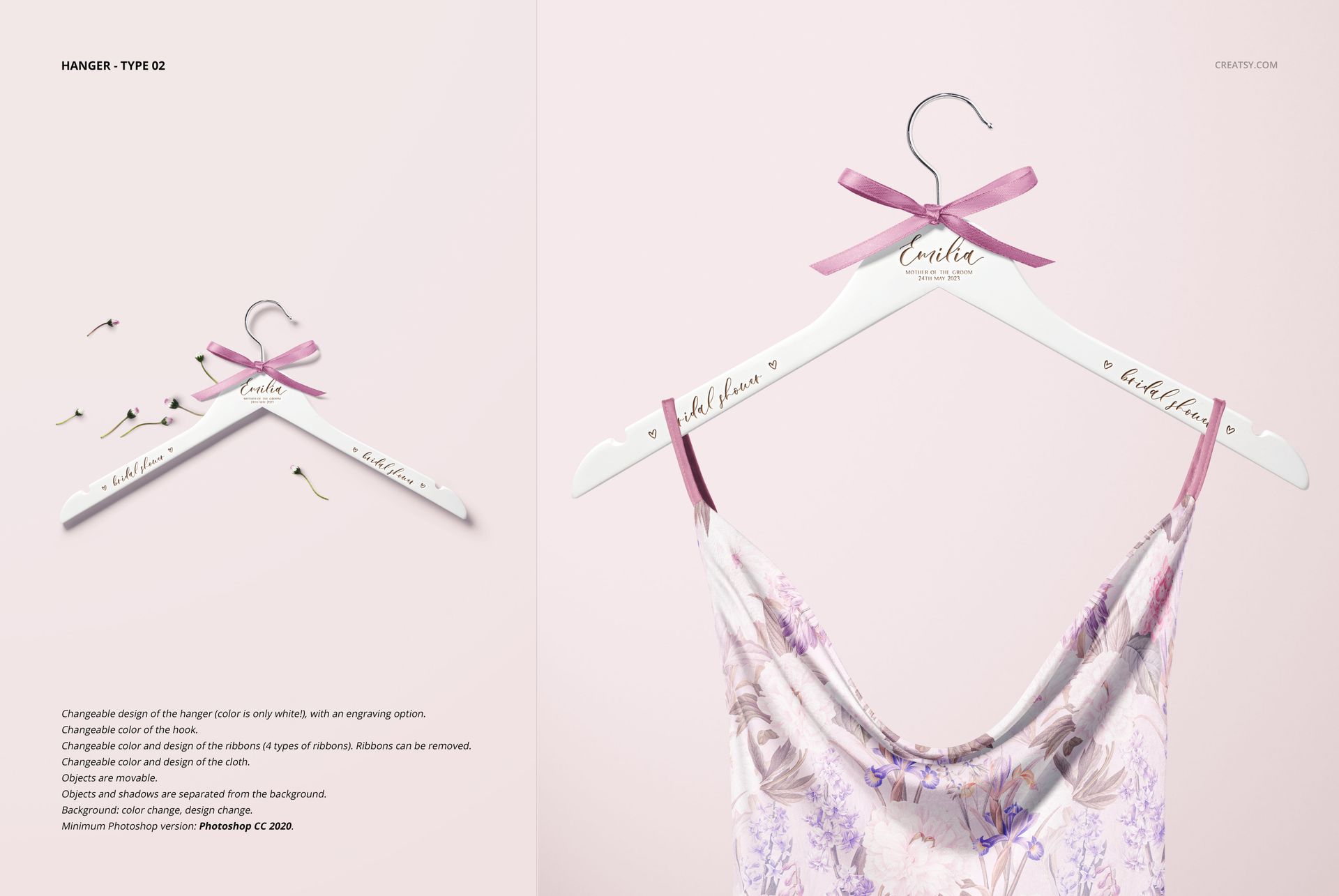
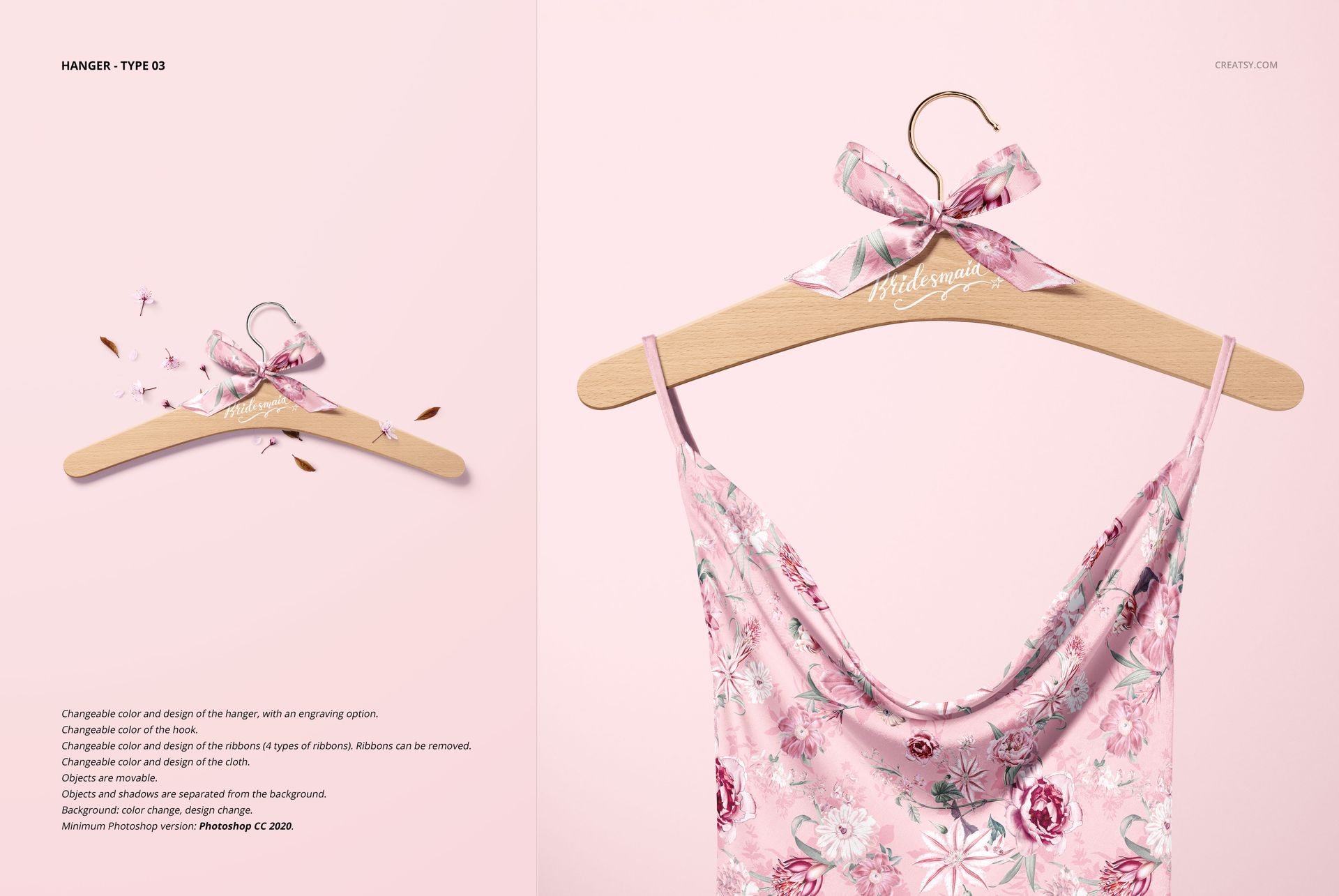
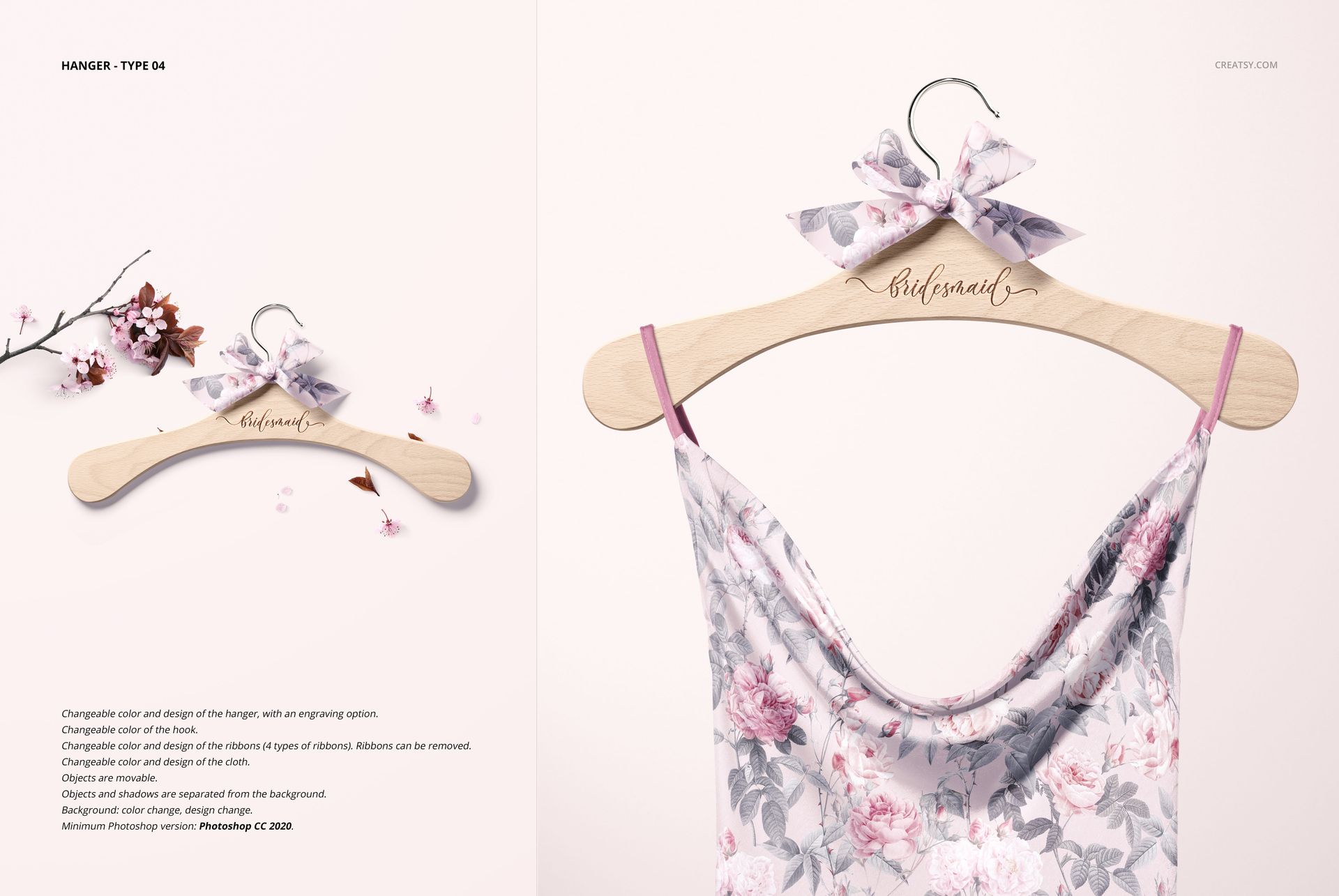
The Personalized Hangers Mockup Set helps you present custom bridal hangers in polished scenes created for wedding products, bridal party gifts and getting-ready details. Across 12 editable PSD mockups, you can show personalized names, wedding-party roles, dates or short lettering on hangers styled with ribbon bows, flowers, garments and clean product backgrounds.
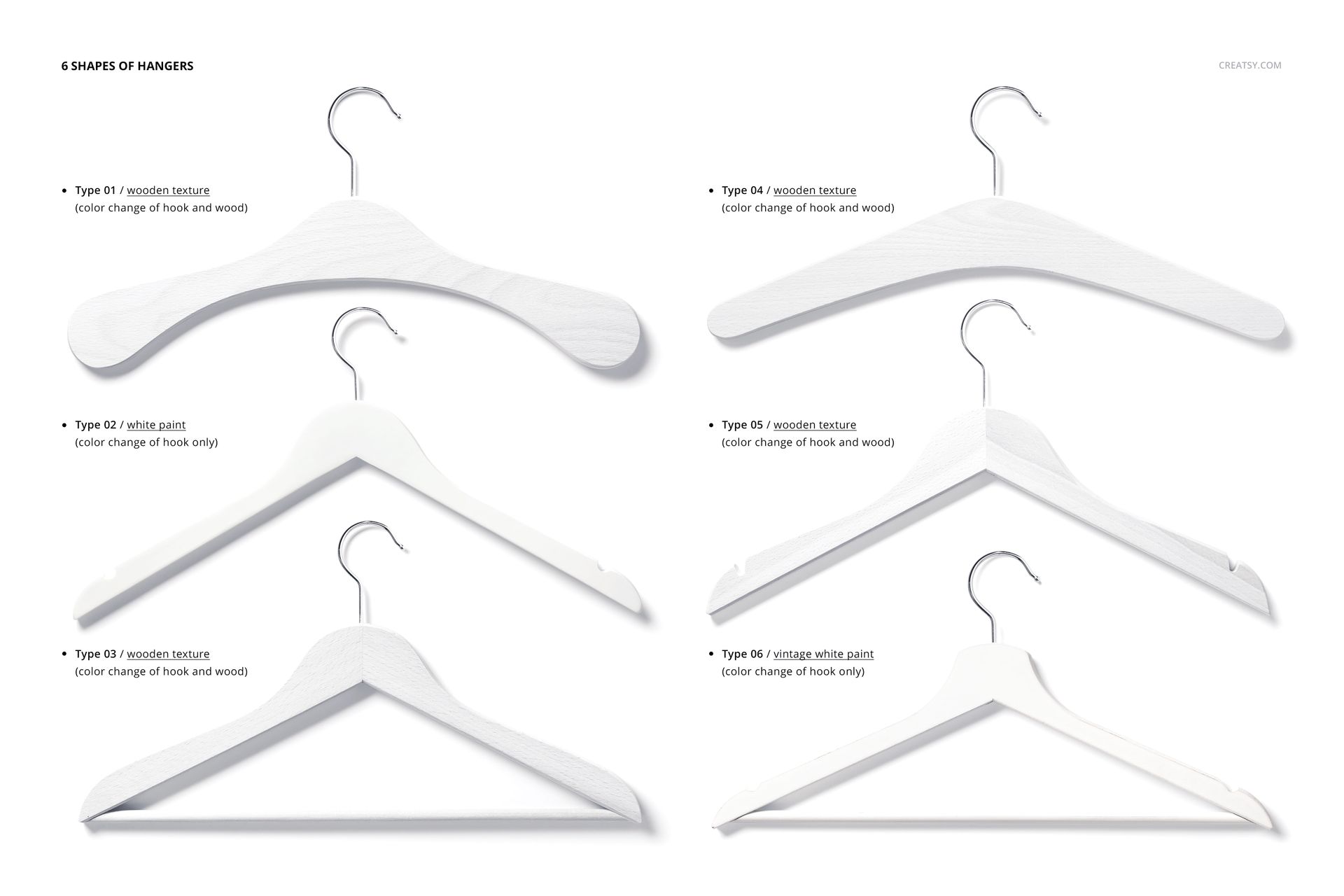
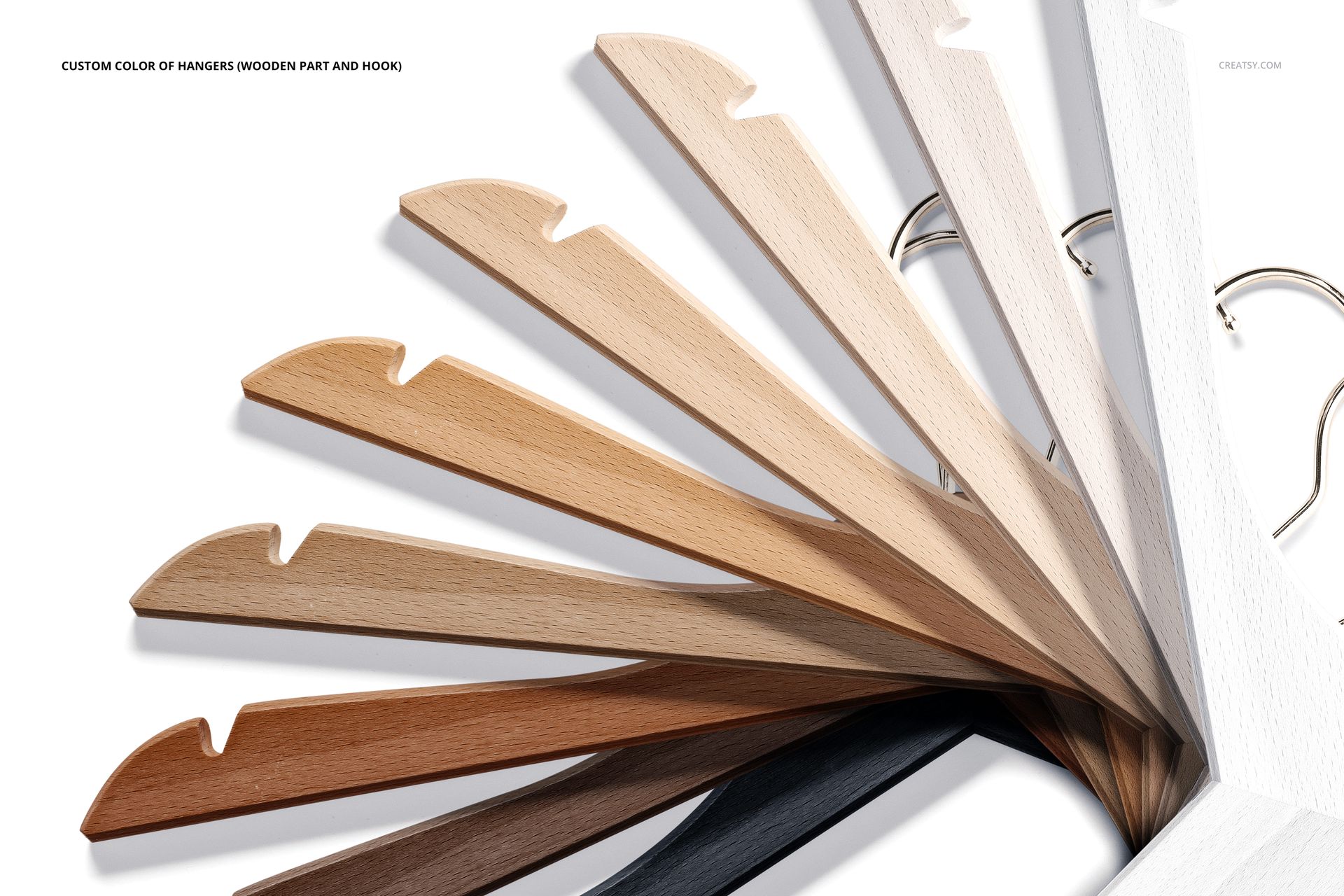
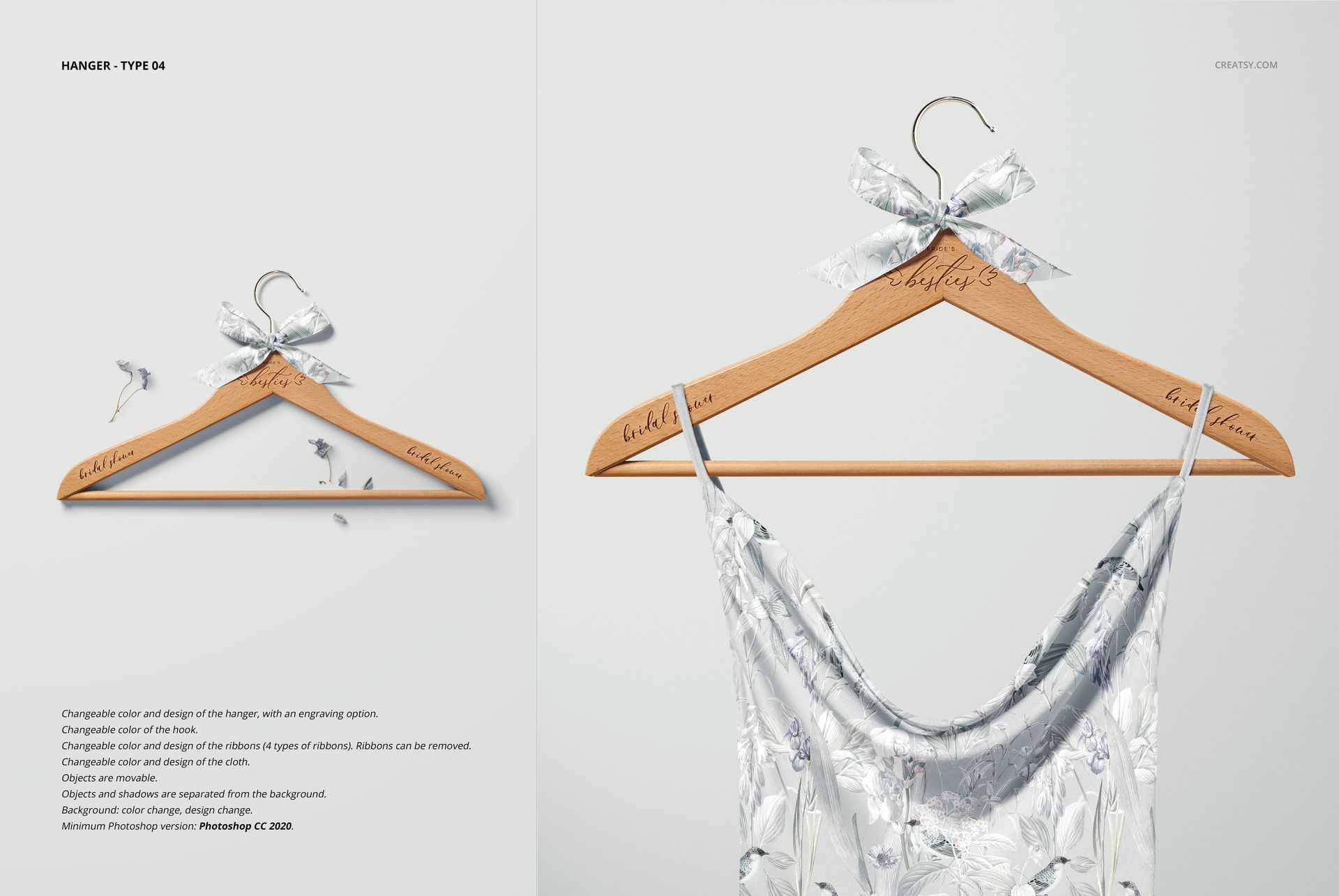
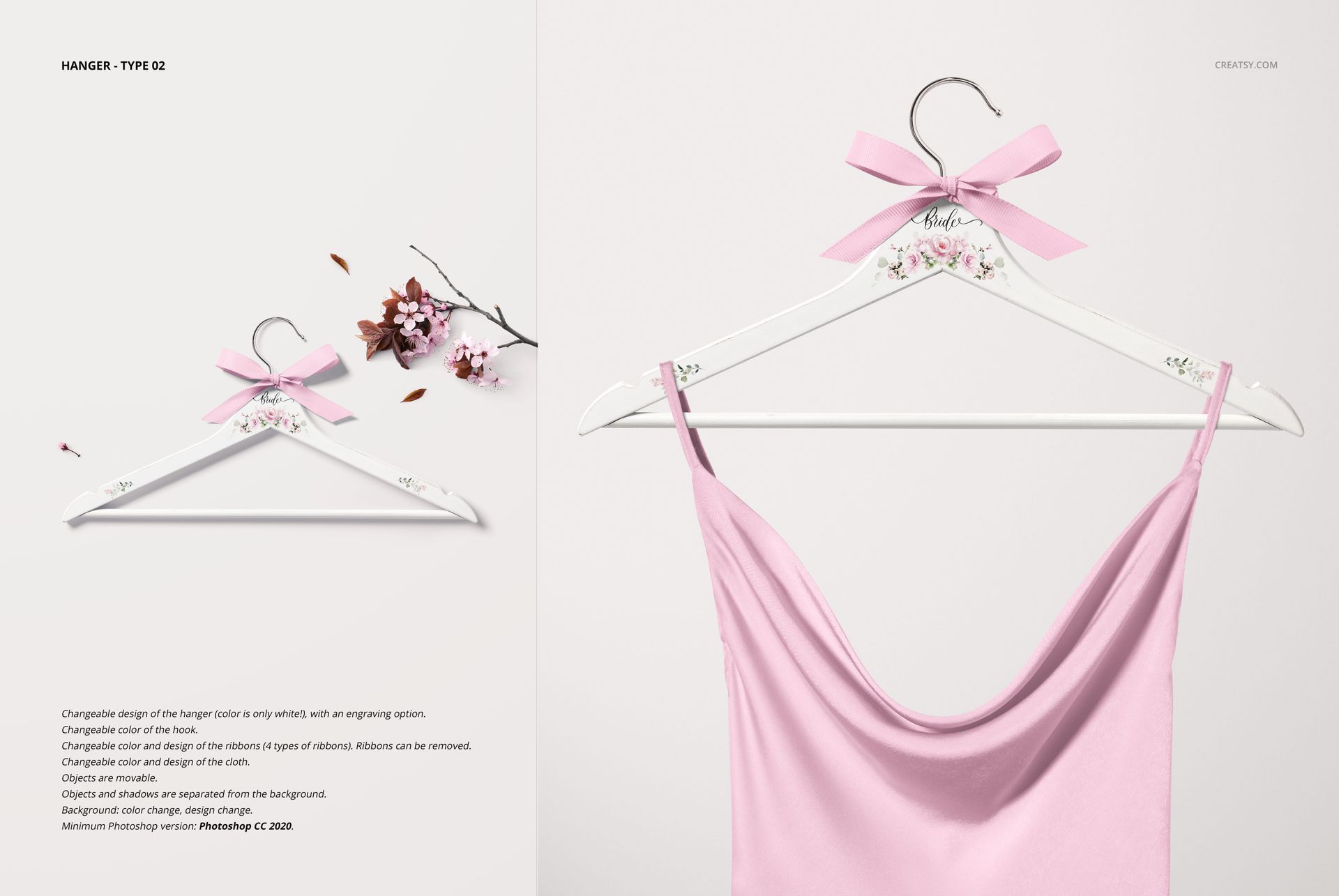
The previews include white and natural wood finishes, several hanger forms, front-facing product views, overhead arrangements, bridal garment scenes, floral styling and a dedicated selection of ribbon bow treatments.
Make Every Bridal Party Hanger Feel Personal
A personalized hanger is a small detail, but it can carry a meaningful part of the wedding identity.
Use the mockups to present lettering such as:
Bride
Bridesmaid
Maid of Honor
Matron of Honor
Mother of the Bride
Mother of the Groom
Flower Girl
Future Mrs.
A custom first name
The couple’s wedding date
A short thank-you message
You can create one hero hanger for the bride or build a coordinated collection for the whole wedding party. The Creatsy Wedding category specifically positions this set for bride and bridesmaid names, dates and personalized wedding artwork.
Present More Than a Name on Wood
The lettering may be the first detail people notice, but the complete presentation also depends on the hanger finish, ribbon, garment and surrounding wedding styling.
A natural wooden hanger can create a warm, traditional or rustic mood. A white hanger can feel lighter and more contemporary. A pastel bow may support a romantic wedding palette, while a darker or patterned ribbon can connect the product with a more distinctive event identity.
The preview gallery shows personalized hangers with:
Natural wood and painted white finishes
Different hanger shapes
Metal hooks
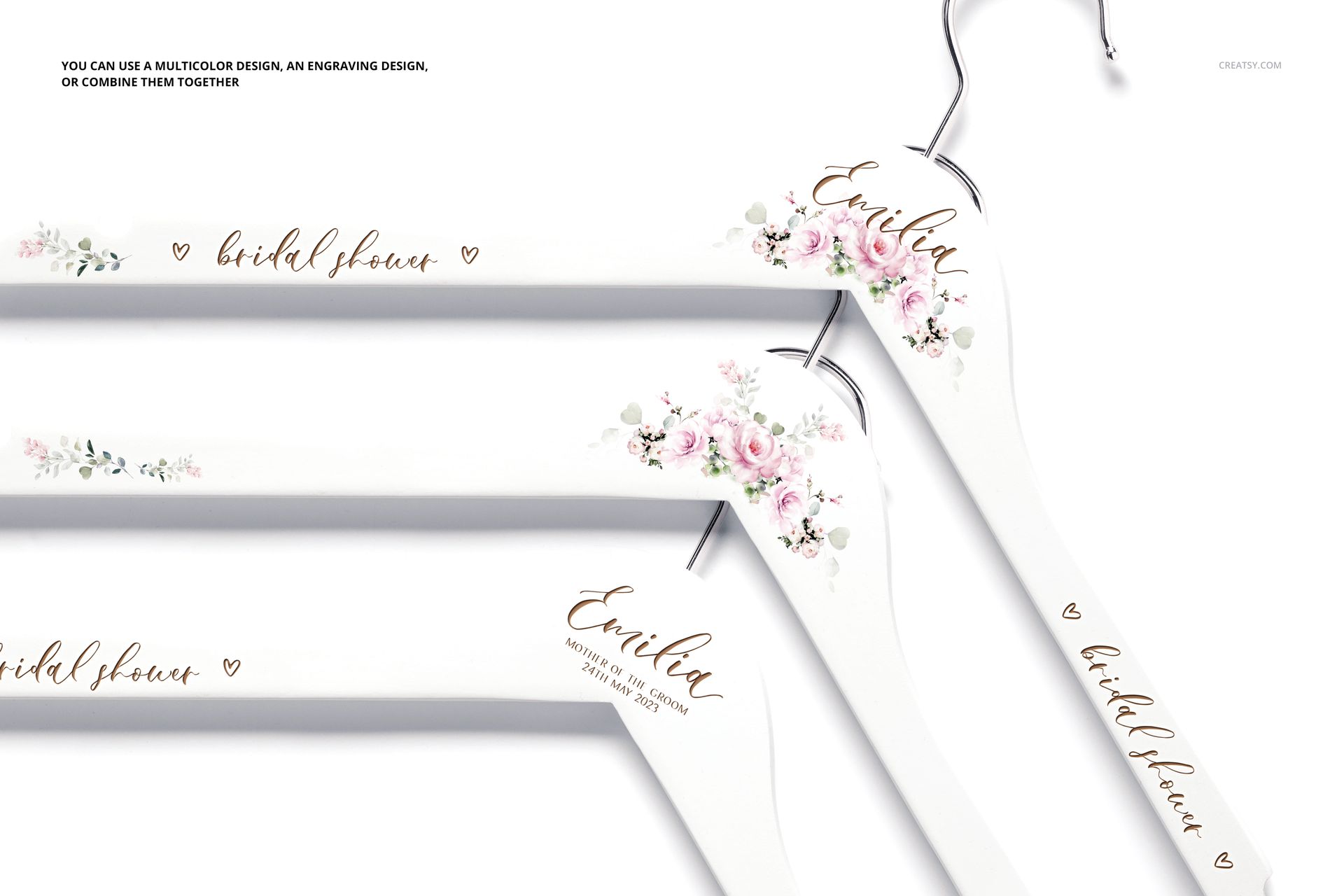
Script-style name treatments
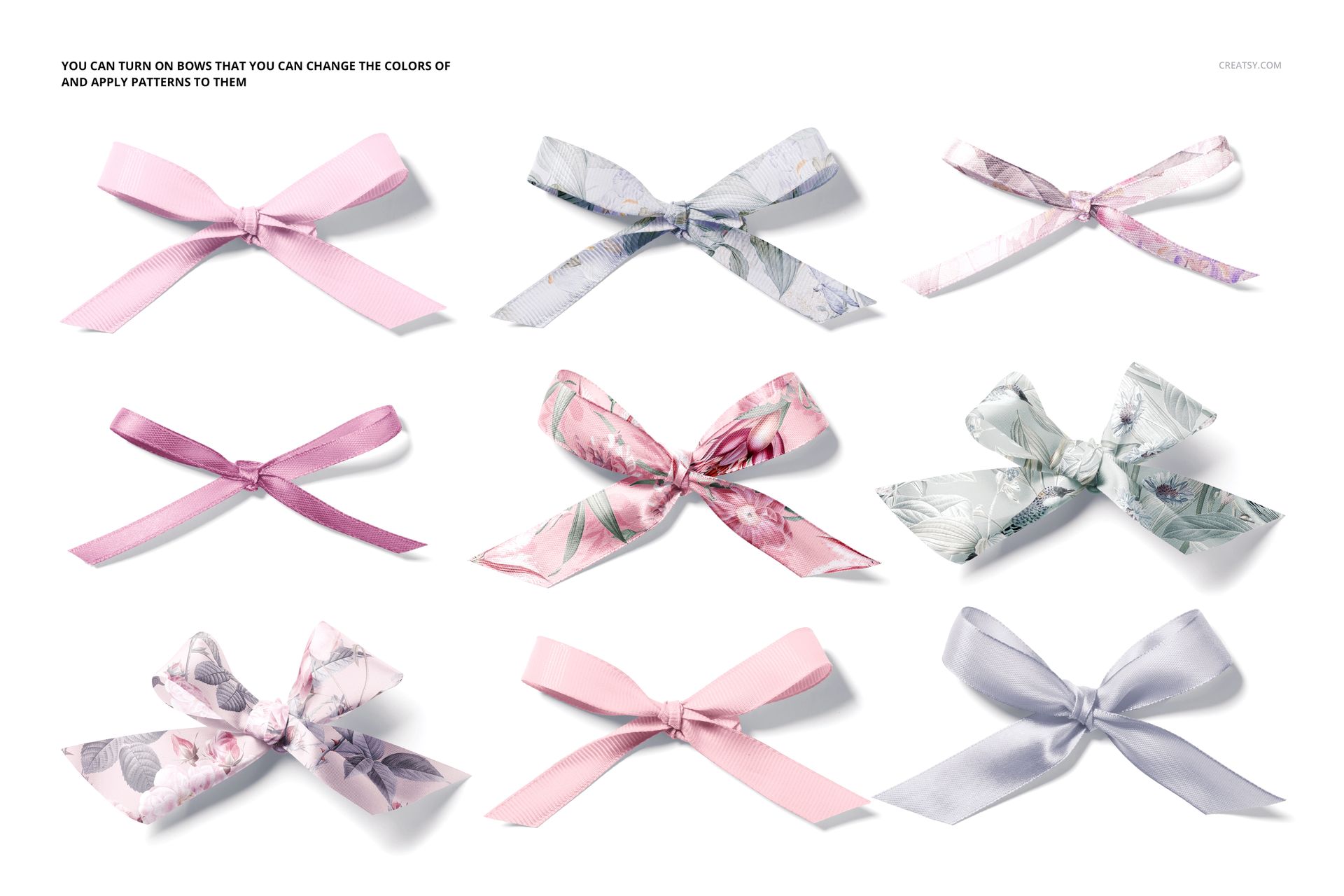
Ribbon bows in multiple colors and patterns
Floral accents
Draped dresses and fabric
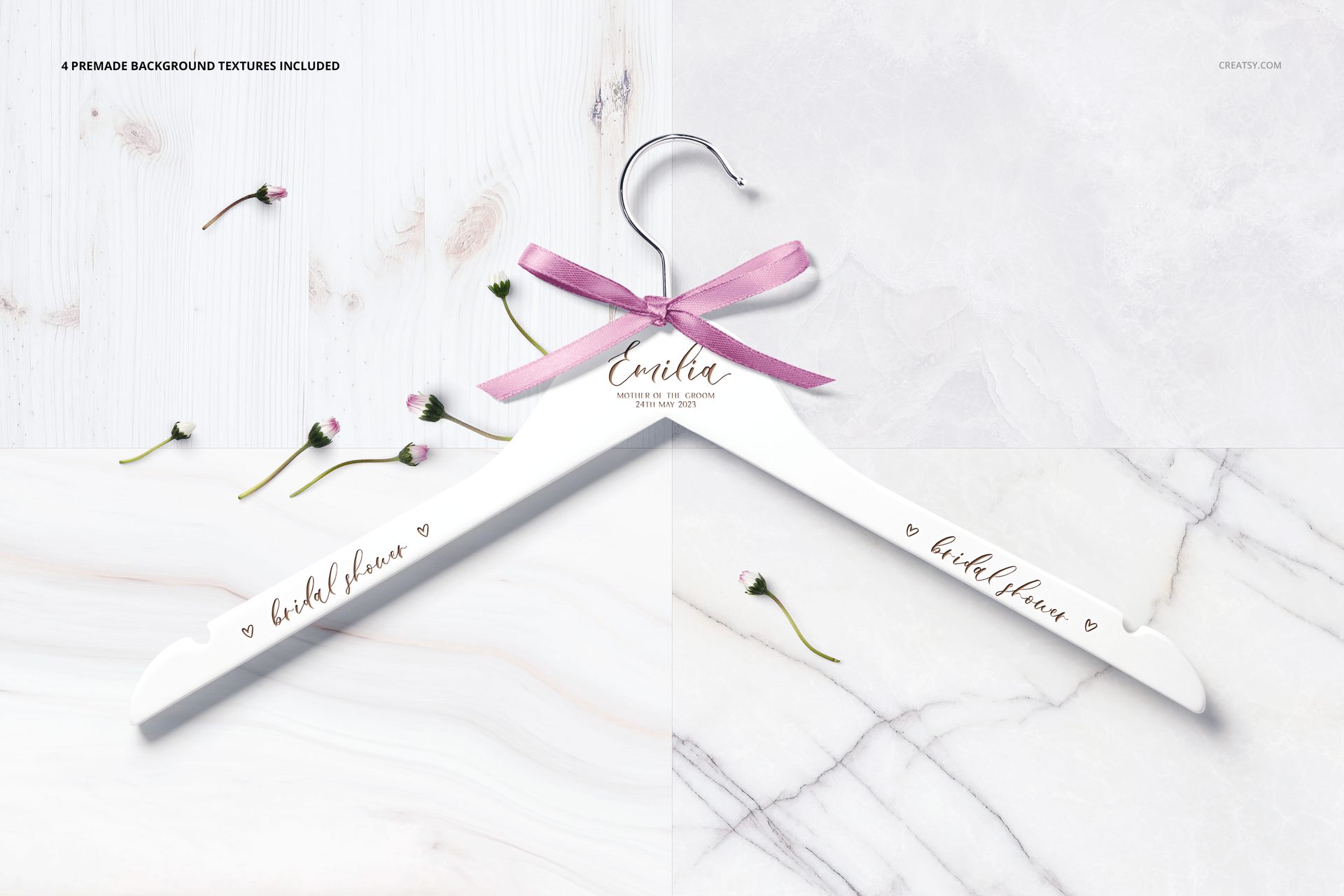
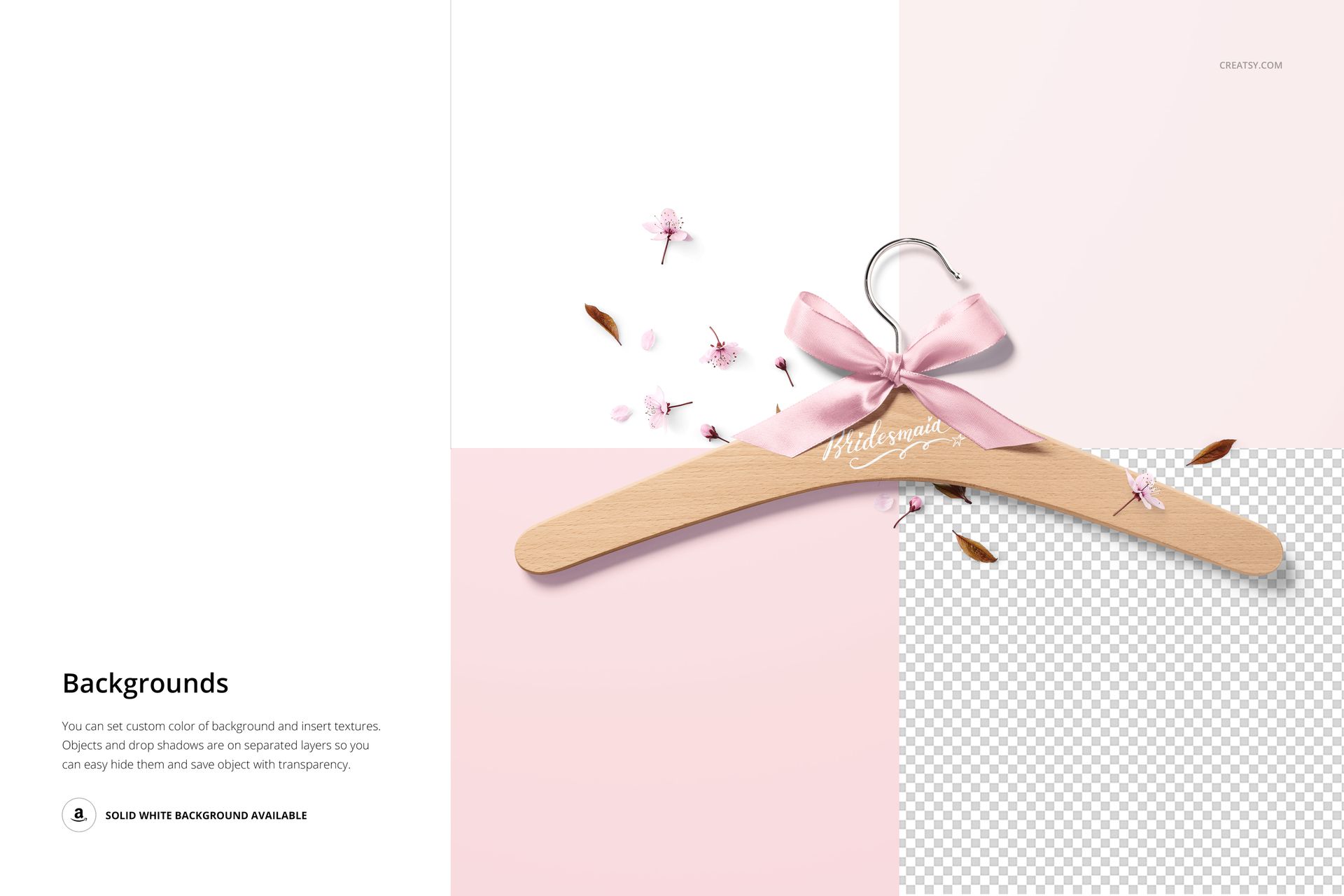
Marble, wood and clean studio surfaces
Front-facing and top-view compositions
These variations help you build a product gallery that feels complete rather than repeating the same hanger against one background.
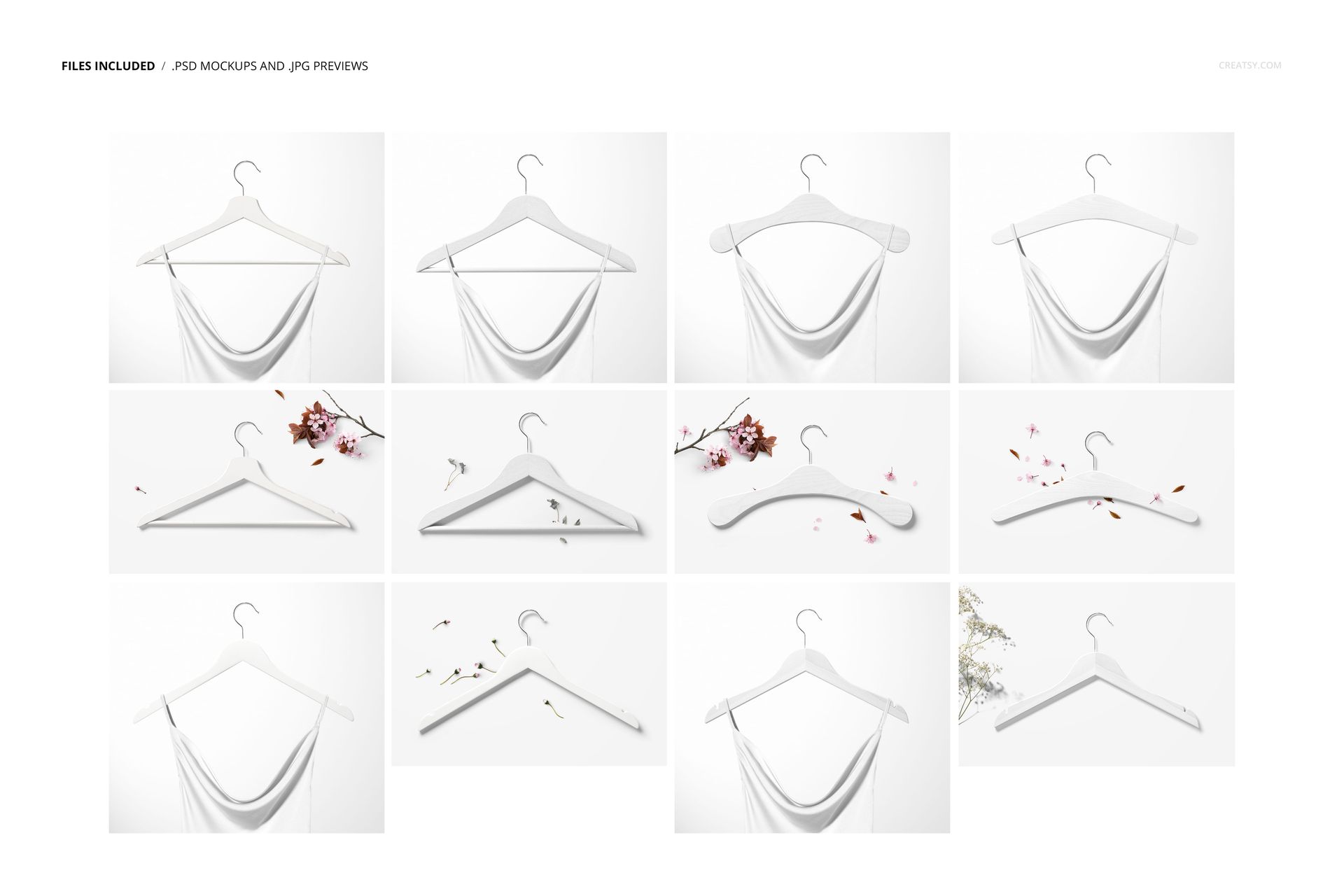
Twelve Scenes for a Complete Product Gallery
A personalized product often needs several images to explain its options clearly.
Use a clean front view to introduce the custom name. Add a top-view composition to show the bow and hanger finish. Follow it with a garment scene to place the product in a realistic bridal context. Finish with a group or options image that helps customers understand the available styles.
A strong image sequence could include:
A personalized bride hanger as the hero image
A white and natural wood finish comparison
A close view of the custom lettering
A ribbon bow options image
A hanger styled with a wedding dress or bridal robe
A full bridal party hanger collection
A top-view product composition
A clean image for explaining personalization options
The set includes six PSD scenes at 6000 × 5400 px and six at 6000 × 4000 px, giving you both wider and taller landscape proportions for product galleries and campaign layouts.
Designed for Wedding Product Sellers
The set is a natural fit for businesses offering personalized wedding products, including:
Bridal hanger shops
Wedding gift businesses
Laser engraving studios
Vinyl lettering and personalization sellers
Bridal boutiques
Wedding planners and stylists
Event branding studios
Bridesmaid gift shops
Wedding stationery designers
Custom apparel businesses
Ecommerce sellers offering bridal accessories
Use the edited mockups to show customers how a name, role or date could look before the physical hanger is produced.
This can be especially useful for made-to-order listings, where every purchase may include different names or wedding details. Instead of photographing every customization, you can reuse the same scene and quickly prepare a realistic preview.
Create a Coordinated Bridal Party Collection
Many personalized hangers are purchased as a set rather than individually.
You can use the mockups to present:
One bride hanger with matching bridesmaid hangers
Different names across one coordinated style
A separate color for the Maid of Honor
Matching hangers for both mothers
A smaller hanger for the Flower Girl
A consistent wedding date across the full set
One bow color used throughout the bridal party
Several bow colors matched to different dresses
Showing the products together helps customers imagine the complete getting-ready setup and can make a larger bridal party order feel more tangible.
Make the Hanger Part of the Getting-Ready Scene
Wedding morning photography often includes the dress, accessories, flowers and personalized details before the ceremony begins.
Several scenes in this set place the hanger beside floral elements or with a garment draped from it, helping the product feel connected to the wider wedding-day atmosphere.
Use these compositions for:
Wedding morning inspiration
Bridal boutique campaigns
Getting-ready product collections
Bridesmaid proposal gifts
Wedding day detail boards
Personalized dress hanger listings
Bridal shower gift presentations
Wedding planner proposals
Boutique social media content
The hanger remains the focal point, but the dress and decorative details show why the product matters in a real bridal setting.
Ribbon Bows That Support the Wedding Palette
The product screenshots include an overview of nine ribbon bow treatments in pastel, floral and decorative styles. These options help demonstrate how the hanger can be coordinated with the wedding colors, dress palette or bridal party theme.
You can present:
Soft blush and pastel bows
Floral ribbon designs
Neutral wedding colors
Coordinated bridesmaid shades
A contrasting bow for the bride
Patterned ribbon for a more decorative style
Several options in one product gallery
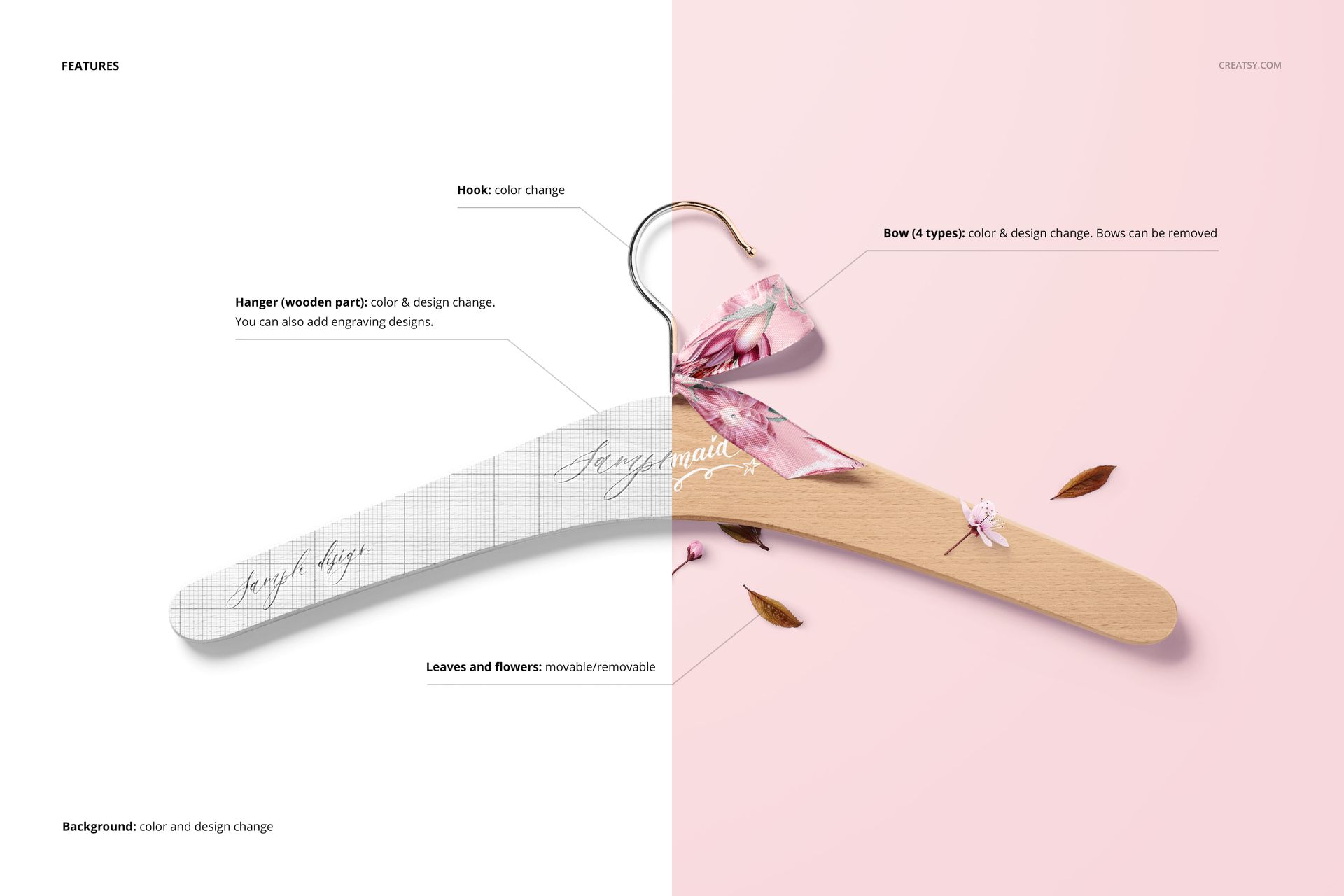
The public listing should clearly show which bow treatments can be selected in each PSD and whether they can be recolored, replaced or hidden.
Useful for Branding and Personalization Presentations
This set is also useful when a custom hanger forms part of a larger wedding brand identity.
A wedding designer can coordinate the lettering with invitations, menu cards, guest books and planner covers. A bridal boutique can use its own typography or logo. A personalization studio can show several font directions before producing the physical order.
Use the mockups in:
Wedding branding case studies
Client approval decks
Bridal product catalogs
Personalization option guides
Etsy and Shopify product listings
Instagram and Pinterest campaigns
Wedding fair materials
Bridal boutique websites
Newsletter launches
Wholesale presentations
Portfolio projects
Bridesmaid gift promotions
Preview Customization Before Production
Physical personalized hangers may involve engraving, vinyl lettering, printing, paint, ribbon selection and custom assembly.
The mockups can help you review the visual direction before producing the final item. Use them to compare:
Name placement
Font size
Wedding-party role wording
Date formatting
Lettering color
White and natural wood finishes
Ribbon color combinations
Group order consistency
The relationship between the hanger and garment
The PSD files are intended for visual presentation. Final engraving, printing, decal and manufacturing requirements should still be confirmed with the hanger supplier or production studio.
Easy Smart Object Workflow
Open the PSD in Adobe Photoshop CC2020 or newer, or use Photopea in your browser. Double-click the relevant Smart Object, add your personalization or artwork and save the file. The mockup updates within the original perspective, lighting and scene styling.
Creatsy’s current workflow uses Smart Objects and organized layer groups so artwork can be added without manually rebuilding the product perspective.
What You Can Showcase
Use the Personalized Hangers Mockup Set to present:
Bride hanger designs
Bridesmaid hangers
Maid of Honor hangers
Flower Girl hangers
Wedding-date personalization
Custom name lettering
Natural wood hanger finishes
White bridal hangers
Ribbon bow options
Bridal robe hangers
Wedding dress hangers
Personalized bridal party gifts
Bridal boutique products
Wedding morning accessories
Client personalization concepts
Ecommerce product images
Wedding branding presentations
File Specifications
12 layered PSD files, including 6 files at 6000 × 5400 px and 6 files at 6000 × 4000 px, all at 300 DPI; 12 JPG previews and 4 full-resolution background texture JPGs at 6000 × 4000 px, 28 files in total; compatible with Adobe Photoshop CC2020 or newer and Photopea; well-organized layers; compressed package size approximately 891 MB for Windows and 934 MB for macOS.
Preview Content Note
The sample names, lettering, garment patterns and wedding styling shown in the product previews demonstrate possible uses of the mockups. The detected package contains the editable PSD scenes, JPG previews and four background textures, but no separate third-party artwork files.
Give a Meaningful Wedding Detail a Professional Presentation
A personalized hanger may appear for only a few moments during the wedding day, but it can become part of the getting-ready photos, bridal party gifts and memories connected with the dress.
The Personalized Hangers Mockup Set gives that detail enough attention to feel special. Twelve varied scenes help you show custom names, roles, ribbon options and bridal styling in a way that feels polished, personal and ready for a real wedding product listing.
File details
- Compatibility
- Package size
- 891 MB
|934 MB
- Files type
- .psd, .jpg
- Files size
- 6000x4000


MEET THE SHOP
- $1615$19.00
- $1870$22.00
- $1615$19.00
- $2125$25.00

HOW IT WORKS
3 clicks. That's it.
No tutorial needed. If you can copy-paste, you can use this.
- 1OpenDouble-click the smart object inside the PSD - in Adobe Photoshop, or free in your browser with Photopea.
- 2PasteDrop in your pattern, print, or artwork. Any design, any style.
- 3SaveHit save and the mockup wraps it in for you - shadows, folds, and lighting included.
FROM IDEA TO IMAGE
Built for real workflows
Skip the photo shoot Show your artwork on the real product type for approvals or listings - no studio, no model, no sample.
See it on the product, not a swatch Drop your file into the smart object and the scene's lighting and folds wrap around it, so you judge the real thing before you commit.
Smart Objects
Edit once and you're done. Your artwork drops into a smart object and the mockup updates itself - no masking, no warping by hand.
Perfectly Organized
Named layers and folders you can actually navigate. Find what you need, change what you want, and get out fast.
Print-Ready
High-resolution files built to hold up on screen and in print. Exact size and DPI are in this product's Details above.