Guest Book Mockup Set

ID: 1236031829 | Updated: Apr 4, 2024

Product Details

Guest Book Mockup Set

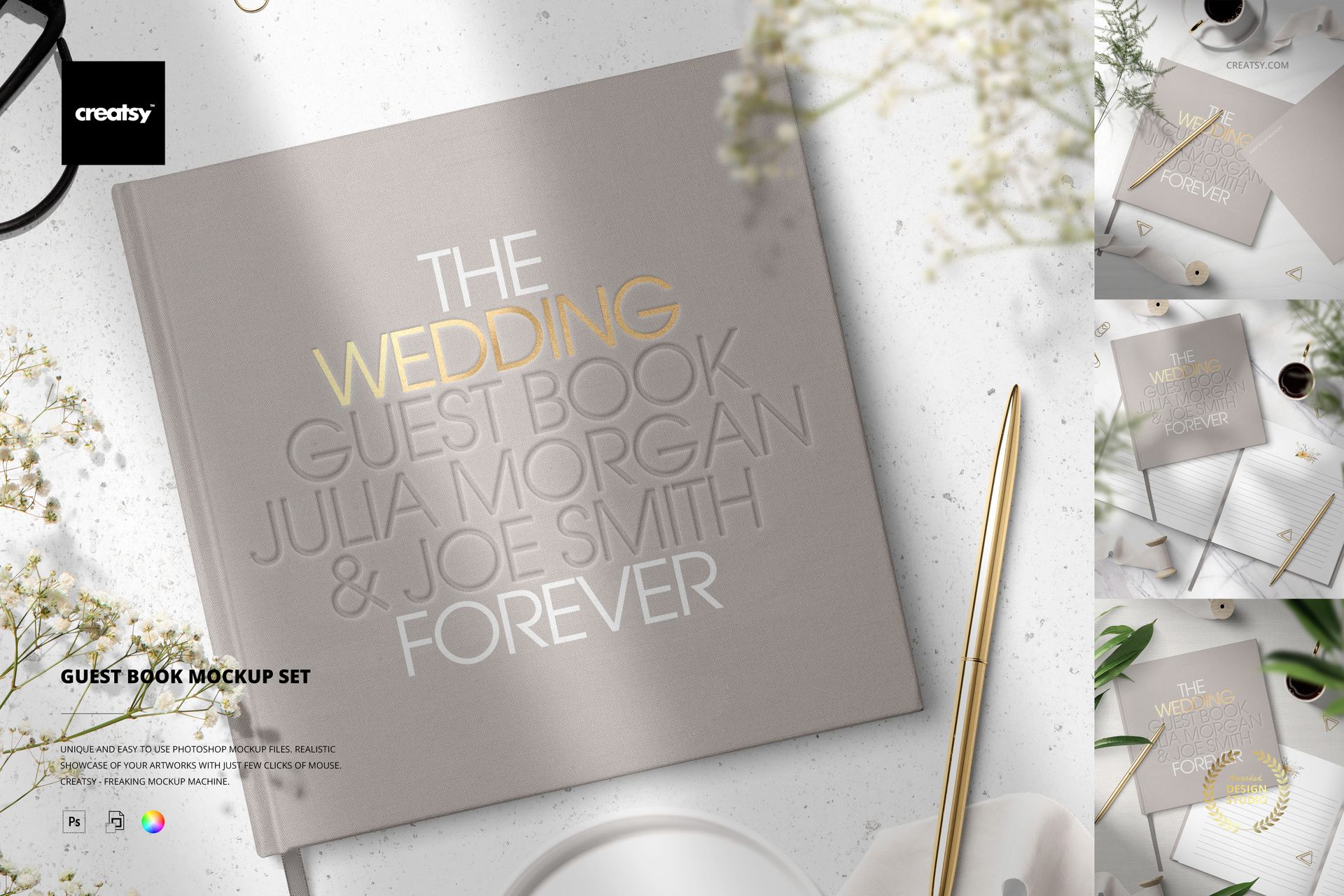
A wedding guest book begins as a blank object and leaves the celebration filled with names, messages, stories and advice. Its value comes from the pages inside, but the cover is what introduces it as part of the wedding day.

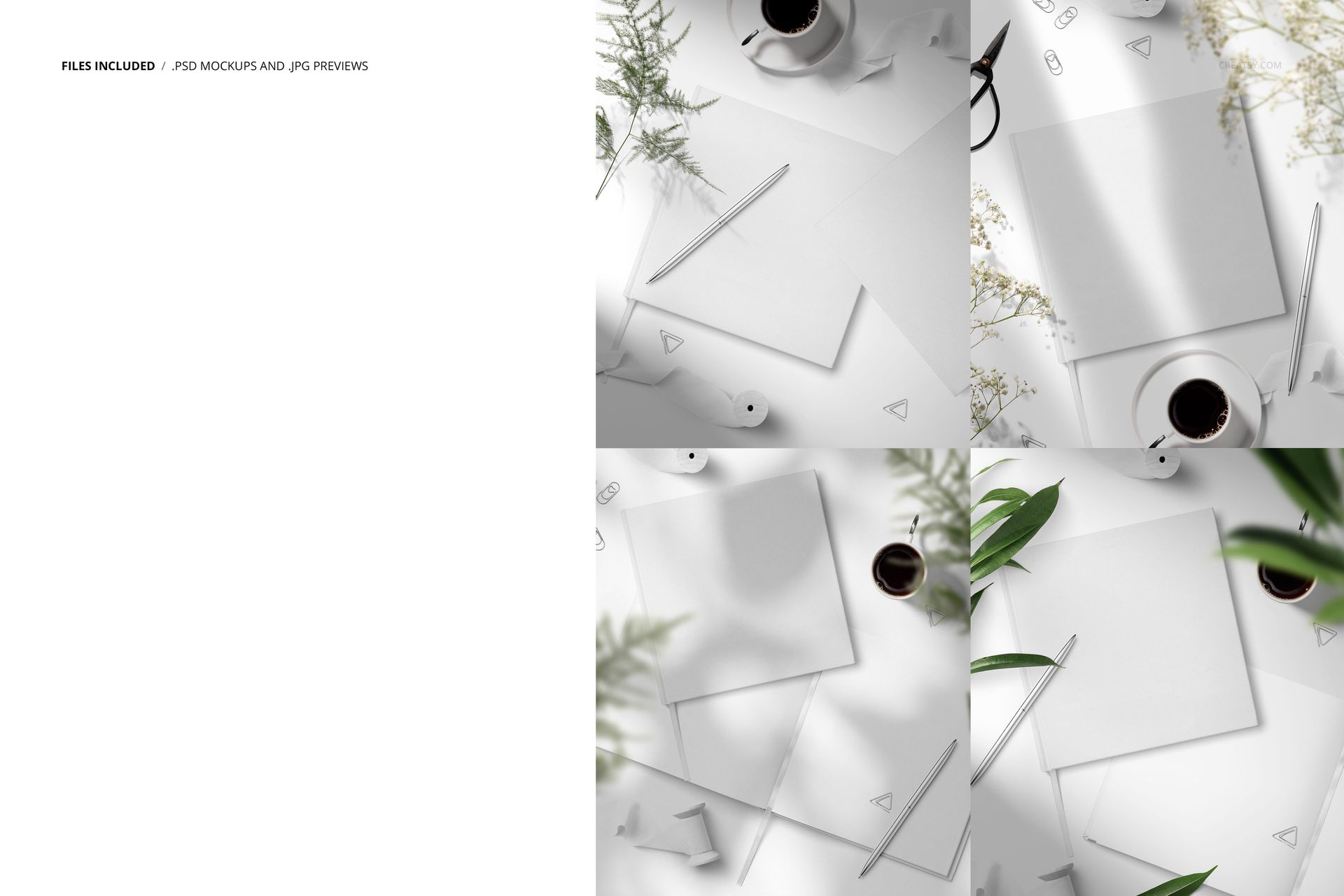
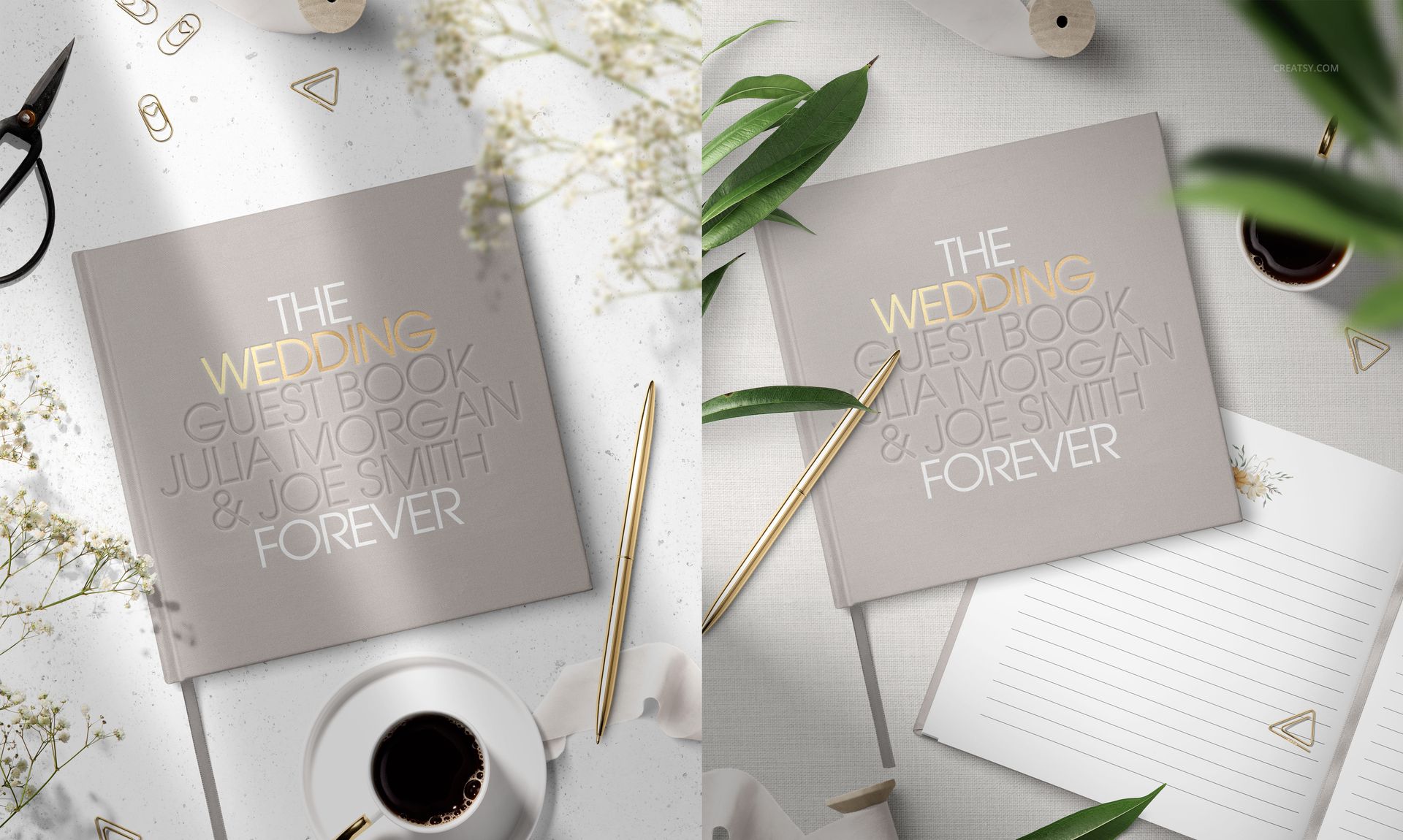
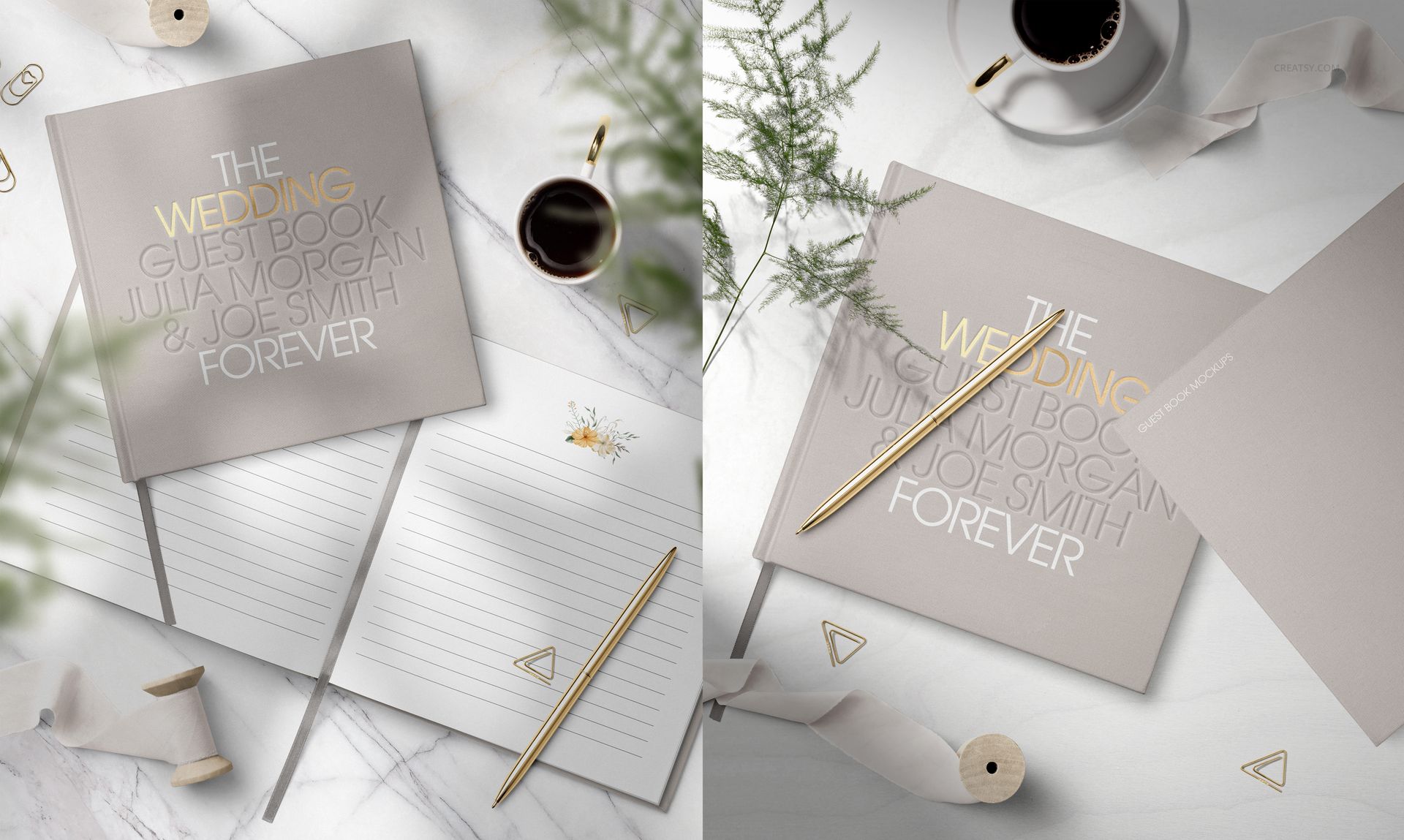
The Guest Book Mockup Set includes four editable PSD scenes designed to present both sides of that experience. Use the closed-book views to showcase cover artwork, names, wedding dates and lettering. Then move to the open compositions to display signing pages, interior layouts and the details guests will interact with during the reception.

The scenes combine guest books with wedding stationery details such as pens, paper clips, flowers, greenery, coffee cups, marble surfaces and refined tabletop styling. The result feels elegant and realistic without becoming overly formal or visually crowded.

Show the Cover and the Pages That Matter

A guest book is more than a decorated hardcover.

Customers may first notice the cover design, but they also need to understand how the book will function during the event. Open-page mockups help show where guests can sign, write longer messages or leave personal notes for the couple.

Use the set to present:

Custom guest book covers
Bride and groom names
Wedding dates
Monograms and initials
Floral or geometric cover artwork
Guest signing pages
Lined and unlined page layouts
Welcome messages
Wedding reception instructions
Personalized interior typography
Coordinated cover and page designs

The combination of closed and open views gives you a more complete presentation than a single cover mockup.

Create a Guest Book That Belongs to the Wedding

The guest book often sits near the entrance, gift table, photo area or reception decor. It becomes part of the visual environment before guests begin writing in it.

That means the design should feel connected to the wider wedding identity.

Use the mockups to coordinate the guest book with:

Invitations and envelopes
Wedding menus
Table numbers
Welcome signs
Place cards
Wedding planners
Thank-you stationery
Floral arrangements
Reception color palettes
Personalized wedding accessories

A minimal wedding may call for a neutral cover with understated typography. A romantic celebration may suit florals, soft colors and metallic lettering. A modern event can use strong contrast, geometric artwork or oversized type.

The mockups allow those directions to be reviewed in a realistic setting before the final book is printed or manufactured.

A Refined Presentation for Hardcover Designs

Hardcover guest books often rely on small details to communicate quality.

A centered title may need enough breathing room around it. Metallic-looking lettering should remain visible against the cover color. An embossed or debossed concept needs a composition that allows the typography to feel intentional rather than lost within the artwork.

Use the cover scenes to evaluate:

Name and date placement
Title size
Logo or monogram positioning
Cover pattern scale
Contrast between lettering and background
Balance between decorative and minimal elements
The relationship between the book and surrounding props
How the design may appear in ecommerce images

The mockups can also help compare several possible treatments, such as minimalist typography, foil-style lettering, ornamental frames or pattern-led covers.

Four Scenes with Different Roles

Each mockup can support a different part of your product gallery.

Closed guest book presentation: Use it as the main image for cover artwork, personalization and overall product style.

Open-page stationery scene: Show signing pages, lines, headings and interior layouts beside pens and paper accessories.

Cover and interior composition: Present the outside and inside of the product together, helping customers understand the complete guest book concept.

Marble wedding scene: Add a more premium, reception-ready setting with elegant surfaces and decorative details.

Together, the four views create a coherent gallery while avoiding several nearly identical images.

Who Is It For?

Wedding stationery designers

Present custom guest books as part of a coordinated collection with invitations, menus, planners and reception paper goods.

Personalized wedding product sellers

Create realistic previews for made-to-order guest books featuring different names, dates, lettering styles and cover colors.

Print shops and book manufacturers

Show potential customers how hardcover guest books, signing books and wedding memory books can look before production.

Event planners and wedding stylists

Visualize guest book concepts within a broader reception theme or client presentation.

Calligraphers and lettering artists

Apply custom names, monograms and hand-lettered titles to realistic book covers.

Branding and design studios

Include guest books in complete wedding identity projects and polished portfolio case studies.

Ecommerce sellers

Build varied product images without producing and photographing every personalized cover option.

Designed for Wedding Day Messages and Memories

A wedding planner is used before the ceremony to organize the event. A guest book serves a different purpose. It captures the people, messages and emotions connected with the celebration itself.

This distinction should remain clear in the product description and keywords.

Use the mockups for:

Traditional wedding guest books
Modern signing books
Reception message books
Bridal shower guest books
Engagement party memory books
Anniversary signing books
Wedding photo guest books
Personalized keepsake books
Guest advice books
Celebration memory albums

The wedding guest book should remain the primary SEO focus, while these related uses can broaden the product’s relevance without changing its core intent.

Make Interior Page Designs Easier to Understand

Flat page layouts can feel technical when shown outside a book.

An open guest book mockup helps customers see how the pages work as a spread. It provides context for margins, writing areas, headings and spacing while showing how the book may appear on the reception table.

Use the open views to present:

Welcome text
Guest names and messages
Advice for the couple
Lined writing areas
Blank signing pages
Prompts and questions
Date or event details
Decorative page borders
Small illustrations
Coordinated typography

The layout should feel attractive, but it also needs enough room for guests to write comfortably. A realistic preview helps balance those two goals.

Build Better Product Listings and Client Presentations

The four scenes can be used across several types of content:

Wedding product listings
Custom guest book service pages
Client approval presentations
Wedding stationery portfolios
Behance case studies
Pinterest graphics
Instagram launch posts
Wedding fair materials
Printed catalogs
Wholesale presentations
Website hero images
Newsletter announcements
Personalization option guides

Use the strongest closed-cover image first. Follow it with open pages, additional styling and closer product details. This creates a natural sequence from the first visual impression to the practical interior features.

Preview the Design Before Printing

Personalized guest books may involve hardcover materials, custom lettering, foil stamping, embossing, page printing and binding.

A mockup can help you review the creative direction before committing to a physical sample.

Use the PSDs to compare:

Several cover colors
Different names and dates
Alternative title layouts
Minimal and decorative typography
Multiple pattern scales
Light and dark cover concepts
Different interior page structures
Coordinated wedding stationery collections

The mockups are intended for visual presentation. Final book dimensions, spine width, bleed, binding clearance, paper stock and print requirements should still be confirmed with the printer or manufacturer.

Easy Smart Object Editing

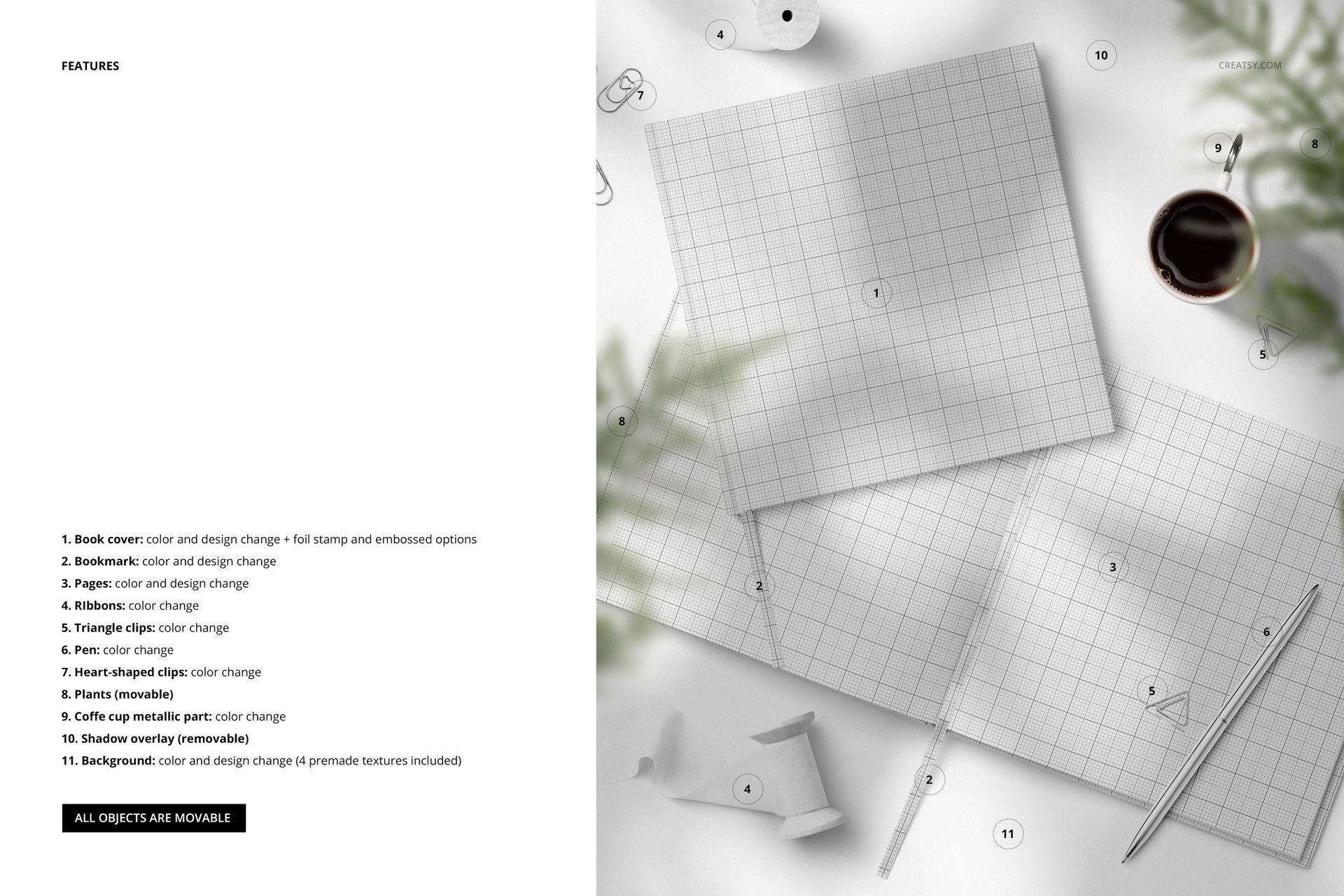
Open the selected PSD in Adobe Photoshop CC2020 or newer, or in Photopea. Double-click the relevant Smart Object, place your cover or page artwork and save the file. The design updates within the original perspective, lighting and shadows.

The files use clearly organized layers and folders, making it easier to reuse one wedding identity across all four scenes without manually rebuilding the presentation.

What You Can Showcase

Use the Guest Book Mockup Set to present:

Wedding guest book covers
Open signing pages
Personalized names and dates
Custom monograms
Guest registry layouts
Wedding reception books
Floral cover designs
Minimal bridal stationery
Metallic lettering concepts
Embossed or debossed cover ideas
Wedding memory books
Bridal shower guest books
Coordinated stationery collections
Client wedding concepts
Ecommerce product images
Wedding design portfolios

File Specifications

4 layered PSD mockup files, 6000 × 5000 px at 300 DPI per PSD, 4 JPG previews and 8 files in total; compatible with Adobe Photoshop CC2020 or newer and Photopea; Smart Object editing workflow; well-organized layers; package size approximately 756 MB for Windows and 793 MB for macOS.

Preview Artwork Note

The product page does not currently credit an external artist for the sample guest book designs. The detected download contains four PSD mockups and four JPG previews, with no separate artwork files listed. Add your own cover and interior page designs when customizing the set.

Create a Guest Book Presentation Worth Keeping

A wedding guest book is one of the few stationery pieces that becomes more meaningful after the event is over.

The Guest Book Mockup Set helps you present that product from the polished cover to the open pages waiting for messages. Four coordinated scenes give couples, clients and customers a clearer picture of the full guest book experience before the first name is written inside.

File details

Compatibility
PhotopeaAdobe Photoshop
Package size
756 MB756 MB|793 MB793 MB
Files type
.psd, .jpg
Files size
6000x5000
TEST FOR FREE

MEET THE SHOP

Creatsy logo

Creatsy

Poland
4.7 (665)

Bring your ideas to life.

We're a family-run studio in Katowice, Poland, making PSD mockups by hand since 2016. Everything in this shop starts in our own studio. We shoot the photography, build the 3D, and put together every Smart Object PSD ourselves - then we test it, organize the layers, and only ship it once it actually works...
GO TO SHOP

HOW IT WORKS

3 clicks. That's it.

No tutorial needed. If you can copy-paste, you can use this.

  1. 1OpenDouble-click the smart object inside the PSD - in Adobe Photoshop, or free in your browser with Photopea.
  2. 2PasteDrop in your pattern, print, or artwork. Any design, any style.
  3. 3SaveHit save and the mockup wraps it in for you - shadows, folds, and lighting included.

FROM IDEA TO IMAGE

Built for real workflows

Skip the photo shoot Show your artwork on the real product type for approvals or listings - no studio, no model, no sample.

See it on the product, not a swatch Drop your file into the smart object and the scene's lighting and folds wrap around it, so you judge the real thing before you commit.

Smart Objects

Edit once and you're done. Your artwork drops into a smart object and the mockup updates itself - no masking, no warping by hand.

Perfectly Organized

Named layers and folders you can actually navigate. Find what you need, change what you want, and get out fast.

Print-Ready

High-resolution files built to hold up on screen and in print. Exact size and DPI are in this product's Details above.