ID: 1133019477 | Updated: May 31, 2022

Product Details

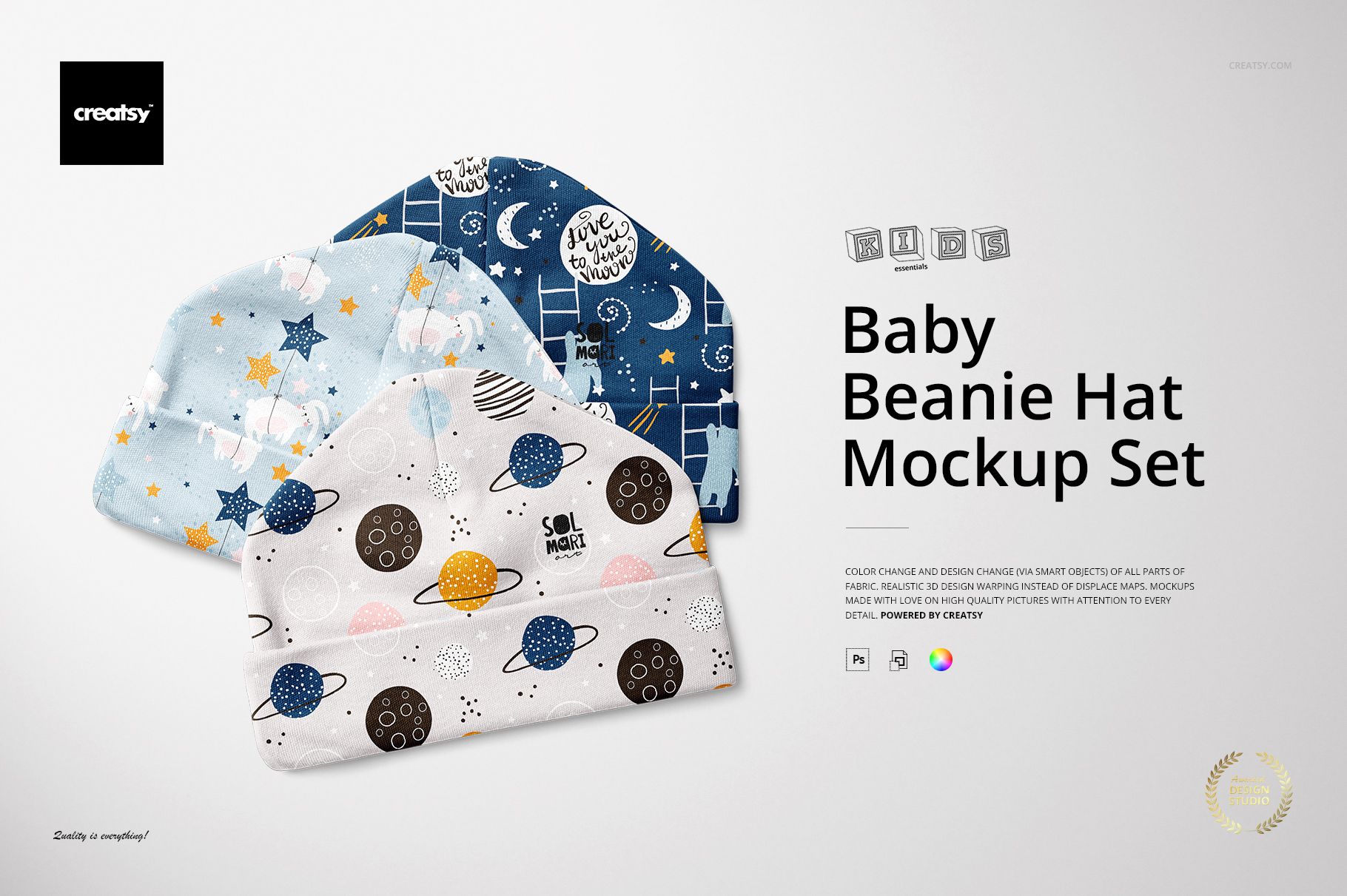
Show your pattern on a newborn beanie without making a single sample. This is a set of three layered Photoshop mockups of a baby beanie hat in a 0 to 3 month size, built so a print or a small graphic wraps onto the fabric and follows the folded brim and the soft body of the hat. Drop your artwork into the smart objects and it settles across the beanie the way a real printed design would, so you can see how it sits before anything is made. The mockup handles the styling and the lighting, which leaves you free to focus on the design.

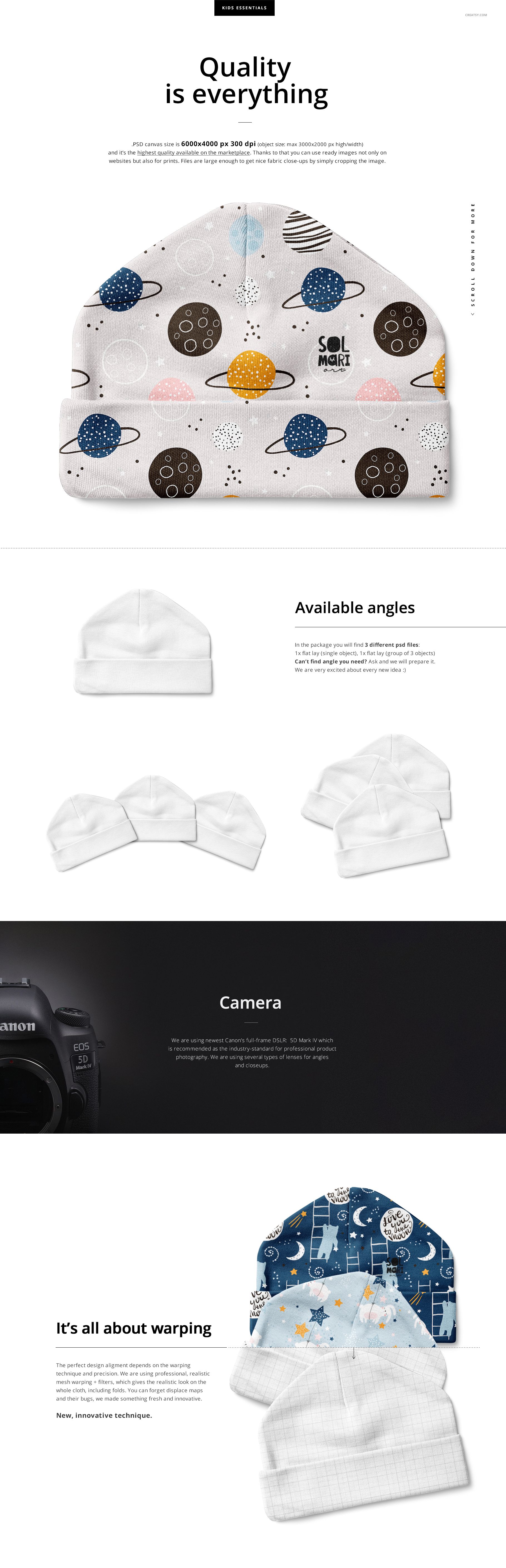
You get 3 PSD files at 6000 x 4000 px, 300 dpi, one for each angle of the hat. They are made for Adobe Photoshop, version CC2015 or newer, with named, well organized layers so each part is easy to find.

What you can change

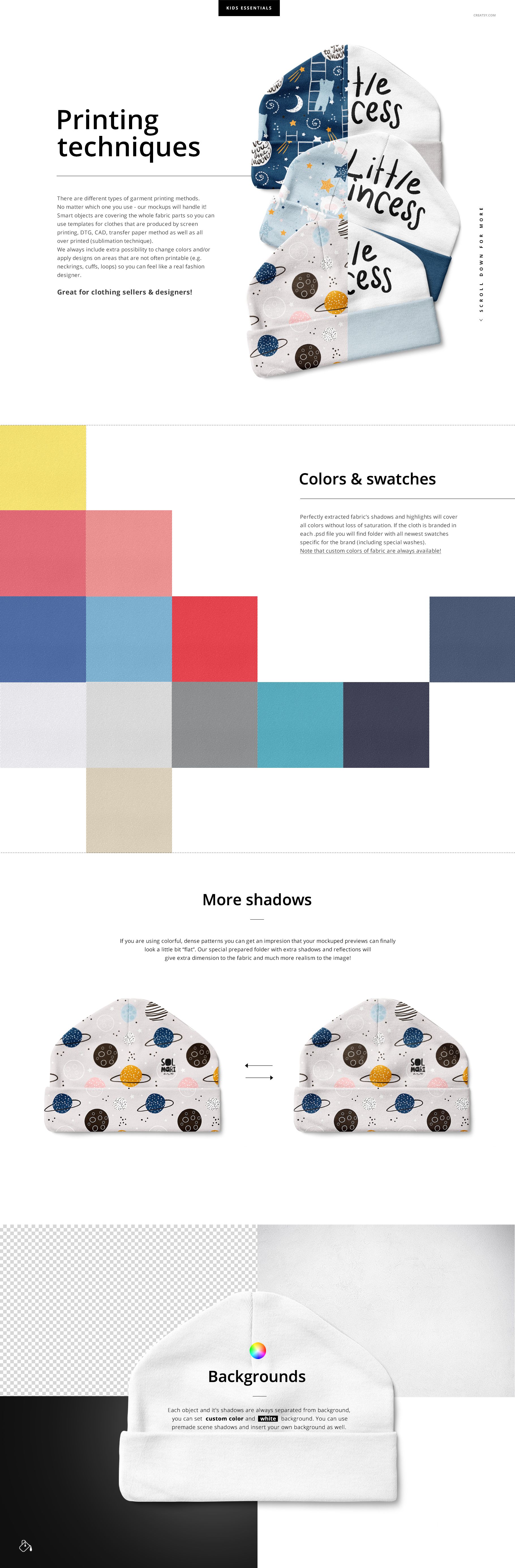
Editing runs through smart objects and color layers, as shown across the previews:

  • Hat fabric: color and design, covering the crown and the folded brim.

  • Fabric color: a full range of swatches, so the same print can sit on different base colors.

  • Shadows: adjust how strongly they fall for a softer or deeper look.

  • Background: change its color or switch it off for a clean transparent cutout.

How the edit works

Open a PSD, double-click the smart object, then paste your pattern inside and save. Your design appears on the beanie with the folds and shadows already in place. Set the fabric color, adjust the shadows and pick a background, then move on to the next angle. Nothing is destructive, so trying a second print takes only seconds, and you can compare two prints side by side across the angles.

Three angles from one design

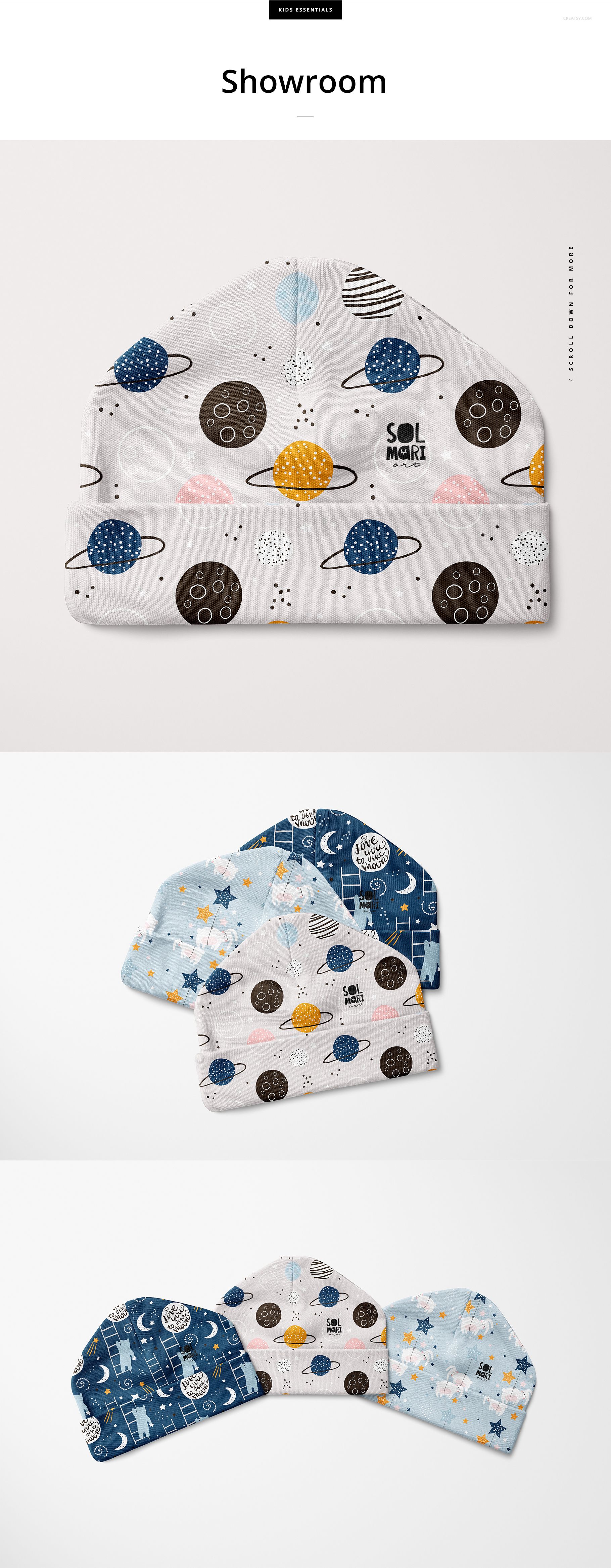
The set covers three views of the same beanie, so a single design gives you a small gallery of shots for a listing and a couple of social posts. The tiny 0 to 3 month scale is built into the mockup, so the hat reads as a genuine newborn size rather than a shrunk adult beanie, which matters when parents are judging a baby product.

A print that follows the hat

Your design is placed through smart objects that carry the folds, the ribbed brim and the shadows of the beanie, so the pattern bends around the crown instead of sitting flat on top. That keeps a printed design looking real, which is what a buyer needs to see before deciding whether your artwork works on a baby hat.

No sewing, no photographer

A newborn beanie is small and fiddly to sample and even harder to photograph well. This mockup skips both steps: you place a design, set the colors and export a clean, consistent shot in minutes, then repeat for the other angles. It is a quick way to test a print or fill a shop listing before committing to production.

Who it is for

Baby clothing and knitwear brands, newborn accessory shops, print-on-demand baby sellers, surface and pattern designers building a baby collection, and Etsy or Shopify sellers listing custom beanies. If you sell or pitch printed baby accessories, this shows your work on a real hat before anything goes to production, which saves the cost and wait of a physical sample.

What is in the download

Three .psd mockups plus .jpg previews in a single zip. Layers are named and grouped, and your artwork goes in through smart objects, so every edit stays reversible and you can revisit a design later.

File and software details

  • 3 layered PSD files

  • 6000 x 4000 px, 300 dpi

  • Adobe Photoshop CC2015 or newer

  • color and design change on all fabric parts via smart objects

  • adjustable shadows and an editable or transparent background

  • well organized, named layers

Artwork credit

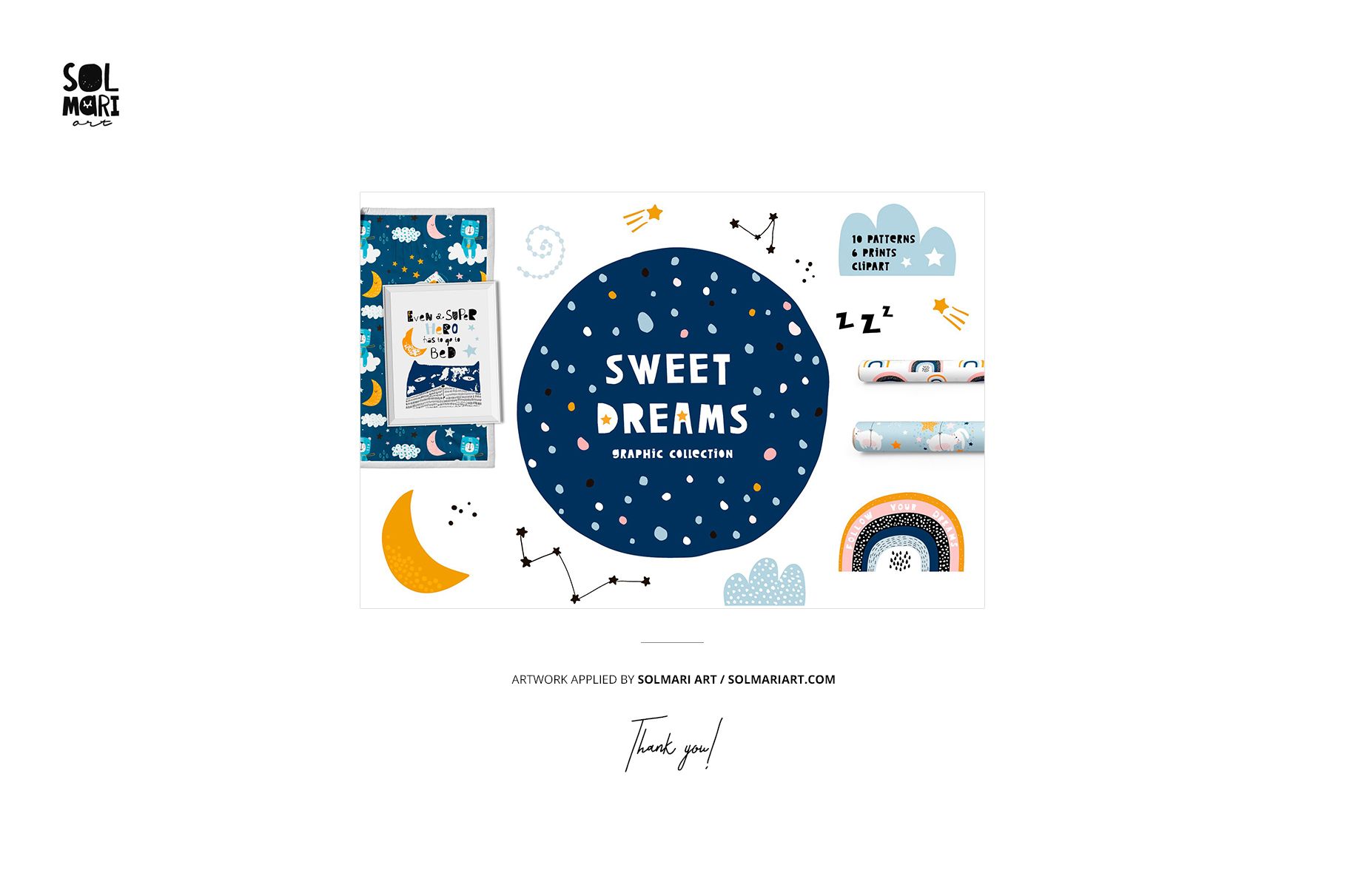
The space and stars patterns shown in the previews are example artwork by Solmari Art (solmariart.com). They are used to style the mockup and are not included in the download. You add your own design.

File details

Compatibility
PhotopeaAdobe Photoshop
Number of files included
7
Package size
1.22 GB1.22 GB|1.31 GB1.31 GB
Files type
.psd, .jpg, .pdf
Files size
6000x4000
TEST FOR FREE

Made with Creatsy

Real designs. Real customers. See how creatives use Creatsy mockups to turn their artwork, branding, and product ideas into polished visuals.

MEET THE SHOP

Creatsy logo

Creatsy

Poland
4.7 (663)

Bring your ideas to life.

We're a family-run studio in Katowice, Poland, making PSD mockups by hand since 2016. Everything in this shop starts in our own studio. We shoot the photography, build the 3D, and put together every Smart Object PSD ourselves - then we test it, organize the layers, and only ship it once it actually works...
GO TO SHOP

HOW IT WORKS

3 clicks. That's it.

No tutorial needed. If you can copy-paste, you can use this.

  1. 1OpenDouble-click the smart object inside the PSD - in Adobe Photoshop, or free in your browser with Photopea.
  2. 2PasteDrop in your pattern, print, or artwork. Any design, any style.
  3. 3SaveHit save and the mockup wraps it in for you - shadows, folds, and lighting included.

FROM IDEA TO IMAGE

Built for real workflows

Skip the photo shoot Show your artwork on the real product type for approvals or listings - no studio, no model, no sample.

See it on the product, not a swatch Drop your file into the smart object and the scene's lighting and folds wrap around it, so you judge the real thing before you commit.

Smart Objects

Edit once and you're done. Your artwork drops into a smart object and the mockup updates itself - no masking, no warping by hand.

Perfectly Organized

Named layers and folders you can actually navigate. Find what you need, change what you want, and get out fast.

Print-Ready

High-resolution files built to hold up on screen and in print. Exact size and DPI are in this product's Details above.