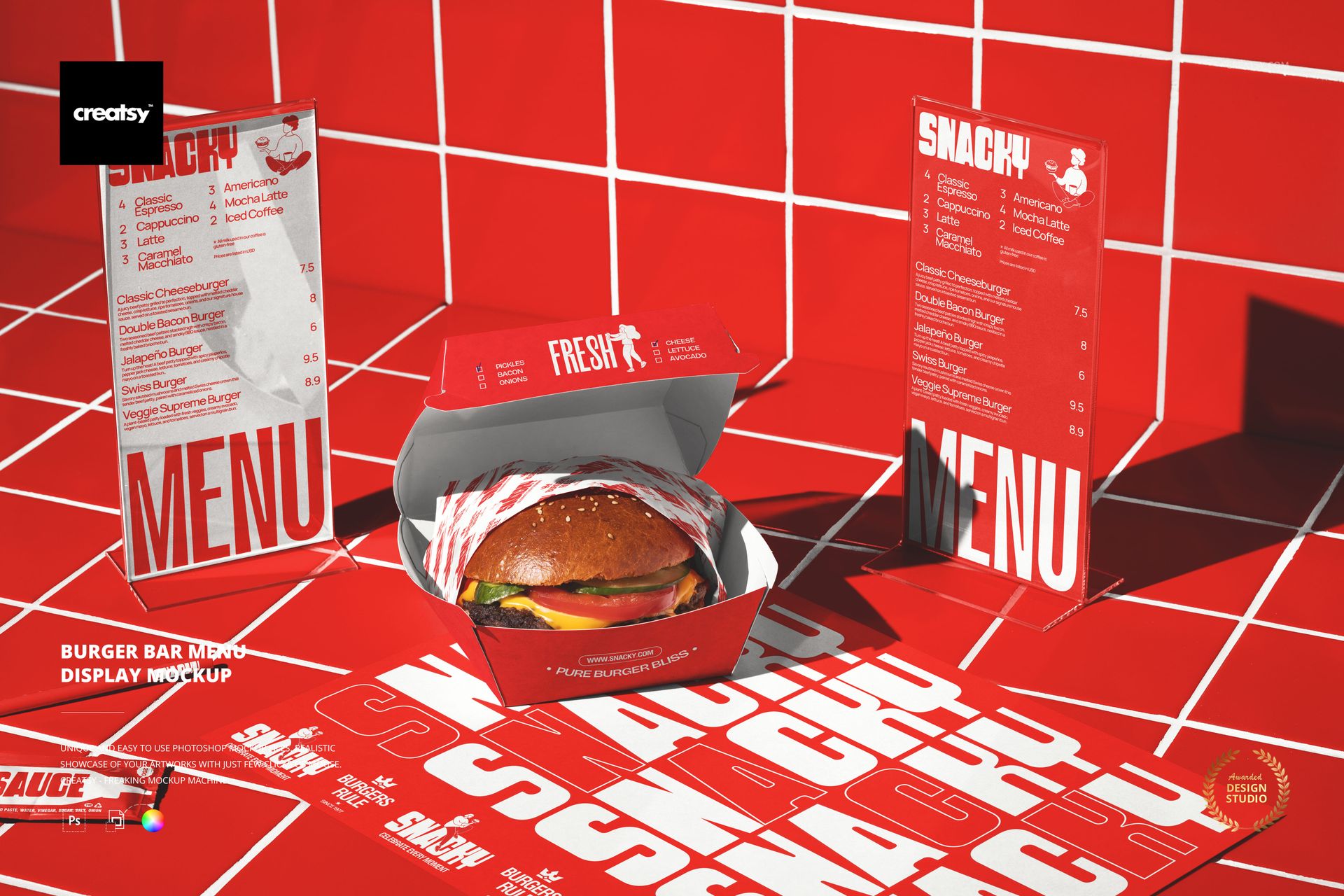
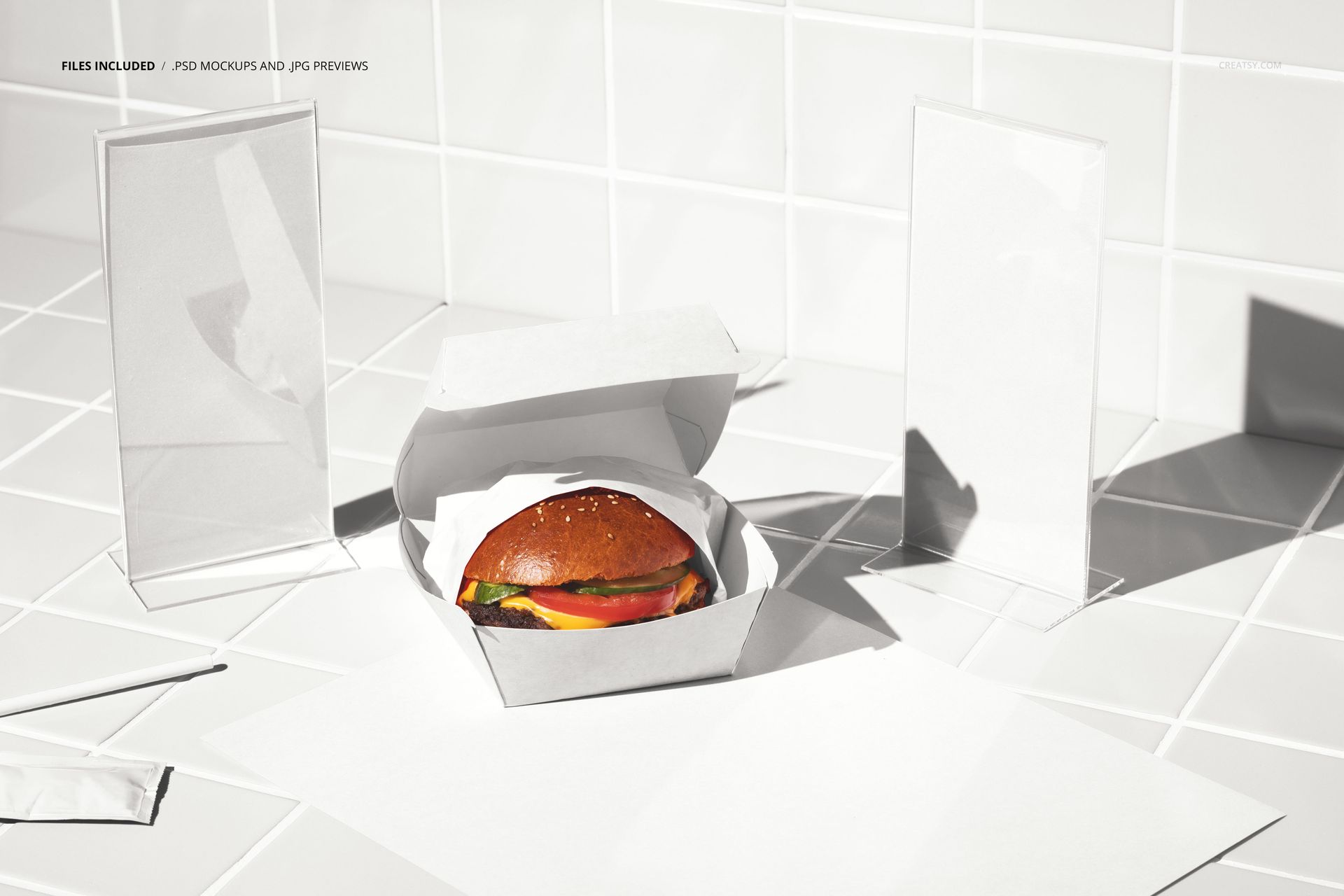
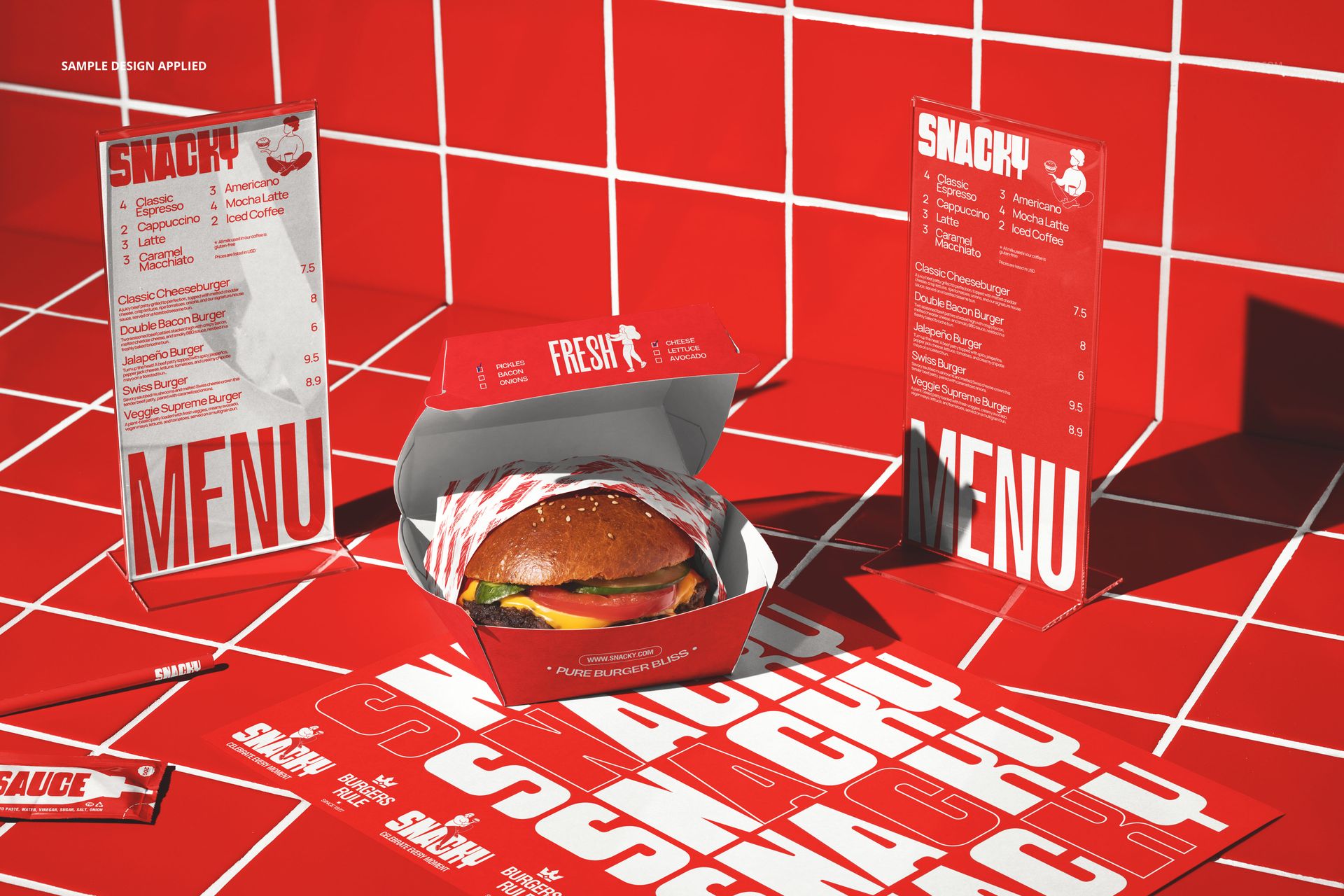
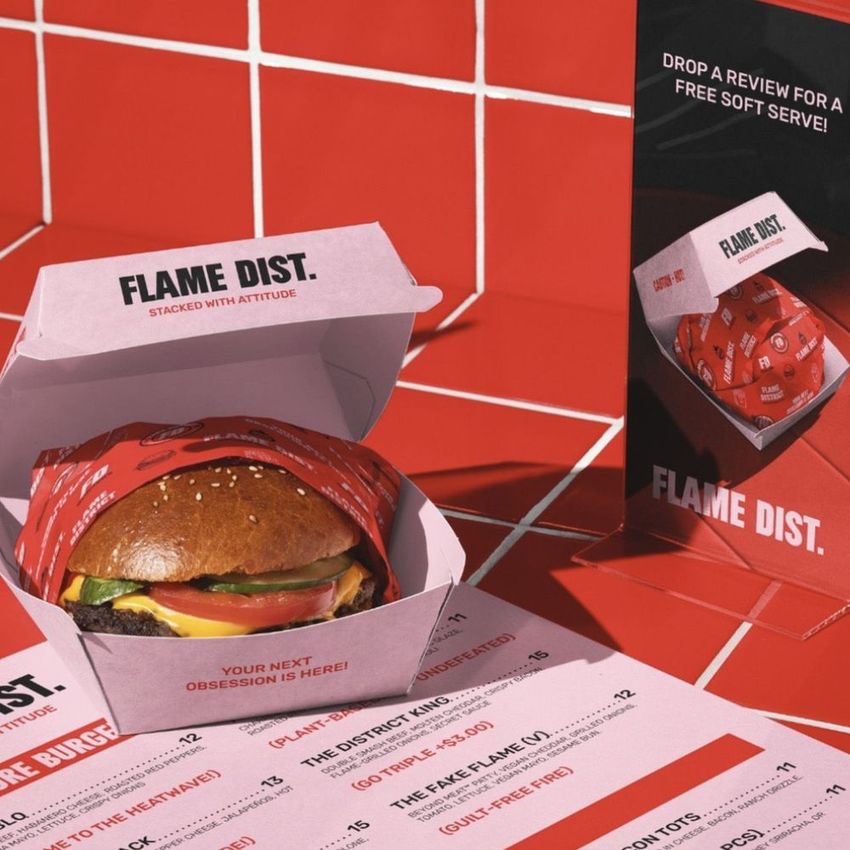
The Burger Bar Menu Display Mockup shows a standing menu display on a restaurant table with a burger and branded surfaces surrounding it. The scene positions the menu as the central element of the table, which is exactly how customers encounter it: the first branded item they interact with when they sit down. The menu display, tray liner, and packaging elements each have their own smart object layers, allowing you to present a complete table-level brand experience with the menu as the focal point. This mockup is directly useful for menu design presentations, table tent promotions, and brand identity projects where the in-restaurant menu format needs to be shown in context rather than as a flat file. The file measures 6000x4000px at 300 DPI with smart object layers and works in Adobe Photoshop CC 2020 or newer and Photopea.
Why This Mockup Works
Menu displays are the primary communication tool at the table level in any burger restaurant. They promote new items, highlight specials, and guide the customer toward higher-margin options. But presenting a menu design as a flat PDF or screen mockup misses the physical presence that makes table menus effective. This mockup shows the menu display standing upright on a table next to actual food, which gives clients and stakeholders a realistic sense of how the menu reads at arm's length, how the design interacts with the surrounding branded surfaces, and how the overall table composition looks when everything is in place. The burger next to the menu also provides a visual anchor that connects the menu content to the actual product, making the presentation feel like a snapshot from an operating restaurant rather than an isolated design exercise.
What Is Included
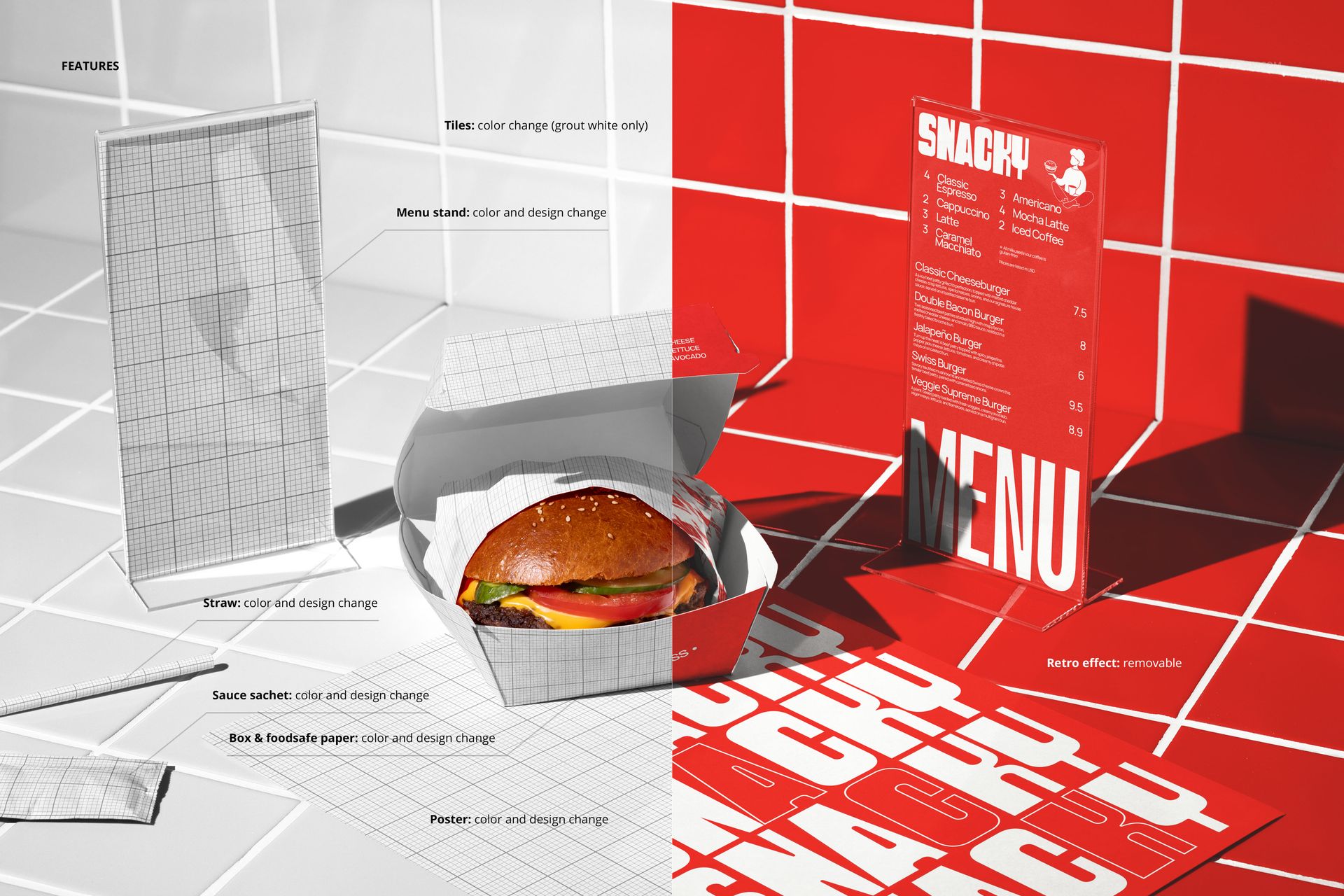
The download contains 1 layered PSD file. The scene shows a menu display standing on a restaurant table alongside a burger and branded surface elements. The menu display, tray, and packaging each have dedicated smart object layers. The lighting is warm and ambient, replicating the feel of a casual burger bar dining area. The layer structure is organized and labeled for quick access to each smart object and the adjustment controls.
What You Can Customize
The smart objects control the menu display face and the surrounding branded surfaces. Double-click the menu display smart object to place your menu design, promotional artwork, or specials board content. Open the tray and packaging smart objects to apply your brand pattern, logo, or surface design. Each element updates independently with accurate perspective, paper texture, and lighting response. The adjustment layers let you modify overall brightness, contrast, and color temperature to match your brand aesthetic. You can present the same table scene with different menu designs to compare layout options, test seasonal promotions, or show a client how the menu display works alongside the rest of the table branding.
Who This Mockup Is For
Burger restaurants and fast casual brands that use table tent menus or standing menu displays and need to preview how new designs look in an actual dining context before printing. Menu designers and graphic designers presenting table menu concepts to restaurant clients who need to see the design at realistic scale and angle rather than as a flat file on a screen. Marketing agencies creating promotional campaign visuals that feature new menu items or limited-time offers displayed on table menus alongside the actual food. Brand identity studios developing complete restaurant identity systems where the table menu is a key touchpoint in the customer experience. Franchise brand managers who need standardized visual guidelines showing how promotional table menus should look across all locations.
File Specifications
Files: 1 PSD. Dimensions: 6000x4000 px. Resolution: 300 DPI. Color mode: RGB. File size: 375.91 MB. Compatibility: Adobe Photoshop CC 2020 or newer, Photopea.