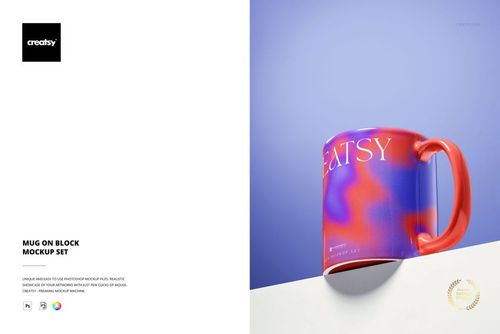
Handheld Custom Mug Mockup

Product Details
Handheld Mug Mockup for Custom Artwork
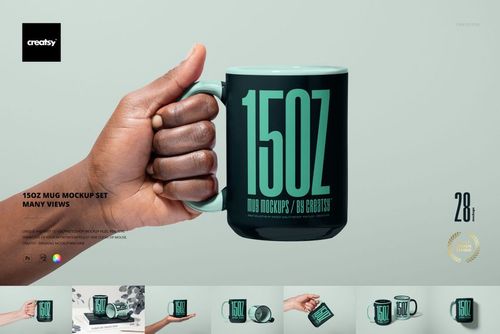
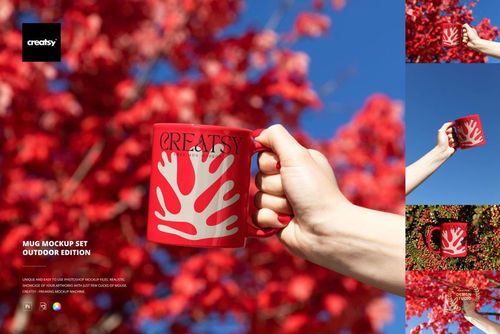
Show your design on a mug held naturally by its handle. The hand enters from the lower left, keeping the printed face clearly visible while adding a sense of everyday use. This handheld custom mug mockup suits illustration portfolios, personalized gifts and branded drinkware concepts.
Features and Customization
Replace the exterior mug design through a Smart Object.
Change the mug body color and the rim and interior colors.
Choose a background color, add a texture or export with transparency.
Keep the hand in the composition to show the mug in context.
Included Files
1 layered PSD file, 1 JPG file and a PDF user manual.
Listed PSD specification: 6000 × 4000 px at 300 dpi.
Compatible with Adobe Photoshop CS6 or later and Photopea.
Sample Artwork
The preview features artwork by Lana Elanor. The sample design illustrates the mockup presentation.
File details
- Compatibility
- Package size
- 243 MB
|254 MB
- Files type
- .psd, .jpg, .pdf
- Files size
- 6000x4000


Reviews
Professional PSD mockups built in-house - editable, realistic, high-resolution, and supported by real people.
Very high quality mock-up
Made with Creatsy
Real designs. Real customers. See how creatives use Creatsy mockups to turn their artwork, branding, and product ideas into polished visuals.
MEET THE SHOP
- $6715$79.00
- $2550$30.00
- $1870$22.00
- $1615$19.00

HOW IT WORKS
3 clicks. That's it.
No tutorial needed. If you can copy-paste, you can use this.
- 1OpenDouble-click the smart object inside the PSD - in Adobe Photoshop, or free in your browser with Photopea.
- 2PasteDrop in your pattern, print, or artwork. Any design, any style.
- 3SaveHit save and the mockup wraps it in for you - shadows, folds, and lighting included.
FROM IDEA TO IMAGE
Built for real workflows
Wrap your logo around the cup, not a flat rectangle Drop the artwork in and see how it sits on the curve before you list it.
See it on the product, not a swatch Drop your file into the smart object and the scene's lighting and folds wrap around it, so you judge the real thing before you commit.
Smart Objects
Edit once and you're done. Your artwork drops into a smart object and the mockup updates itself - no masking, no warping by hand.
Perfectly Organized
Named layers and folders you can actually navigate. Find what you need, change what you want, and get out fast.
Print-Ready
High-resolution files built to hold up on screen and in print. Exact size and DPI are in this product's Details above.


This is a fun and simple mock-up. I love that you can choose to give the rim and handle of the mug the same background colour of your illustration or pattern that you apply, or make them another colour, or leave those white.