Christmas Santa Bag Drawstring Sack Mockup Set
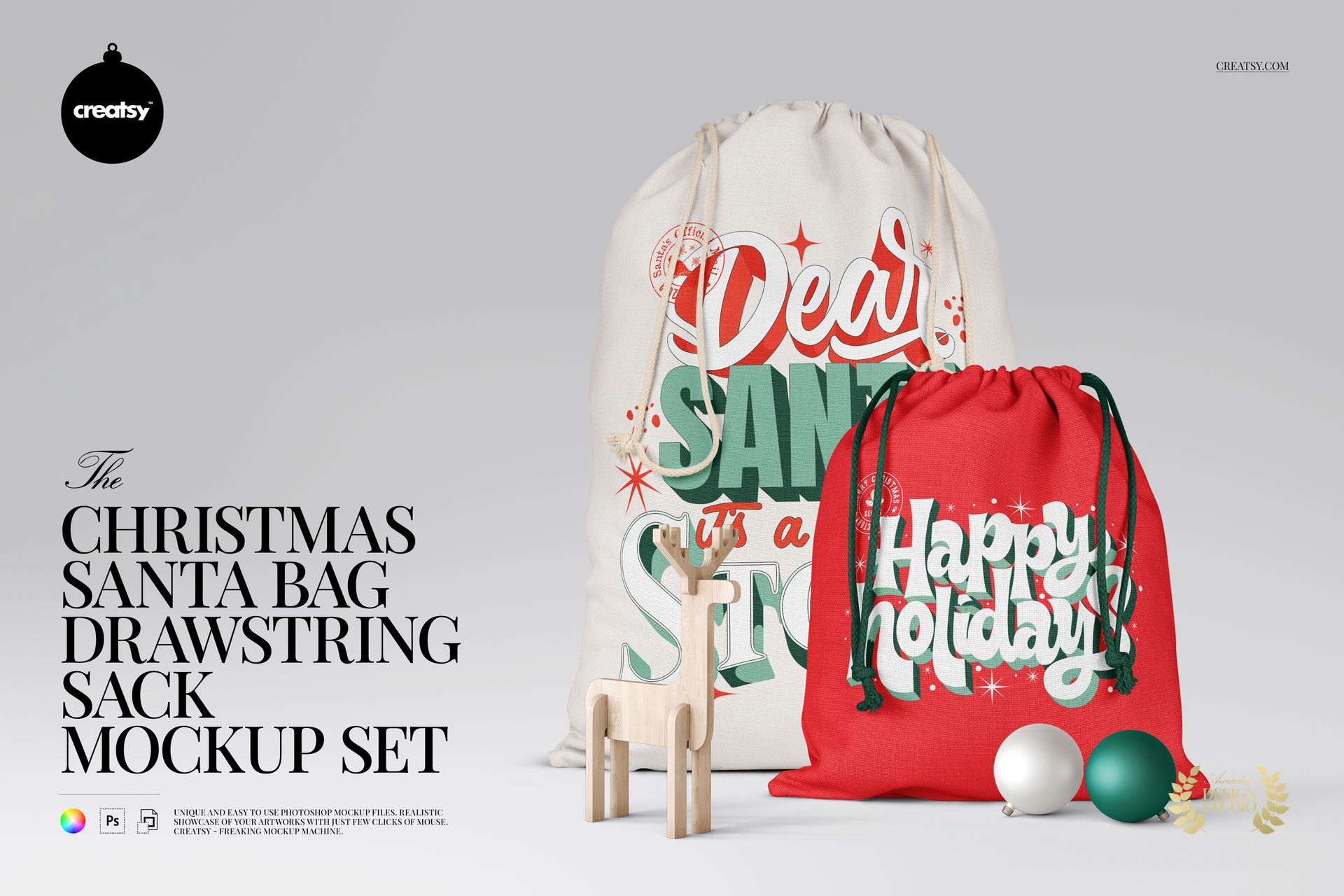
Present festive lettering and patterns on drawstring gift sacks in two sizes. Eleven views include flat bags, filled upright sacks and paired arrangements with a wooden reindeer and Christmas baubles, so a collection can be shown both as a clear fabric design and in a seasonal setting.
Two Sack Sizes, Eleven Mockups
Large sack: 50 × 70 cm; small sack: 43 × 38 cm, as specified for the represented bags.
11 layered PSD mockups, specified at 6000 × 4000 px, 300 DPI.
11 JPG previews and 1 PDF user manual, for 23 files in total.
Customize Fabric and Finishing Details
Change the bag color and replace its design using the Smart Object artwork layers. Drawstrings have separate color controls. In the decorated scenes, the reindeer and baubles also support color changes. The background can take a custom color or design to suit the collection.
The background preview confirms separate object and drop-shadow layers, a solid white option and the ability to hide the background for transparent export. The gallery shows prepared bag poses; the set does not promise a control for changing a sack's physical shape or fullness.
Made for Festive Packaging Presentations
Use the flat views to review lettering placement and pattern scale, then show the filled or paired bags in a holiday campaign or portfolio. The two sizes help designers present coordinating gift sack artwork for seasonal packaging brands, personalized gift concepts and retail collection proposals.
This is a digital mockup for presenting your own designs. Physical products and sample artwork shown in the gallery are not included.
Preview Artwork Credits
Sample artwork is credited to Ana Moreno | Letteringiam and Vector Tradition. These designs are not included in the mockup files.