Round Signboard On Old Town Street Mockup
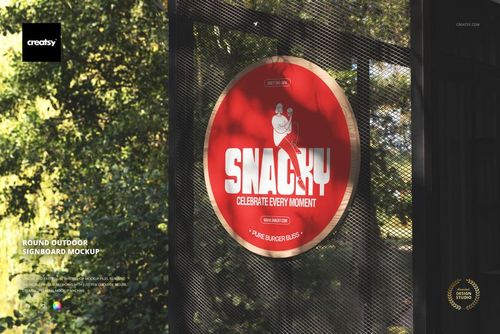
The Round Signboard On Old Town Street Mockup by Creatsy is a round sign mockup for showing shop, cafe, and boutique branding on a circular sign that projects from an old-town building facade. The round face is a smart object, so you place your logo or sign design once and it appears on the board with the real photo lighting and perspective.
The sign ships blank and the lettering in the preview is display artwork, not part of the file. You decide what goes on the board: a shop name, a bakery or bar sign, a boutique logo, or a street branding concept for a client. A color control changes the board tone, and the layers are organized so the edits stay quick.
The old-town street setting, with its arched windows and plaster facade under a clear sky, gives the sign a warm, lived-in context that a flat render cannot match. It suits storefront and hospitality branding decks, logo presentations, and portfolio shots, and you get the finished scene without photographing a real street.
What you get
1 PSD mockup file with JPG preview
6000 x 4000 px at 300 DPI
Smart object for the round sign face
Editable sign color
Old-town street facade scene
Well organized layers
Package size about 55 MB
How it works
Open the PSD in Adobe Photoshop CS6 or newer, or in Photopea.
Double-click the smart object for the round sign.
Paste your logo or sign design, then save and close the smart object.
Adjust the sign color if needed and export as JPG or PNG.
Specifications
Files: 1 PSD plus JPG preview
Resolution: 6000 x 4000 px, 300 DPI
Smart objects: round sign face
Scene: round signboard on an old-town street
Software: Adobe Photoshop CS6 and newer, and Photopea
Package size: about 55 MB
Who it is for
Shop and cafe owners previewing a sign, logo and branding designers, sign makers showing a proof, and students building a storefront branding portfolio. Anyone who needs a round shop sign shown on a real old-town facade without a photo shoot.