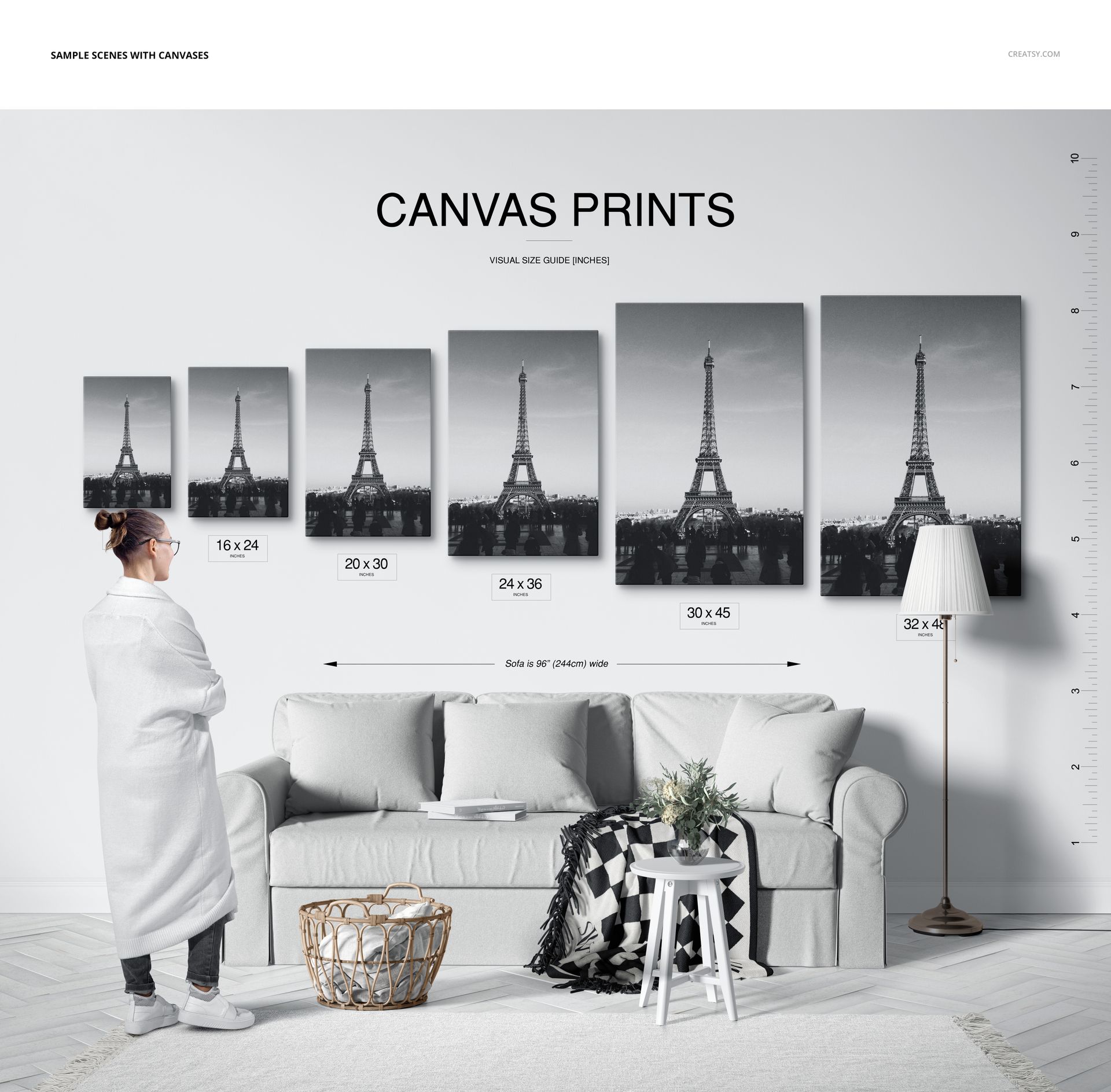
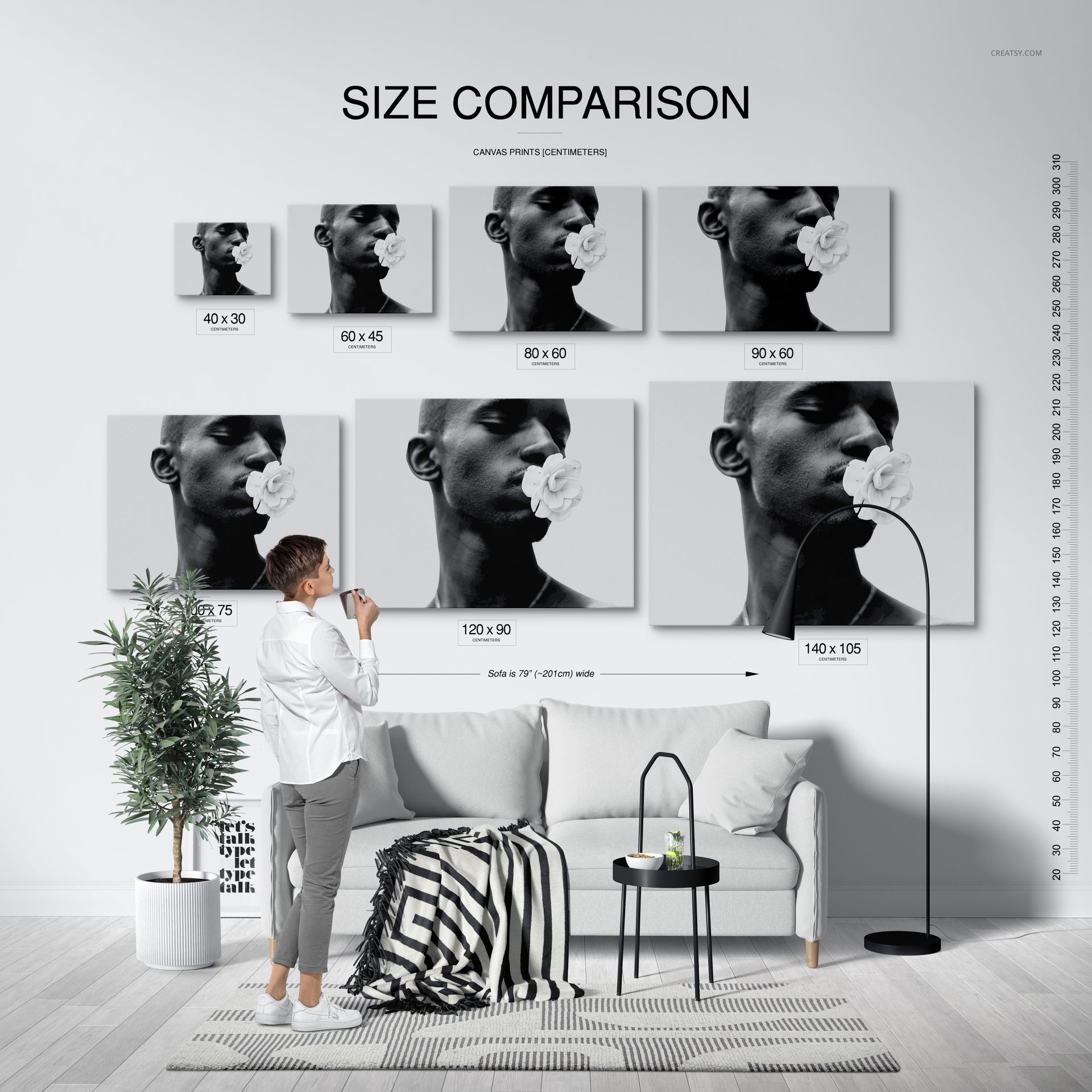
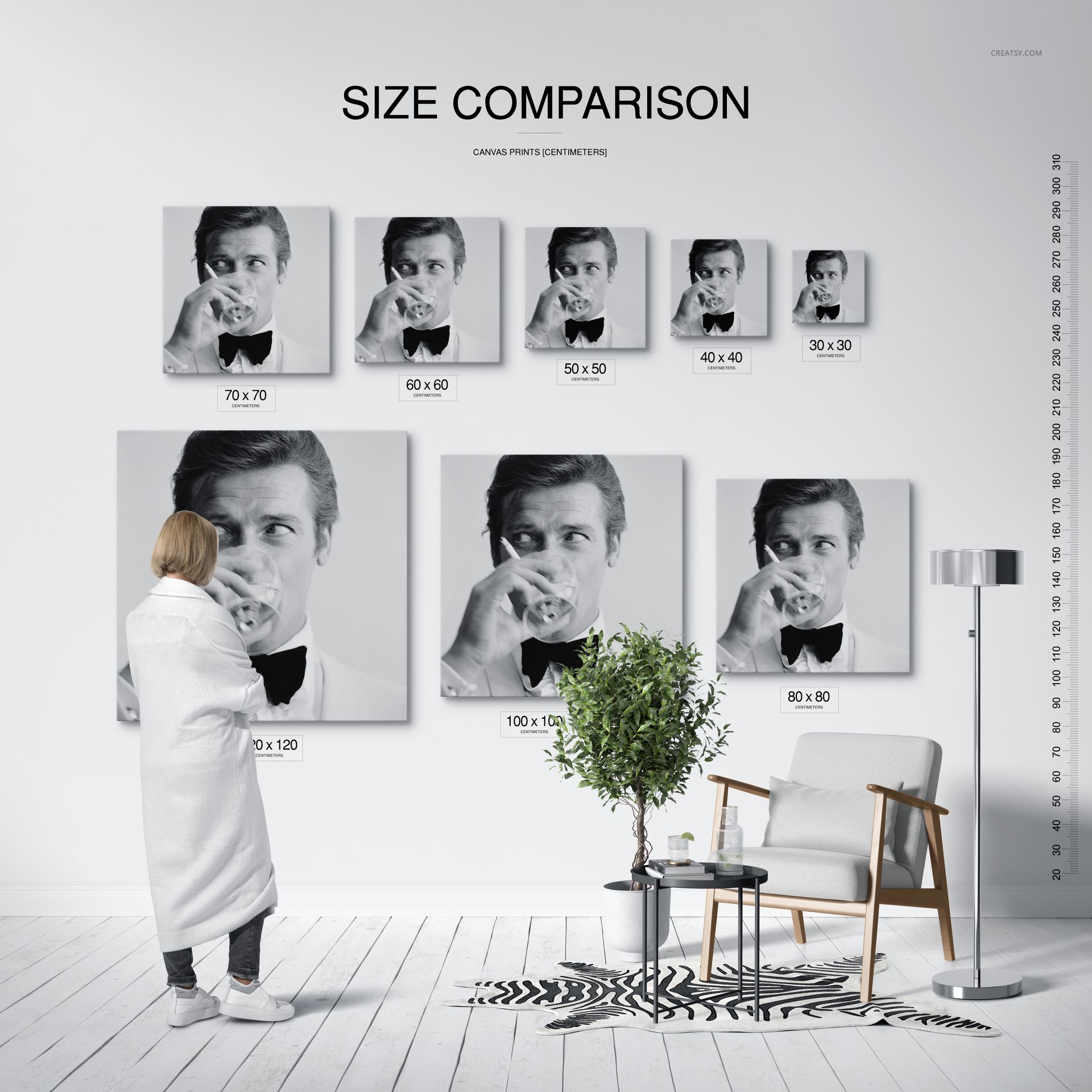
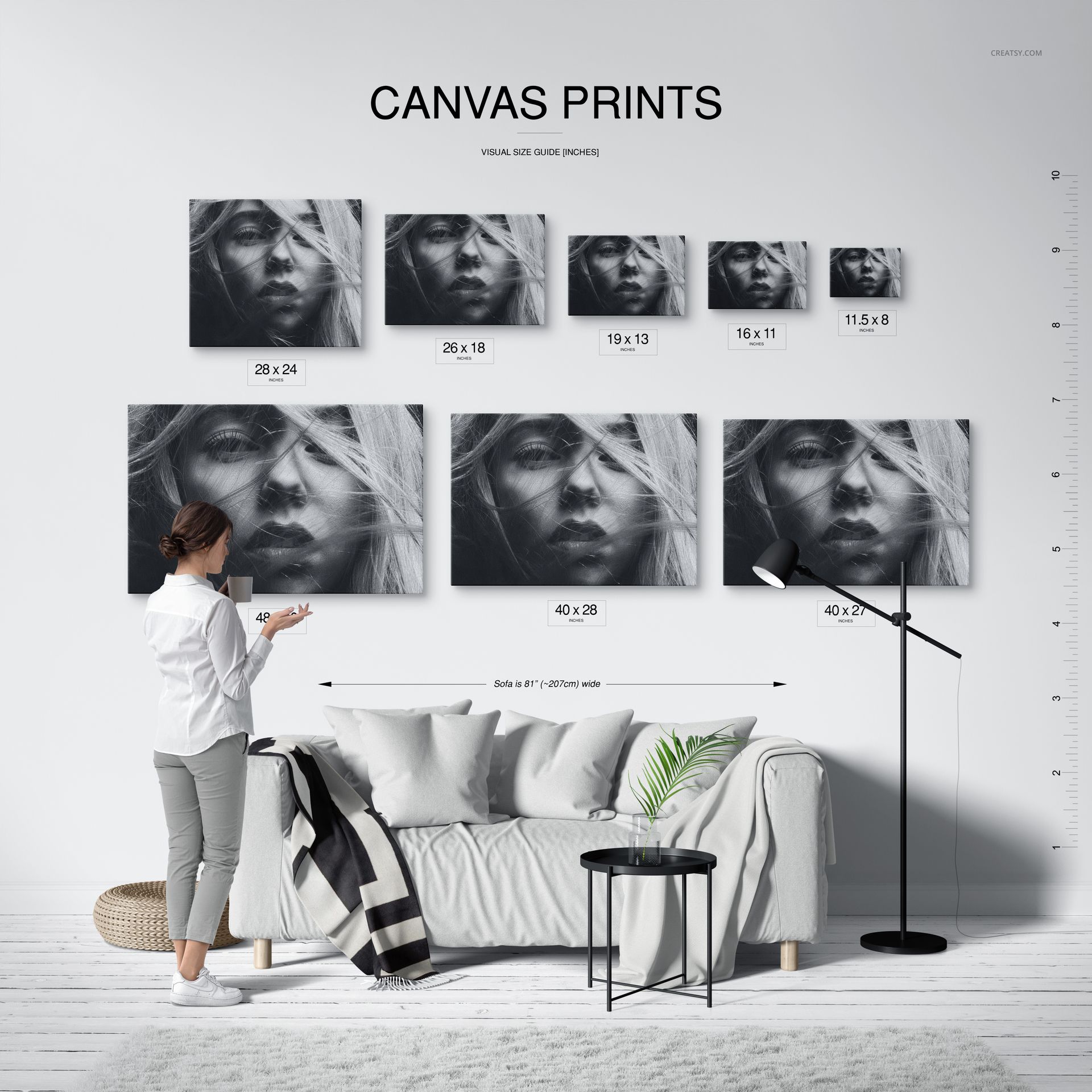
Canvas Print Size Comparison Mockup Set

ID: 1447190869 | Updated: Jun 14, 2024

Product Details

Canvas Print Size Comparison Mockup Set

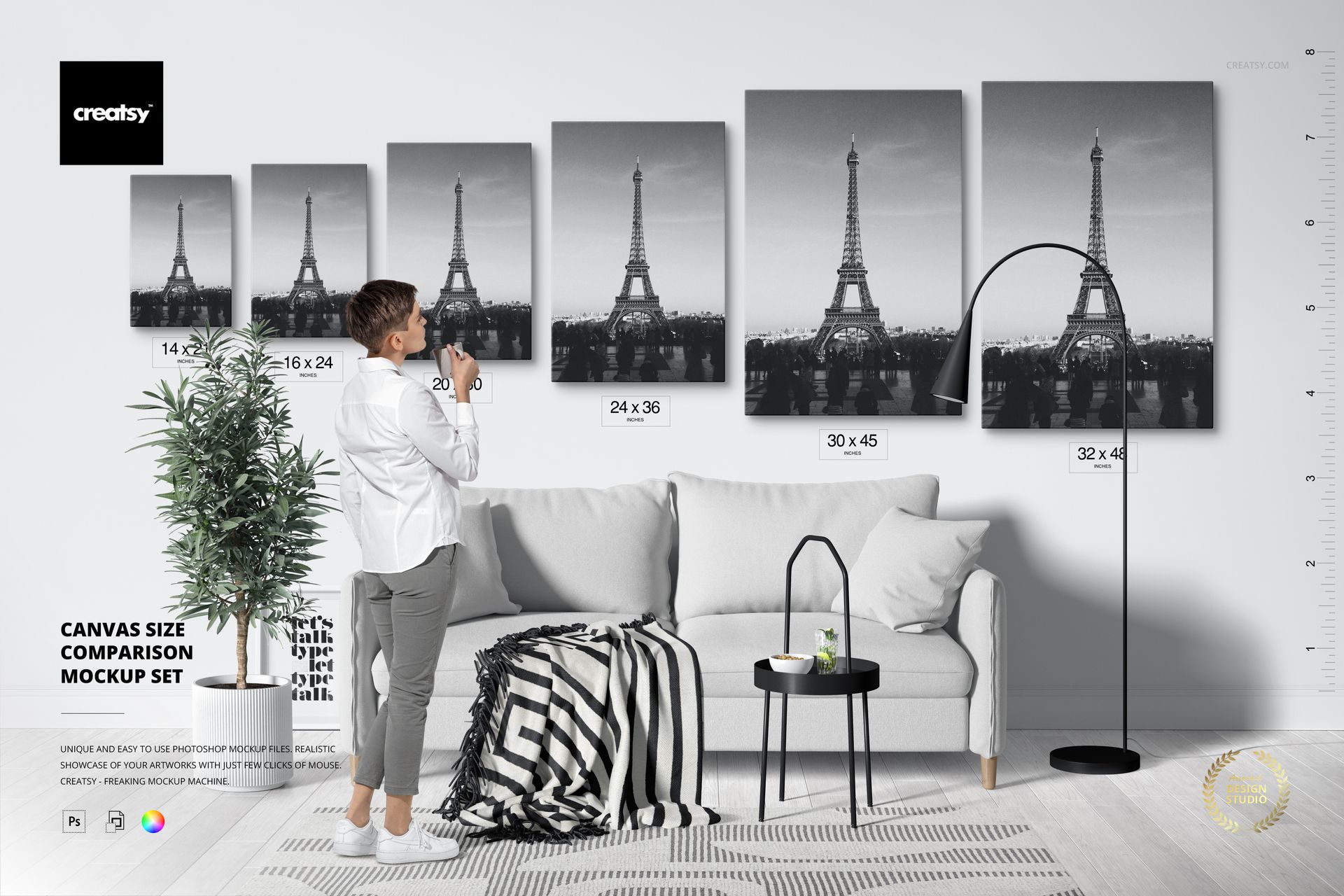
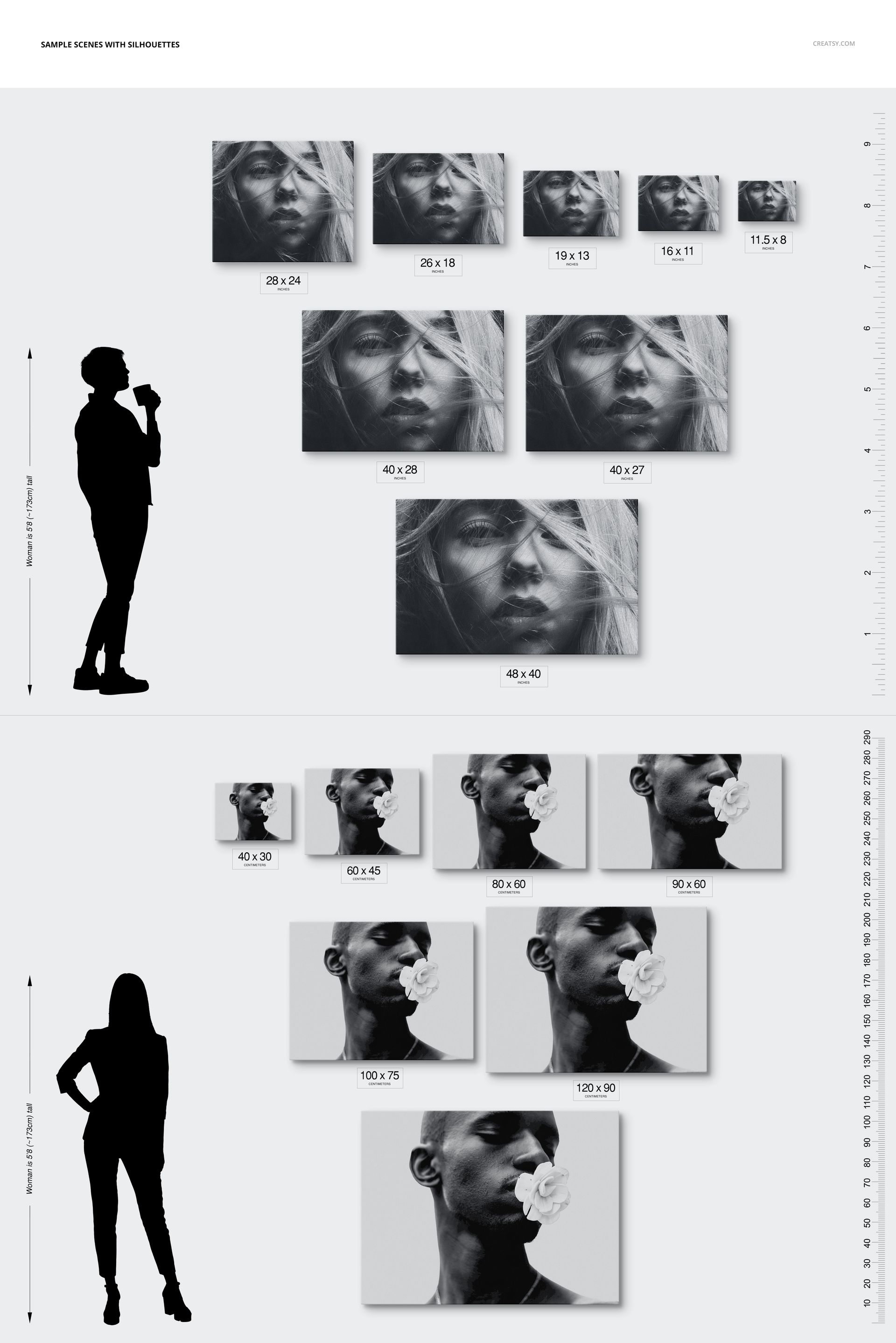
Help customers choose wall art with confidence by turning abstract dimensions into clear visual comparisons. This canvas print size mockup set combines editable interiors, human silhouettes and organized canvas libraries, so you can show how small, medium and large formats relate to furniture, people and wall space.

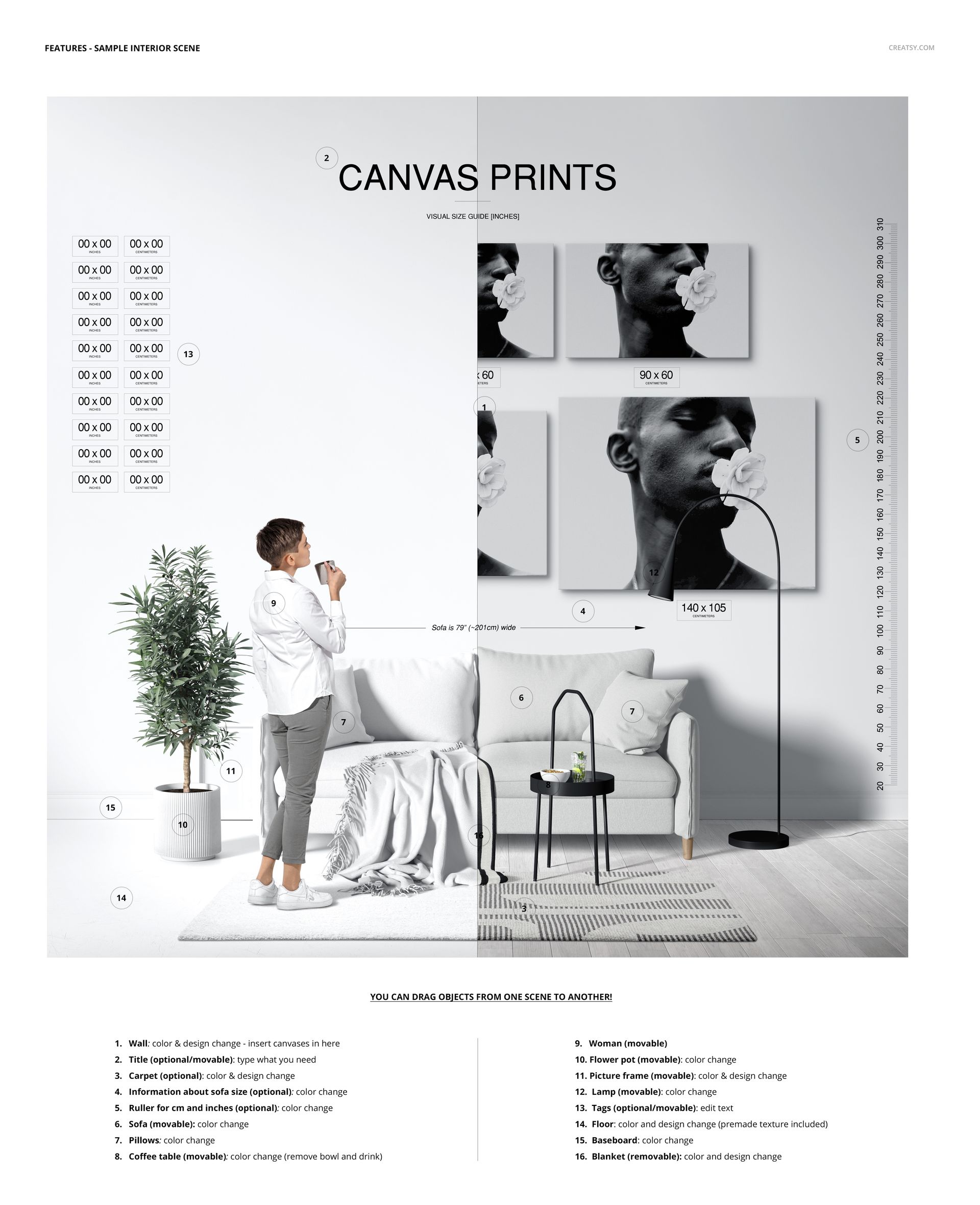
Use the scenes for ecommerce size guides, client approvals, print-on-demand listings, portfolio presentations and room-planning graphics. Artwork is added through Smart Objects, while movable scene elements and editable color layers help you build a presentation around a specific collection or brand.

What Is Included

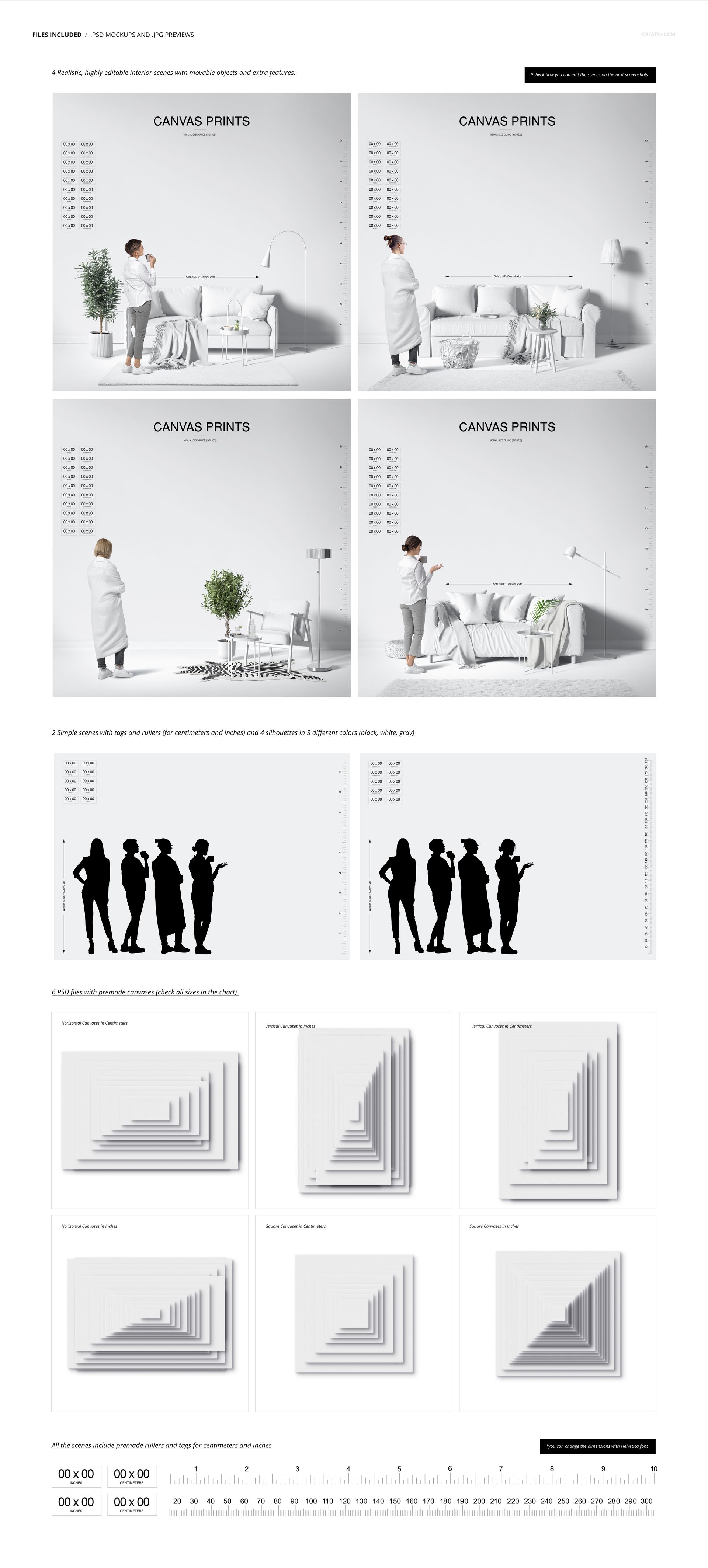
  • 4 editable interior PSD scenes at 6000 x 6000 px and 300 DPI, with movable objects and additional scene controls

  • 2 silhouette comparison PSD scenes at 6000 x 4200 px and 300 DPI

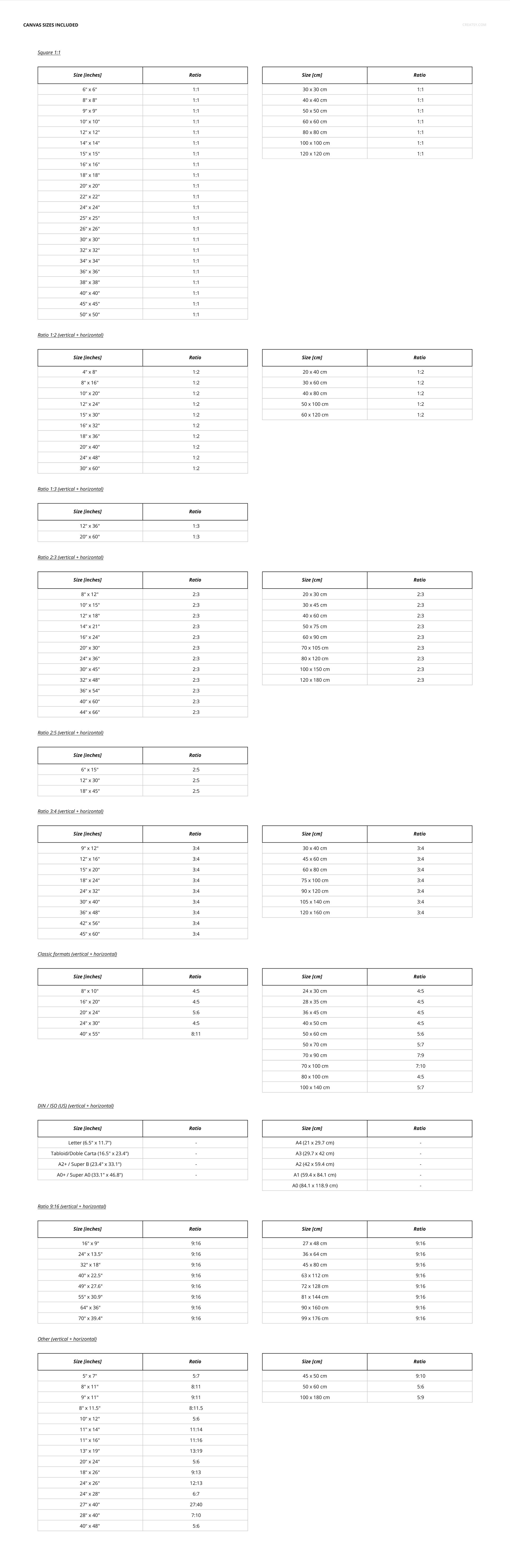
  • 6 separate PSD canvas libraries covering horizontal, vertical and square formats in centimeters and inches

  • 12 JPG reference previews matching the PSD content

  • A User Manual PDF included in the package and also supplied as a separate 1.16 MB download

  • 26 file entries in the preview: 12 PSD, 12 JPG and 2 PDF entries

  • Approximately 1.87 GB for the main ZIP archive

Metric and Imperial Size Libraries

The updated set provides approximately 250 to 300 canvas size options across centimeter and inch libraries. Select a square, horizontal or vertical canvas, then drag it into an interior or silhouette scene. This modular workflow makes it possible to compare several formats without rebuilding the room composition for every listing.

The gallery includes furnished interiors, multi-canvas arrangements, visual rulers and people for scale. Size labels can be moved with the Move Tool, while artwork and colors remain editable. These controls are useful when a store sells one design in many dimensions or needs separate metric and imperial size charts.

Software Compatibility

The layered PSD files work with Adobe Photoshop CC or newer and Photopea. The package contains no PSB files. Several files are large, so sufficient memory and loading time are recommended. The included user manual explains the more advanced file structure.

Please note: The example artwork shown in the previews is for demonstration only and is not included in the purchase.


File details

Compatibility
PhotopeaAdobe Photoshop
Package size
1.87 GB1.87 GB|2.01 GB2.01 GB
Files type
.psd, .jpg, .pdf
Files size
6000x6000
TEST FOR FREE

Reviews

Professional PSD mockups built in-house - editable, realistic, high-resolution, and supported by real people.

4.3 (4 ratings)
Sort by:

mullyjully avatar
mullyjully
Sep 27, 2025

Clearly you can tell these guys are experienced and have put a lot of time into their craft. High quality products, very customisable, and super user friendly. I've bought a few products from here and I've no doubt I'll be back again at some point. Keep up the great work!

Malgorzata Hapon avatar
Malgorzata Hapon Author
Jun 8, 2026

Thank you so much for this amazing review! It truly means a lot to us. We put a lot of care into creating our mockups, so we’re very happy to hear you found them high quality, customisable, and easy to use. Thank you again for your support - we’ll be very happy to welcome you back anytime.


mithraco avatar
mithraco
Apr 17, 2023

Great product, good value, and superior service!

Creatsy avatar
Creatsy Author
Jun 9, 2023

Thank you! :)


David_Wooldridge avatar
David_Wooldridge
Apr 1, 2023

This is fantastic mockup. Creatsy is extremely talented and easy to work with. I have requested mockups be changed and new mockups be created and they do it. I have yet to figure out how to use the new version of this mockup but I'll figure it out. I do wish there were YouTube walkthroughs on how to use each one to the fullest degree.

Creatsy avatar
Creatsy Author
Jun 9, 2023

Thank you! We have added approximately 250-300 frame sizes, available in both centimeters and inches, and we have updated the entire mockup. :)


Fredy_Saint Poulof avatar
Fredy_Saint Poulof
May 4, 2024

Very complex for beginners, hard to move size labels, if you are very familiar with photoshop go for it, if not I would not recommend at all.

Jakub Gruszka avatar
Jakub Gruszka Author
May 16, 2024

Thank you for your review. The files may seem complex due to the multitude of options, but they are straightforward to use once you've gone through the process. You can easily move everything using the Move Tool, while designs are edited through smart objects. A User Manual is included with the files, but I can also send you a short video tutorial if that would be helpful! :)


MEET THE SHOP

Creatsy logo

Creatsy

Poland
4.7 (676)

Bring your ideas to life.

We're a family-run studio in Katowice, Poland, making PSD mockups by hand since 2016. Everything in this shop starts in our own studio. We shoot the photography, build the 3D, and put together every Smart Object PSD ourselves - then we test it, organize the layers, and only ship it once it actually works...
GO TO SHOP

HOW IT WORKS

3 clicks. That's it.

No tutorial needed. If you can copy-paste, you can use this.

  1. 1OpenDouble-click the smart object inside the PSD - in Adobe Photoshop, or free in your browser with Photopea.
  2. 2PasteDrop in your pattern, print, or artwork. Any design, any style.
  3. 3SaveHit save and the mockup wraps it in for you - shadows, folds, and lighting included.

FROM IDEA TO IMAGE

Built for real workflows

Show the finished print on the wall Poster, canvas, or acrylic - drop your art in and the client sees the hung piece before it goes to print.

See it on the product, not a swatch Drop your file into the smart object and the scene's lighting and folds wrap around it, so you judge the real thing before you commit.

Smart Objects

Edit once and you're done. Your artwork drops into a smart object and the mockup updates itself - no masking, no warping by hand.

Perfectly Organized

Named layers and folders you can actually navigate. Find what you need, change what you want, and get out fast.

Print-Ready

High-resolution files built to hold up on screen and in print. Exact size and DPI are in this product's Details above.