Party Gift Box Stack with Satin Ribbon Mockup
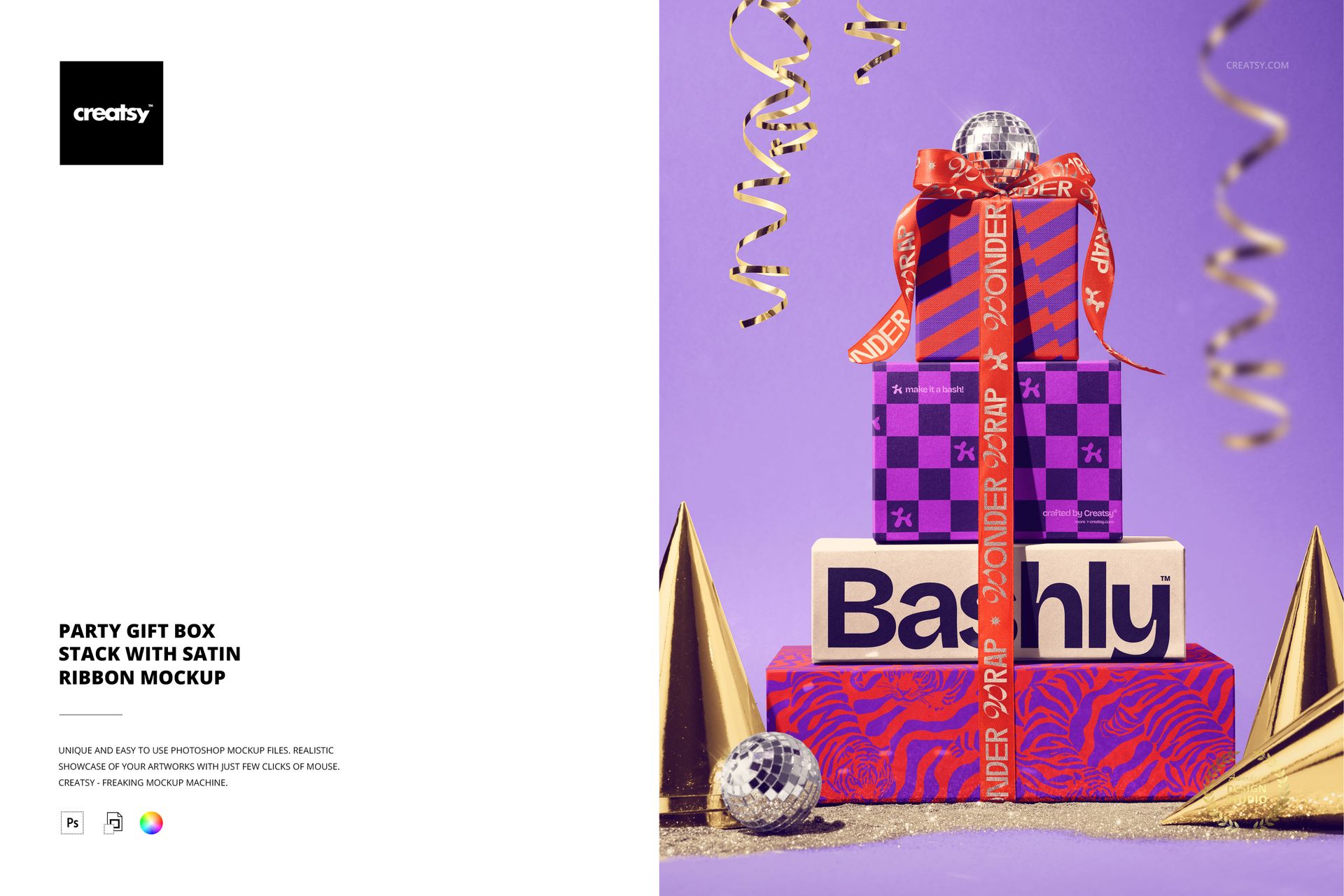
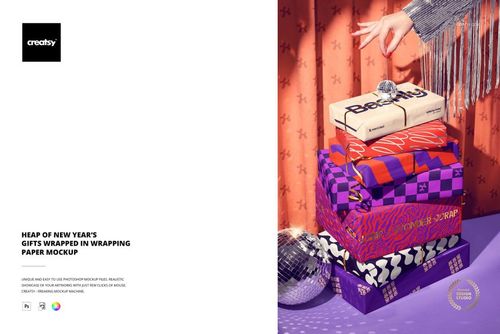
Build a celebratory packaging story around a stack of square gift boxes. This fixed-perspective scene layers patterned boxes, satin ribbons, party hats, glitter details and a festive backdrop so a single artwork can be presented as a coordinated gift range.
The stacked arrangement creates a clear visual hierarchy: place the strongest pattern on the most visible box, echo a color on the next layer, and use the ribbon and party accents to connect the collection. It is a practical way to review a party packaging direction before production.
What Is Included
1 layered PSD mockup file with one fixed stack-of-gifts scene.
1 JPG preview for quick reference, 2 files in total.
5500 × 4100 px canvas at 300 DPI for detailed digital presentations and print-oriented layouts.
Boxes, Ribbons and Party Details
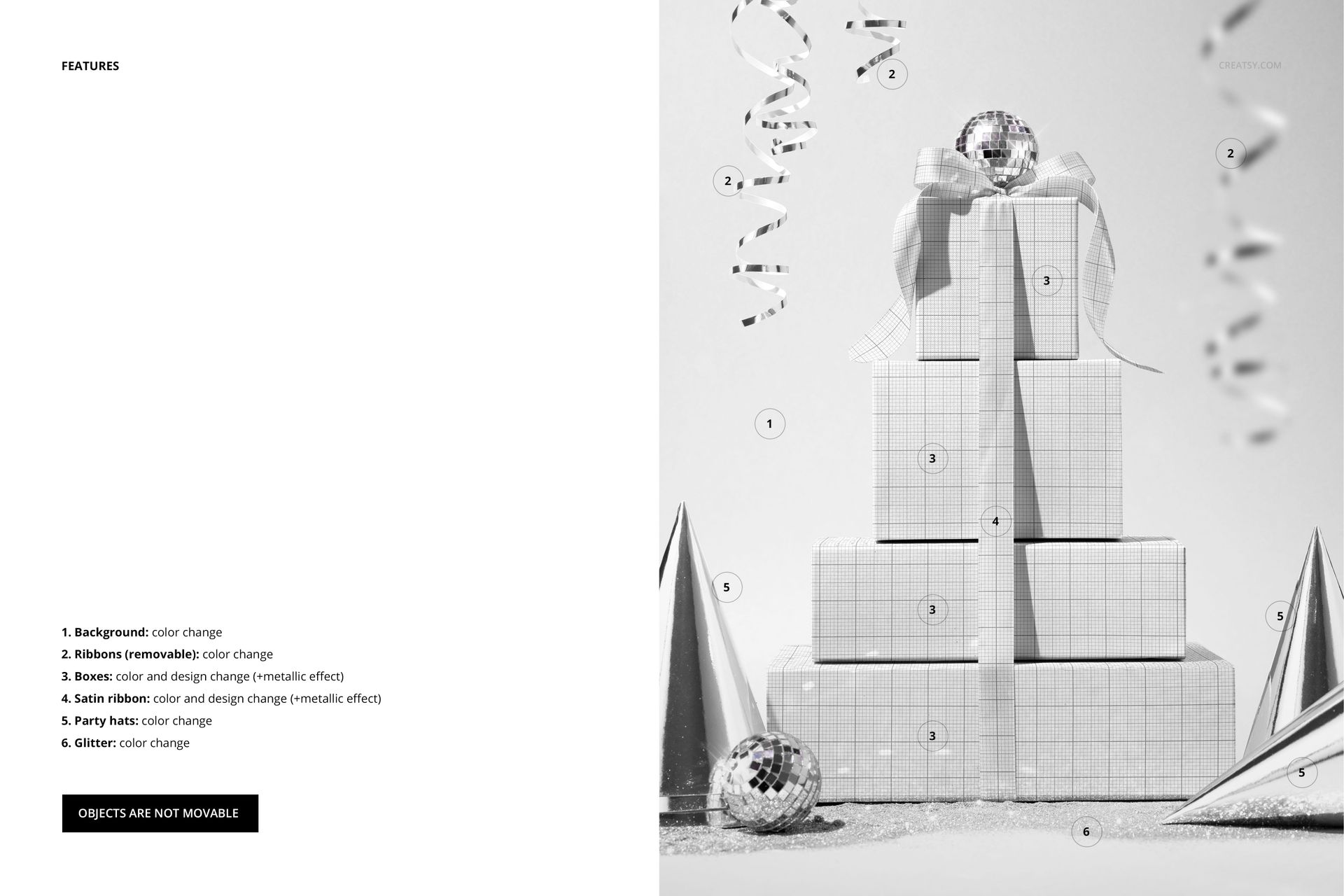
Change the background color, the removable ribbons, the boxes, the satin ribbon, the party hats and the glitter details. Boxes support color and design changes with a metallic effect option, while the satin ribbon supports color and design changes with its own metallic effect option.
Fixed Composition, Flexible Finish
Objects are not movable, so the stack and its perspective remain consistent across colorways. Use that consistency to compare patterns and finishes while keeping the party mood stable from one presentation image to the next.
Easy PSD Editing
Open the layered PSD in Adobe Photoshop CC2020 or newer, or in Photopea. Add your artwork to the editable box layers, then coordinate ribbon, background and party detail colors for a polished result. Well-organized layers keep the scene easy to navigate.
Perfect For
Use this mockup for birthday packaging, party branding, giftware collections, seasonal retail concepts, surface pattern portfolios and client presentations that need stacked boxes with a strong festive point of view.
This is a digital mockup product. Physical boxes, ribbons, hats, glitter and decorative props are not included, and the sample artwork shown in the previews is for presentation only.