Tinsel Champagne Bottle and Glasses Mockup
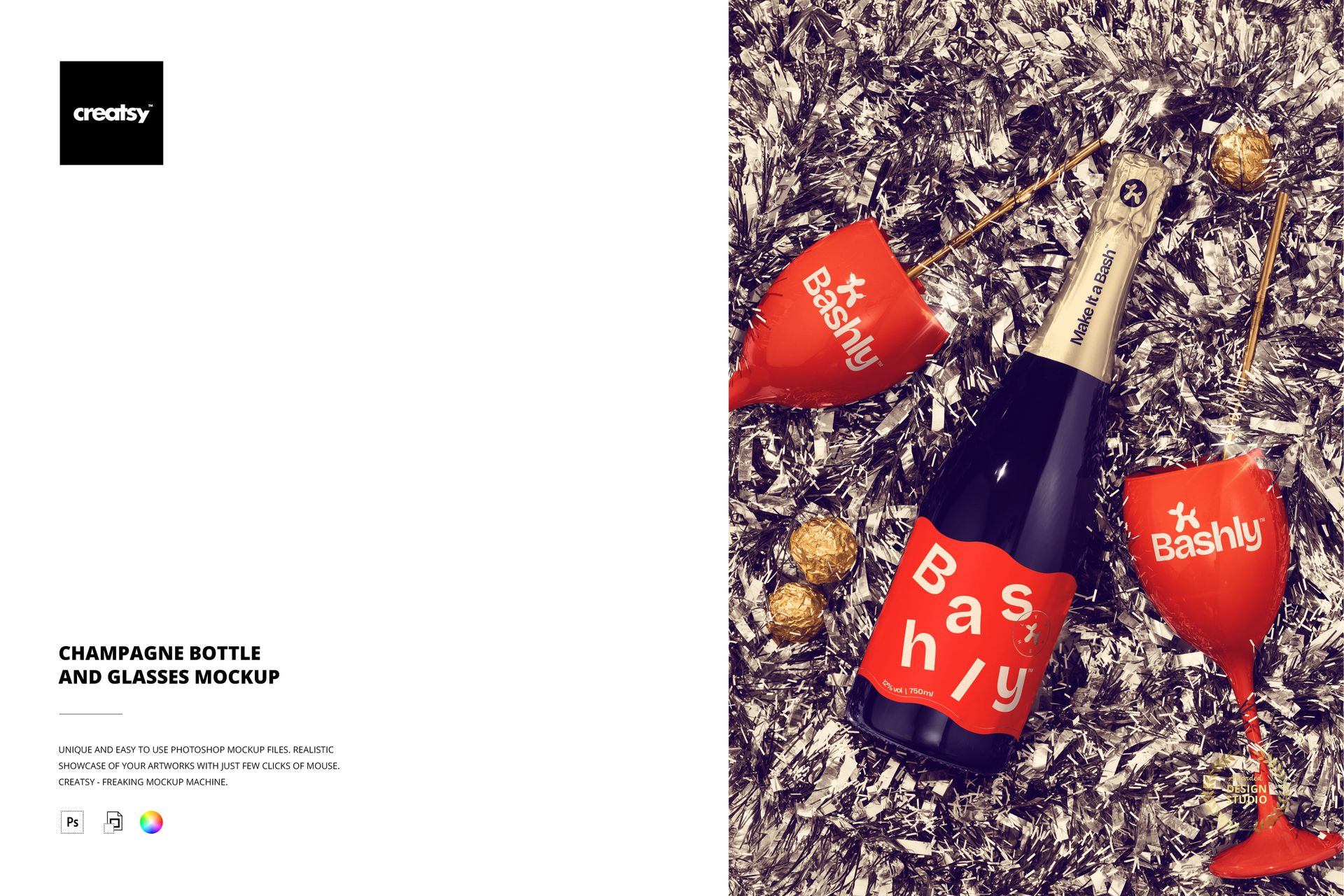
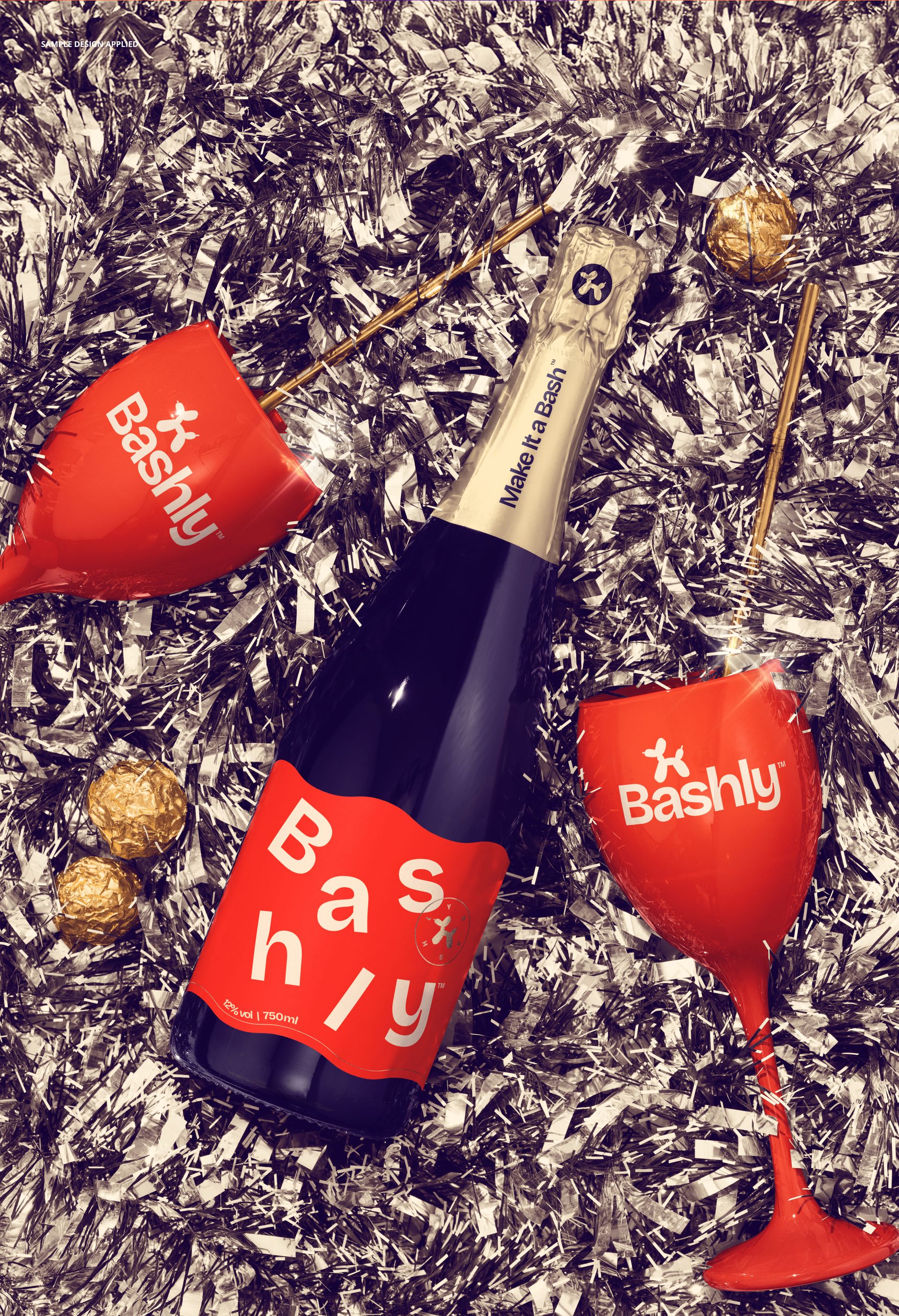
Metallic tinsel, a champagne bottle and two stemmed glasses turn a label concept into a coordinated celebration scene. This top-view mockup brings bottle branding and glass artwork together in one composition, with pralines and straws adding detail around the main objects.
Use the scene to explore how a festive identity carries across several surfaces. A restrained label can stand out against the textured tinsel, while matching glass graphics give the presentation a clear visual connection.
What Is Included
1 layered PSD mockup, 4000 × 6000 px at 300 DPI, featuring one prepared champagne and glasses scene.
1 JPG preview, 2 files in total.
300 DPI and well-organized layers; compatible with Adobe Photoshop CC2020 or newer and Photopea.
Coordinate the Bottle, Glasses and Party Details
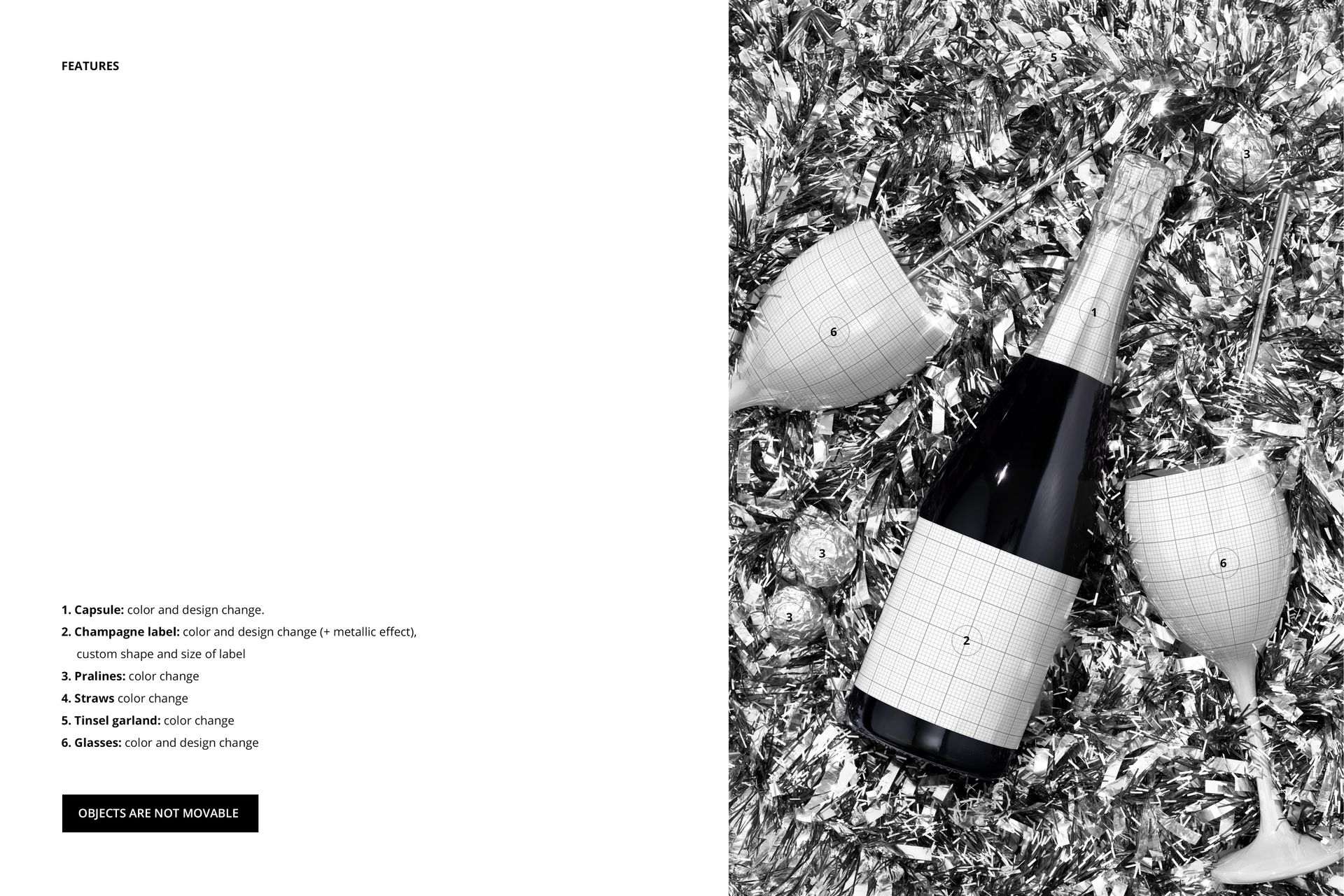
Change the color and design of the bottle capsule and both glasses.
Replace the champagne label artwork, adjust its shape and size, and use the available metallic effect.
Recolor the pralines, straws and tinsel garland to support your palette.
Objects remain in their photographed positions. This is a styled scene, not a movable-object scene creator.
Easy Smart Object Editing
Open the PSD in a supported editor, place your artwork inside the relevant Smart Objects and save those layers to update the mockup. Keep label details and glass designs legible at the size used in your final presentation.
Perfect For
Champagne label proposals, festive beverage campaigns, New Year promotions, event branding and coordinated party identity presentations. This is a digital mockup product; physical items and sample artwork are not included.