Tinsel Streamers and Gift Paper Bag on Hand Mockup
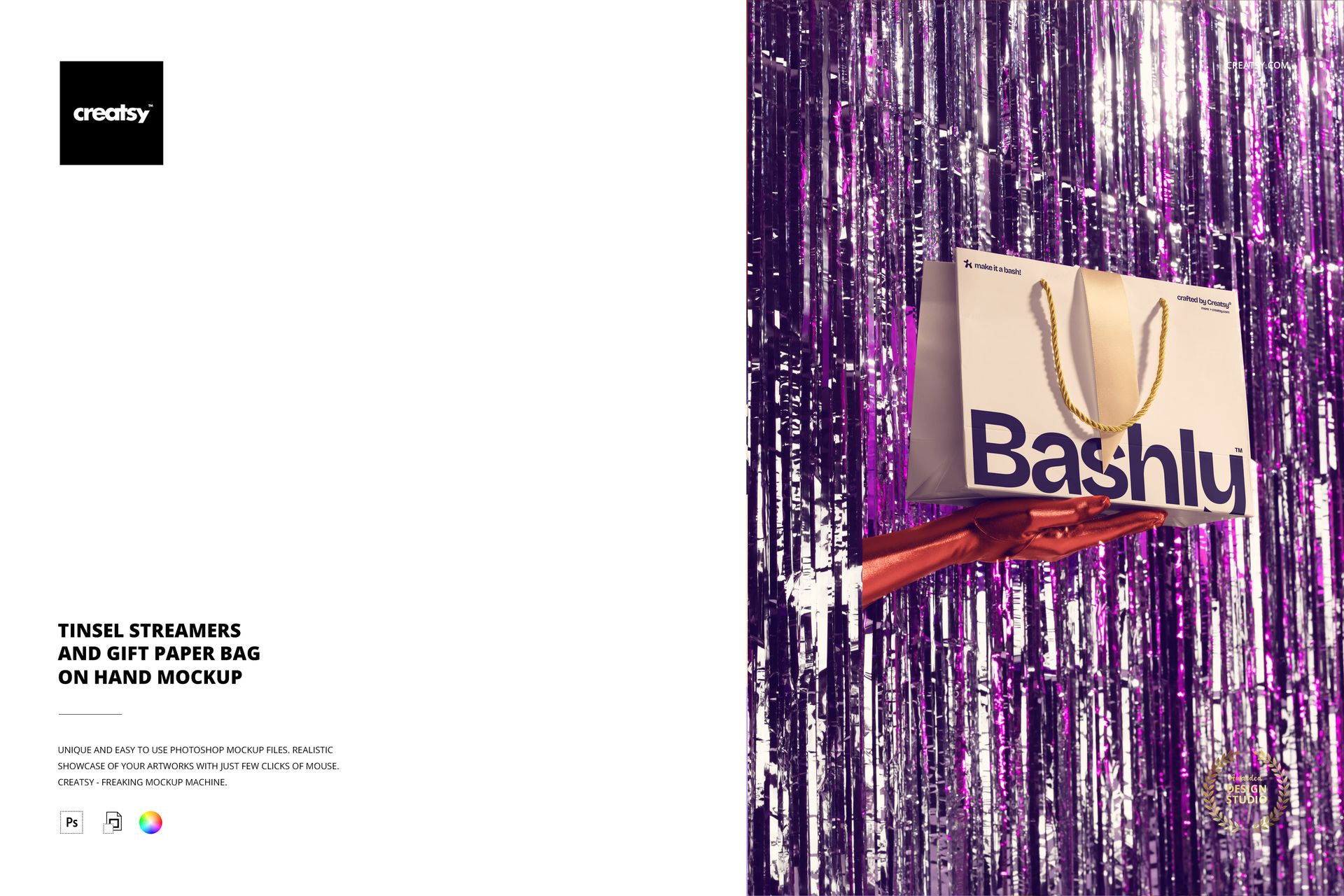
Show a gift bag in a lively handheld presentation. This fixed-perspective scene places a paper bag in a gloved hand against shimmering tinsel streamers, creating a compact celebration backdrop that keeps the printed surface easy to evaluate.
The close framing is useful when a design needs to feel tangible. Use the bag as the hero surface, keep the handle and artwork legible, and let the tinsel add texture and color without taking attention away from the packaging concept.
What Is Included
1 layered PSD mockup file with one fixed handheld gift bag scene.
1 JPG preview for quick reference, 2 files in total.
6000 × 4000 px canvas at 300 DPI for detailed digital presentations and print-oriented layouts.
Bag and Streamer Controls
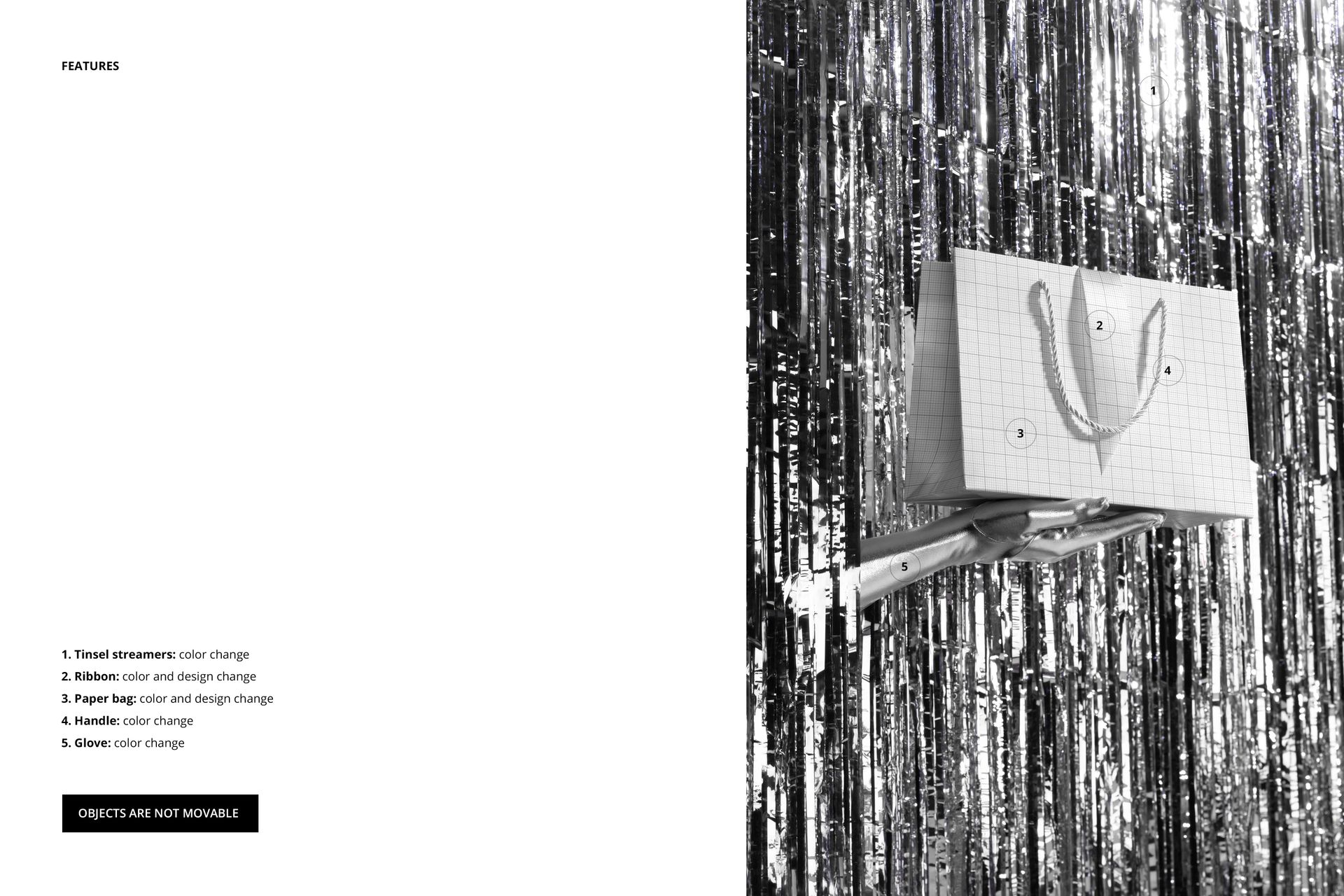
Change the tinsel streamers, paper bag and ribbon with color controls, and change the ribbon and paper bag design where supported. The handle and glove have color controls, allowing the hand-held scene to match a campaign palette.
A Consistent Handheld Perspective
Objects are not movable, so the hand, bag and metallic tinsel stay in their original arrangement. That fixed view makes it easier to compare multiple colorways while the product scale and presentation remain consistent.
Easy PSD Editing
Open the layered PSD in Adobe Photoshop CC2020 or newer, or in Photopea. Add your artwork to the editable paper bag layer, then coordinate the ribbon, tinsel and glove colors for a clean presentation. Well-organized layers keep the file easy to navigate.
Perfect For
Use this mockup for gift bag branding, birthday and holiday campaigns, event packaging, boutique retail concepts, surface pattern portfolios and client reviews where a hand-held product view adds context.
This is a digital mockup product. The physical bag, hand, glove and tinsel streamers are not included, and the sample artwork shown in the previews is for presentation only.