Carnival Scene Magnetic Box Mockup
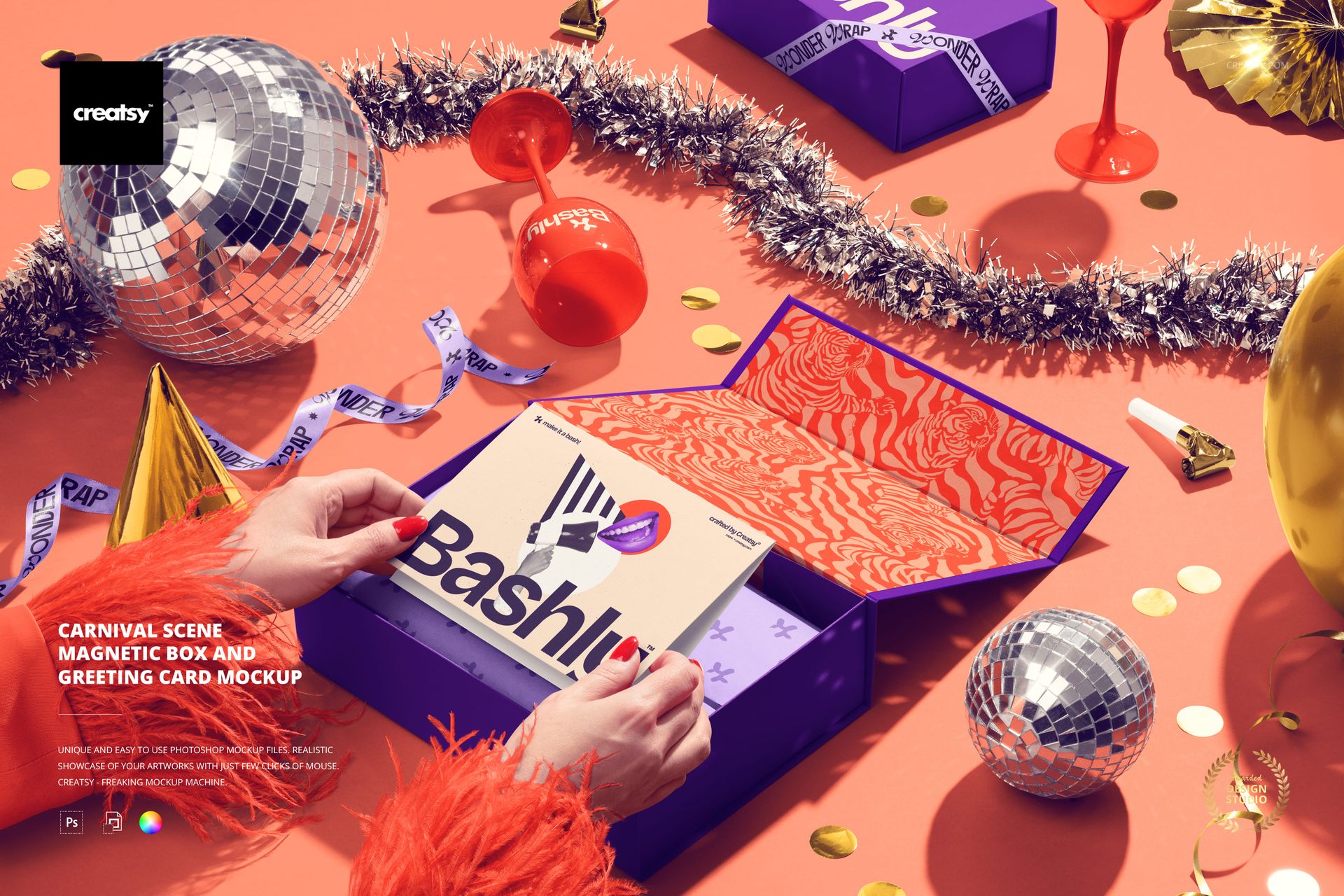
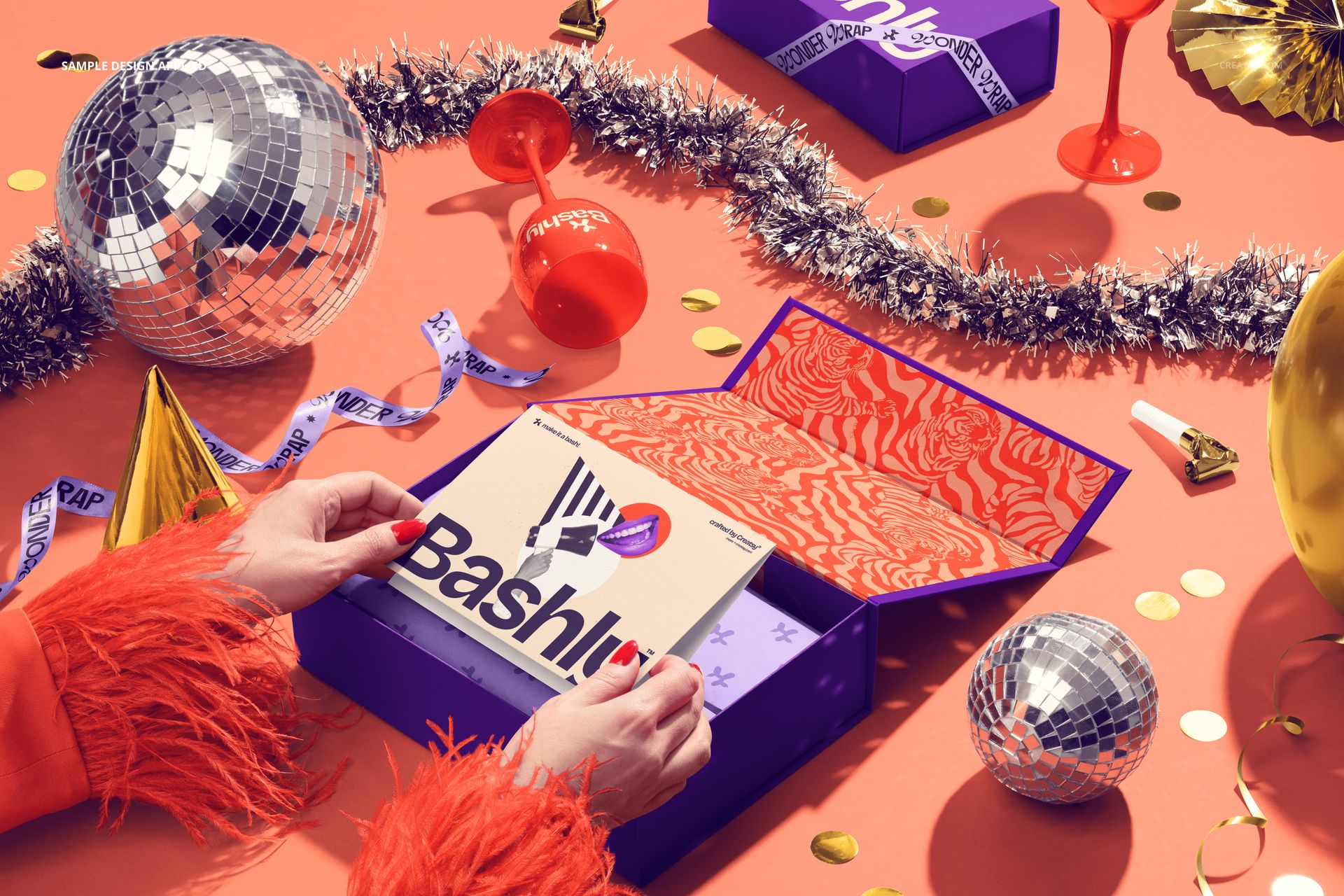
The greeting card is the first thing you notice: held in two hands above an open magnetic gift box, it gives this party scene a clear focal point. The box interior and tissue paper sit directly behind it, while a second, closed box appears among disco balls, tinsel, confetti, and other carnival decorations.
Use the composition to present a coordinated gift and greeting card concept in the moment of opening. The foreground card, inner lid, and box exterior offer different places for a message, illustration, or supporting pattern within the same image.
What Is Included
1 layered PSD with one carnival-themed magnetic box and greeting card scene.
1 JPG preview, 2 files in total.
The shown arrangement of an open box, a closed box, a card in hands, tissue paper, and party props.
Coordinate the Gift and the Celebration
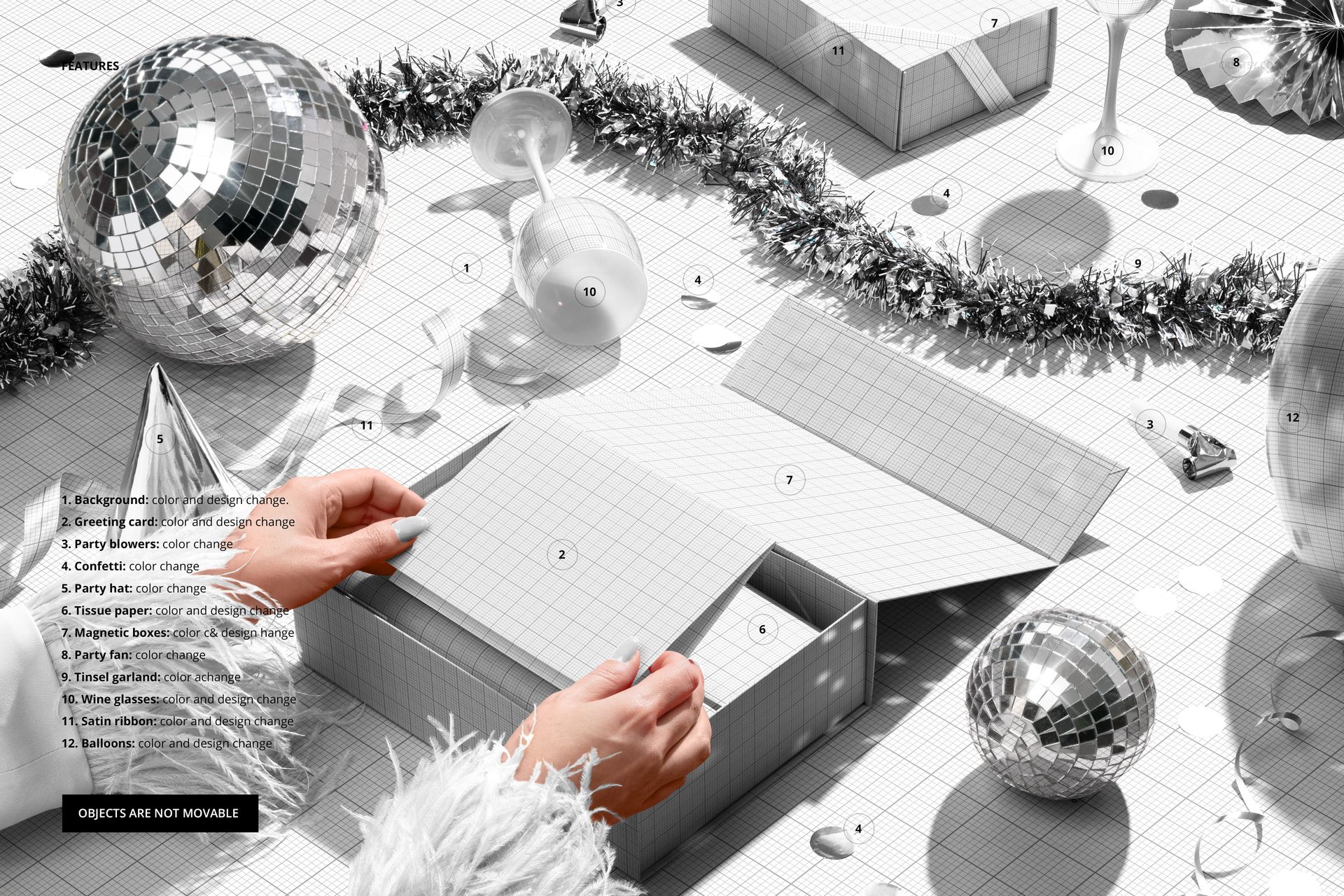
Change the color and design of the magnetic boxes, greeting card, tissue paper, wine glasses, satin ribbon, balloons, and background. Color controls are also available for the party blowers, confetti, party hat, party fan, and tinsel garland. The objects are not movable, so edits retain the photographed arrangement.
Easy Smart Object Editing
Use Adobe Photoshop CC2020 or newer, or Photopea, to place your artwork through Smart Objects and adjust the available design and color controls. Organized layers keep the different parts of the presentation accessible.
Perfect For
Packaging designers, greeting card illustrators, and event branding designers can use the scene to present birthday gifts, carnival campaigns, or celebration collections with a consistent visual identity.
This is a digital mockup, not a physical gift box or party kit. The sample artwork shown in the previews is not included.