Abstract Presentation of Three Pencils Mockup
This product is a part of Back to School Mockup Bundle
Product Details
Abstract Presentation of Three Pencils Mockup
Three pencils are enough to show whether a stationery idea works as a collection.
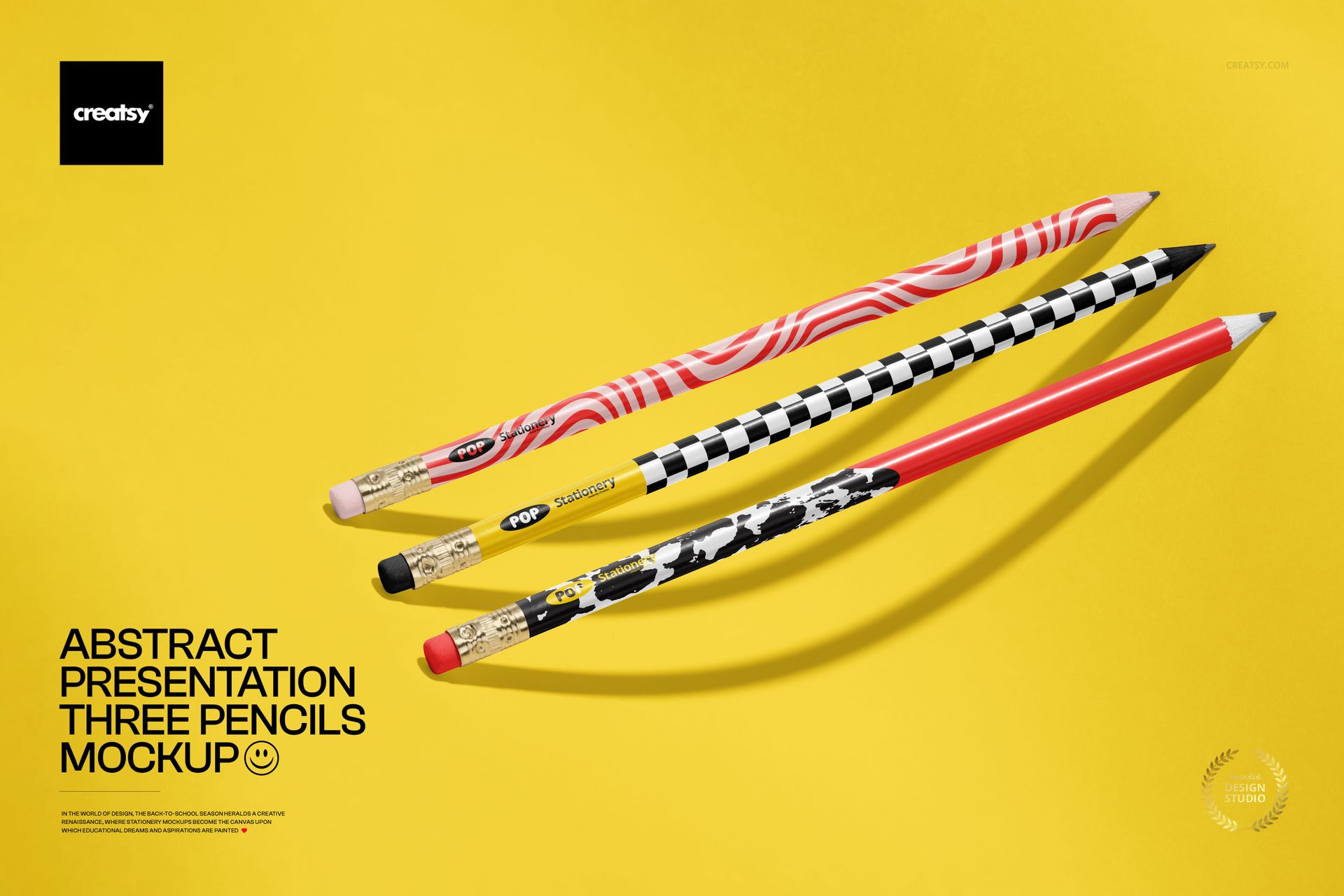
The Abstract Presentation of Three Pencils Mockup places a trio of sharpened pencils in a dynamic diagonal arrangement. Instead of feeling like a standard catalog image, the composition has the energy of a campaign visual. Each pencil receives its own visible space, while the graphic background helps patterns, colors and branding stand out.
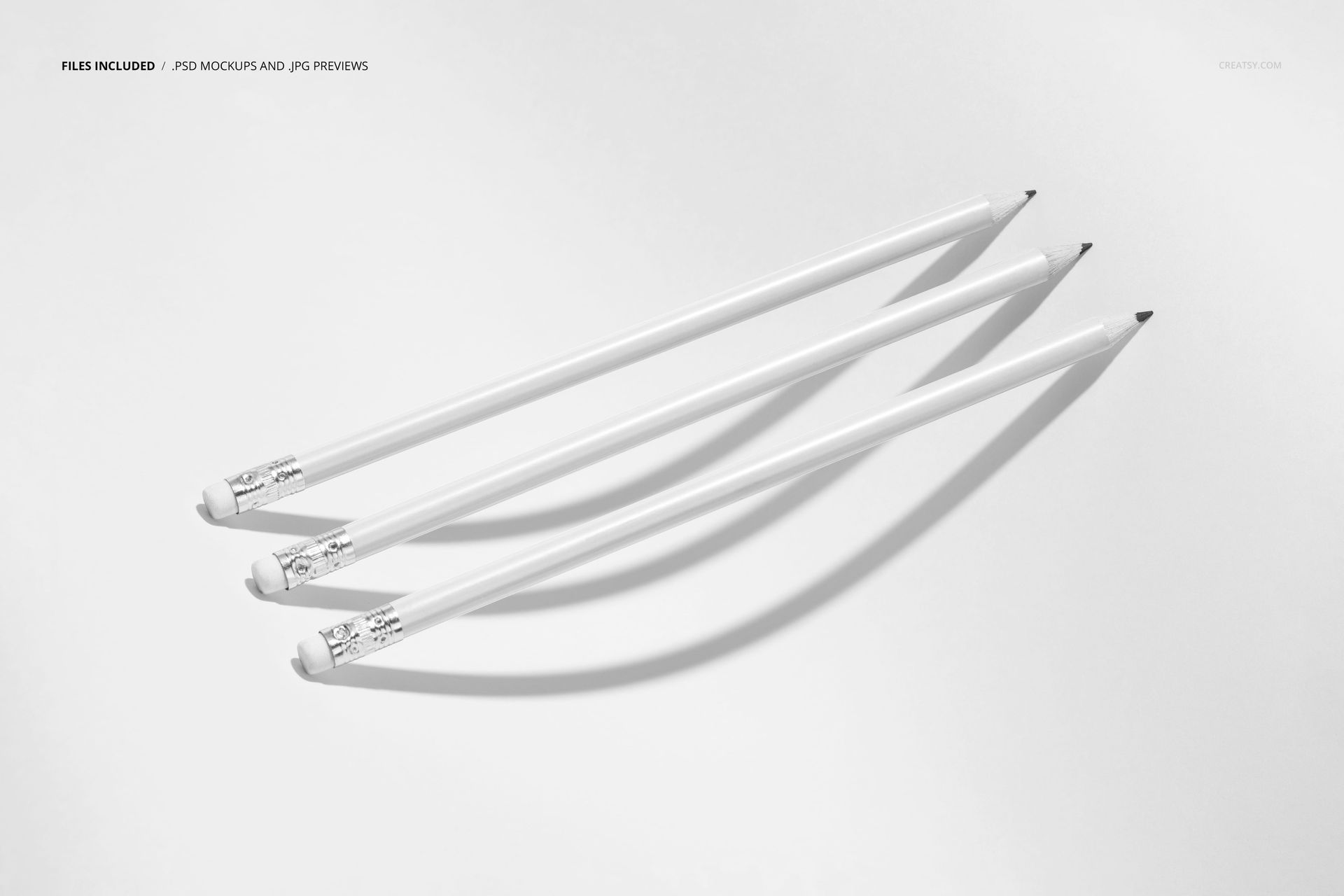
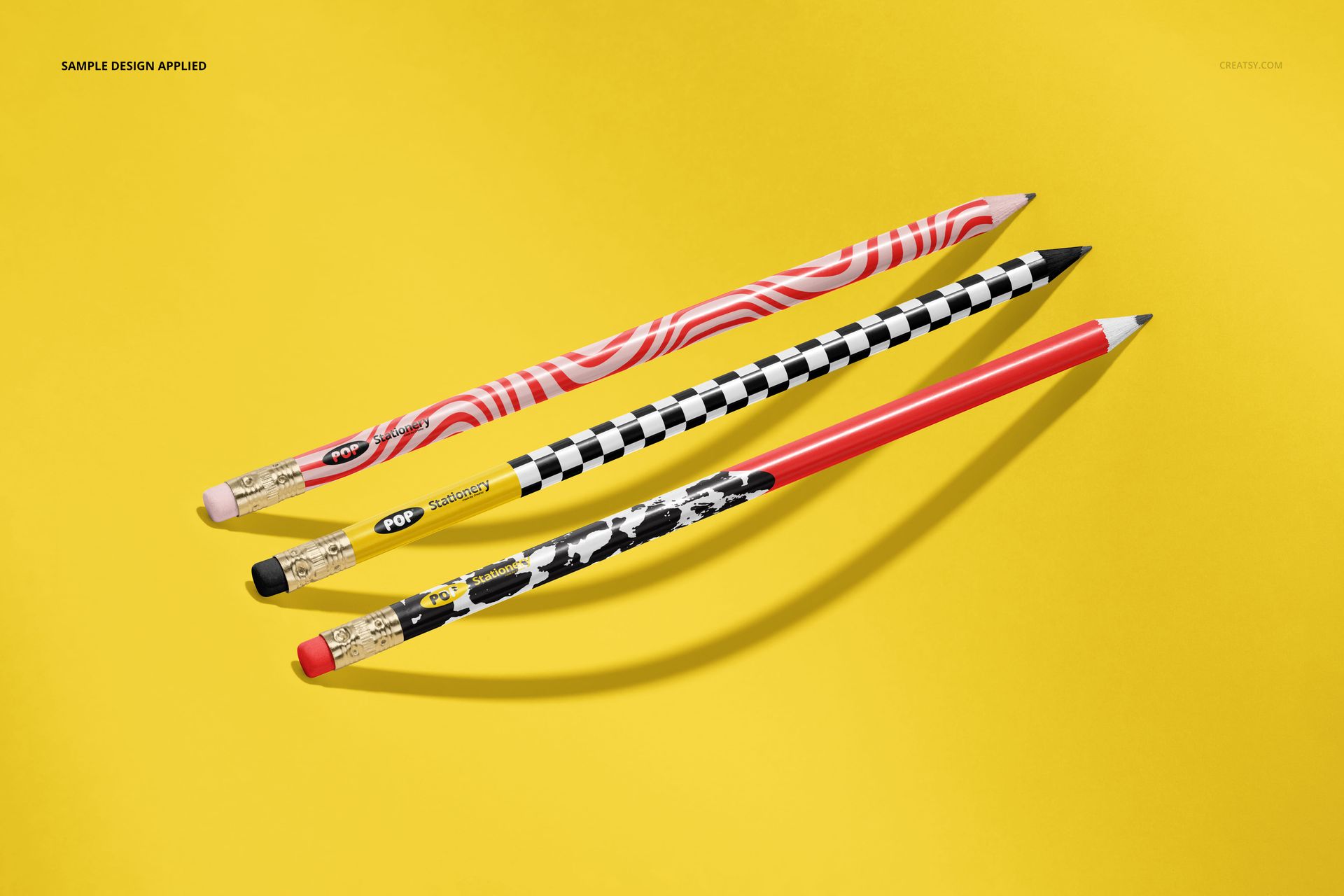
The product previews show a clean version with white pencils, a color-blocked composition and a bold variation with three individually styled pencil bodies.
Use one visual identity across the whole trio or introduce a hero design, a supporting pattern and a third coordinating colorway.
Why Three Pencils Work So Well
A single pencil is useful when every detail needs close attention. A large group works when you want to show a full collection. Three pencils sit comfortably between those two approaches.
The arrangement gives you enough variety to create a strong product family without making the image feel crowded. Viewers can compare the designs quickly, but each pencil remains easy to see.
Use the composition to present:
three coordinated patterns,
three colors from one product range,
a logo design with two supporting graphics,
several school collection themes,
one pattern at different scales,
a primary design and two alternative colorways,
several custom pencil concepts for client review.
The diagonal placement introduces movement, making the image more engaging than a perfectly straight product lineup.
Designed for Narrow Product Surfaces
A pencil body offers much less space than a notebook, poster or packaging box. Logos, patterns and lettering need to work within a slim format and remain recognizable when wrapped around the product.
This mockup helps you evaluate:
whether the pattern scale is appropriate,
whether a logo remains easy to recognize,
how much negative space the design needs,
whether important motifs are positioned clearly,
how three pencil designs look beside one another,
whether the colors create a cohesive product range,
how the artwork performs in a close product presentation.
A flat rectangular artwork file cannot communicate those details as clearly as a realistic pencil presentation.
Create a Coordinated Pencil Collection
The three-pencil setup is particularly useful for products sold as a small set.
You can create three designs that share one color palette while using different patterns. Another approach is to repeat the same artwork in three colorways. You can also build a simple visual hierarchy, with one expressive hero pencil and two quieter coordinating designs.
The mockup works well with:
geometric patterns,
abstract artwork,
floral and botanical repeats,
children’s illustrations,
school-themed graphics,
brand logos,
typographic designs,
simple color blocking,
hand-drawn motifs,
playful character artwork,
minimalist line patterns,
seasonal stationery collections.
The scene is flexible enough for bright children’s products, modern design-led stationery and more restrained promotional merchandise.
Who Is It For?
Stationery and school-supply brands
Use the mockup to introduce a new pencil range, prepare back-to-school campaign visuals or preview several designs before ordering physical samples.
Surface pattern designers
Apply coordinated repeats to the pencil bodies and show how a collection works on a narrow, cylindrical product rather than only as a flat pattern tile.
Promotional product designers
Present branded pencils for businesses, conferences, educational programs, museums, shops or corporate giveaways.
Illustrators and licensing artists
Show how artwork could extend into school supplies, children’s stationery and creative merchandise.
Branding studios
Add pencil designs to a broader identity presentation alongside notebooks, folders, packaging and other stationery products.
Online stationery sellers
Create a collection image that communicates several product options within one clear composition.
More Than a Basic Product Preview
The abstract layout makes this mockup suitable for outward-facing marketing content, not only internal design approvals.
Use the finished image for:
stationery collection launches,
back-to-school campaign graphics,
online shop product galleries,
wholesale catalogs,
Instagram and Pinterest content,
surface pattern licensing portfolios,
client presentation decks,
educational brand campaigns,
product range announcements,
Behance case studies,
newsletter graphics,
stationery brand lookbooks.
The graphic composition gives the image enough personality to work as a hero visual, while the pencils remain clear enough for practical design evaluation.
Compare Design Directions Before Production
Producing custom pencils may involve minimum order quantities, printing costs and manufacturer-specific artwork requirements. A realistic mockup lets you narrow down the strongest direction before committing to samples.
You can use the scene to compare:
three pattern concepts,
alternative brand palettes,
logo-led and pattern-led options,
different background colors,
designs for separate school subjects,
several seasonal collections,
subtle and high-contrast artwork,
products created for different age groups.
A mockup does not replace the manufacturer’s technical template, but it can make creative decisions and client feedback much easier.
A Practical Addition to a Larger Stationery Gallery
This scene works particularly well when combined with other product views.
A complete gallery could begin with this abstract three-pencil composition, followed by:
a close-up showing pattern placement,
a straight product lineup,
a pencil case or storage scene,
a notebook and pencil collection,
a school desk lifestyle image,
a clean individual pencil view.
The abstract composition introduces the visual idea, while the supporting mockups explain the product in more detail.
Easy Smart Object Editing
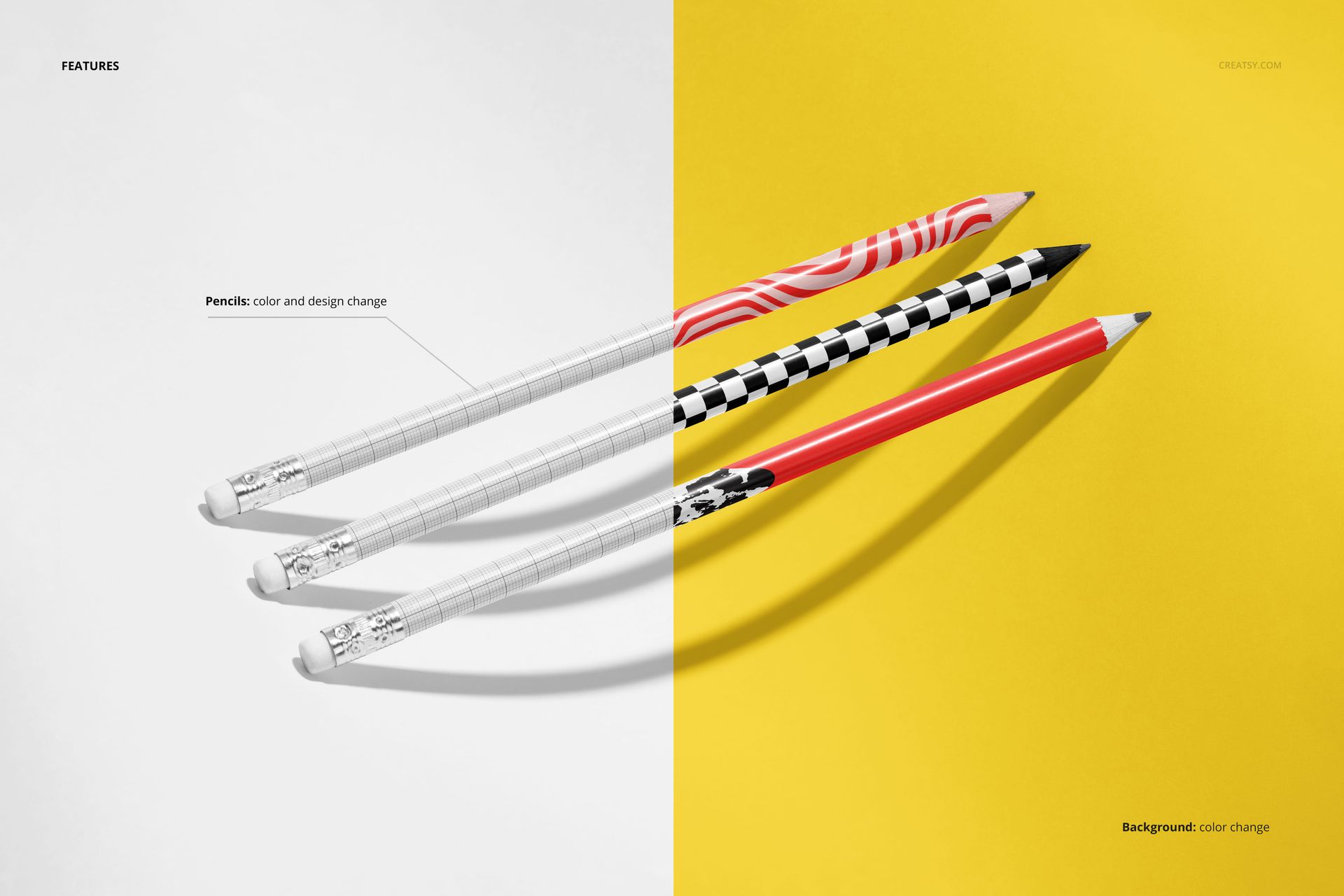
Open the PSD in Adobe Photoshop CC or Photopea, locate the editable Smart Object and place your artwork inside it. Save the Smart Object to update the pencil presentation while preserving the scene’s original lighting, perspective and shadows.
The file is built with organized layers, helping you move from artwork to a finished product visual without manually recreating the composition. Check the product screenshots for the exact editable areas and available scene controls.
Use the same PSD to test different patterns, create several colorways and prepare a consistent series of campaign images.
What You Can Showcase
Use the Abstract Presentation of Three Pencils Mockup to present:
custom pencil body designs,
coordinated pencil collections,
school stationery artwork,
branded promotional pencils,
surface pattern designs,
logo and identity concepts,
children’s stationery collections,
back-to-school products,
educational brand graphics,
seasonal pencil designs,
product colorways,
client design options,
licensing portfolio artwork,
stationery launch campaigns,
custom writing instrument concepts.
File Specifications
Part of: Back to School Mockup Bundle
Editable mockups: 1 PSD file
Supporting preview: 1 JPG file
Total number of files: 2
PSD dimensions listed: 4000 × 6000 px
Resolution: 300 DPI
Compatibility: Adobe Photoshop CC and Photopea
File formats: PSD and JPG
Layers: well organized
Compressed package size: approximately 397 MB for Windows and 416 MB for macOS
Exact customization features: shown in the product screenshots
Give a Small Stationery Product More Visual Impact
A pencil may be a simple object, but a group of three can carry a complete pattern story, brand palette or product collection.
The Abstract Presentation of Three Pencils Mockup gives those designs a graphic, contemporary setting that feels more expressive than a basic product lineup. Use it when you want to compare several pencil concepts, introduce a coordinated range or make a small writing instrument feel important enough to lead a campaign.
File details
- Compatibility
- Package size
- 397 MB
|416 MB
- Files type
- .psd, .jpg
- Files size
- 4000x6000


MEET THE SHOP
- $1615$19.00
- $1615$19.00
- $2890$34.00

HOW IT WORKS
3 clicks. That's it.
No tutorial needed. If you can copy-paste, you can use this.
- 1OpenDouble-click the smart object inside the PSD - in Adobe Photoshop, or free in your browser with Photopea.
- 2PasteDrop in your pattern, print, or artwork. Any design, any style.
- 3SaveHit save and the mockup wraps it in for you - shadows, folds, and lighting included.
FROM IDEA TO IMAGE
Built for real workflows
Skip the photo shoot Show your artwork on the real product type for approvals or listings - no studio, no model, no sample.
See it on the product, not a swatch Drop your file into the smart object and the scene's lighting and folds wrap around it, so you judge the real thing before you commit.
Smart Objects
Edit once and you're done. Your artwork drops into a smart object and the mockup updates itself - no masking, no warping by hand.
Perfectly Organized
Named layers and folders you can actually navigate. Find what you need, change what you want, and get out fast.
Print-Ready
High-resolution files built to hold up on screen and in print. Exact size and DPI are in this product's Details above.