City Promenade Poster Ad Mockup
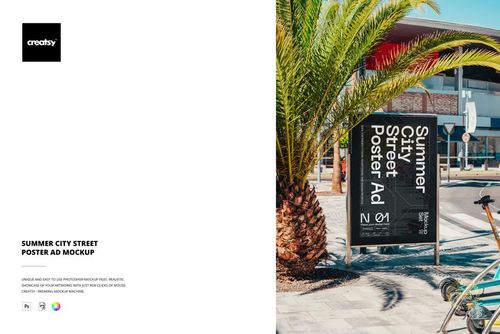
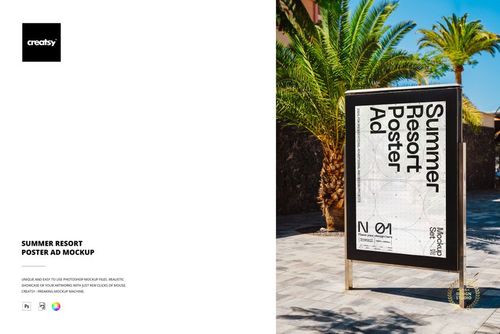
The City Promenade Poster Ad Mockup by Creatsy is an outdoor poster mockup that places your design on a freestanding poster stand along a sunny Mediterranean promenade. The poster face is a smart object, so you drop your artwork in once and it sits in the frame with the real photo lighting, shadow, and perspective.
The panel ships blank and the layout shown in the preview is display artwork, not part of the file. You decide what goes on the poster: an event or festival ad, a retail promotion, a travel or tourism campaign, or a concept for a client pitch. A color control lets you adjust the frame tone, and the layers are organized so the edits stay quick.
The promenade scene, with its paved walkway, trees, and warm daylight, gives the poster a believable out-of-home setting that a plain render cannot match. It works for advertising and campaign decks, agency proposals, and portfolio shots, and you get the finished scene without a location shoot.
What you get
1 PSD mockup file with JPG preview
6000 x 4000 px at 300 DPI
Smart object for the poster face
Editable frame color
Mediterranean promenade scene
Well organized layers
Package size about 78 MB
How it works
Open the PSD in Adobe Photoshop CS6 or newer, or in Photopea.
Double-click the smart object for the poster.
Paste your artwork, then save and close the smart object.
Adjust the frame color if needed and export as JPG or PNG.
Specifications
Files: 1 PSD plus JPG preview
Resolution: 6000 x 4000 px, 300 DPI
Smart objects: poster face
Scene: poster stand on a city promenade
Software: Adobe Photoshop CS6 and newer, and Photopea
Package size: about 78 MB
Who it is for
Out-of-home and outdoor advertising agencies, event and retail marketers, travel and tourism brands, and students building an advertising portfolio. Anyone who needs a poster shown on a real promenade without a location shoot.