ID: 1269506389 | Updated: Aug 30, 2023

Product Details

Hype Stickers Mockup Set

The smallest detail on a record sleeve can carry the biggest message.

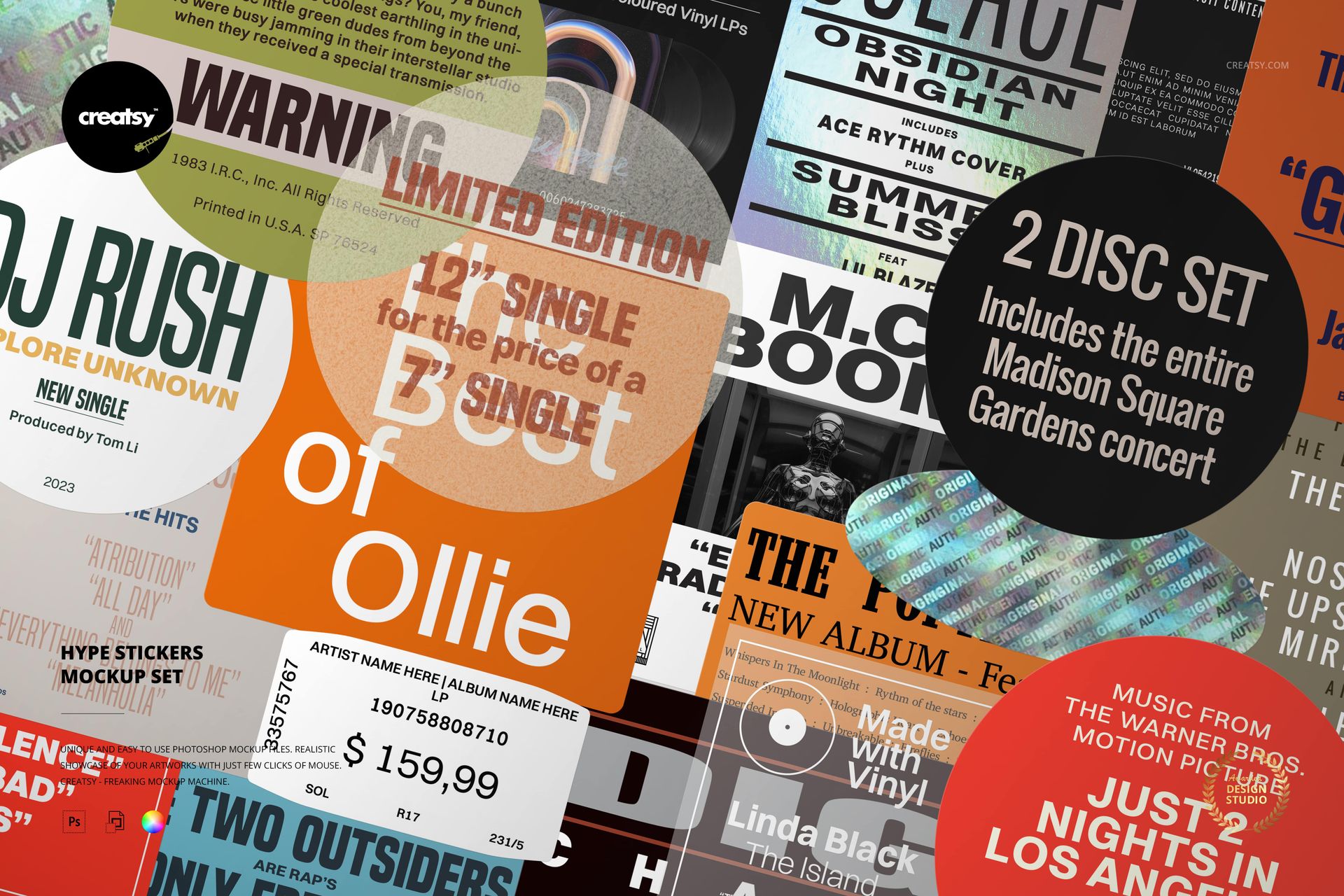
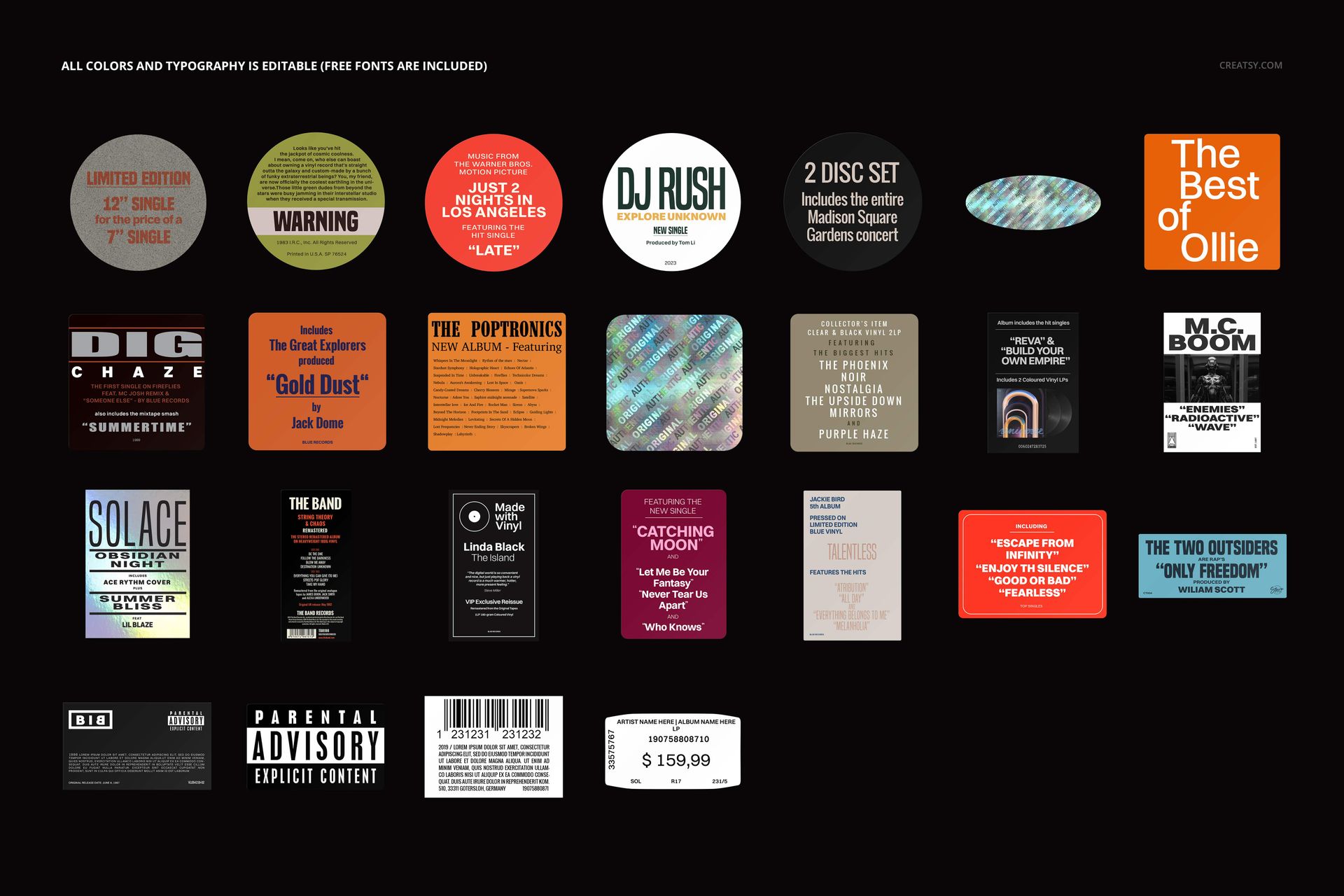
The Hype Stickers Mockup Set gives you 25 editable sticker designs created for vinyl covers, LP release visuals and music packaging presentations. Use them to highlight a limited pressing, colored vinyl edition, remastered release, bonus track, anniversary issue, collector version or any other detail that makes the record worth noticing.

Instead of adding plain text beside an album mockup, you can turn the release information into a recognizable part of the packaging.

The set includes one high-resolution PSD containing 25 editable hype stickers, free fonts and organized layers.

A Release Detail Collectors Actually Notice

A hype sticker often becomes the first piece of information someone reads before opening a record.

It can explain what makes a particular edition different, introduce a key track or communicate that the pressing is limited, exclusive or newly remastered. When designed well, it does not feel like an extra label added at the last minute. It becomes part of the visual identity of the release.

Use the sticker designs to communicate:

Limited or numbered pressings
Colored and translucent vinyl editions
Anniversary releases
Remastered albums
Bonus tracks and unreleased material
Exclusive editions
Special packaging
Artist or producer information
Record store editions
New singles, EPs and albums
Collector releases
Tour or event exclusives

Each message can be styled to feel consistent with the album artwork and wider release campaign.

Twenty-Five Ways to Frame the Story of a Record

Different releases need different kinds of callouts.

A short statement may work best inside a bold circular sticker. A longer note may need a wider rectangular format. A collector edition may suit a restrained typographic design, while an energetic single release may call for something brighter and more expressive.

The set brings together varied sticker layouts, shapes, lettering styles and graphic treatments. The preview includes round, square and rectangular designs with music-focused typography and visual details.

Use one sticker as a subtle supporting element or combine several styles across a complete album campaign.

Designed for Vinyl Packaging, Not Generic Sticker Sheets

This collection is positioned specifically around vinyl releases and album artwork.

The stickers can be placed over:

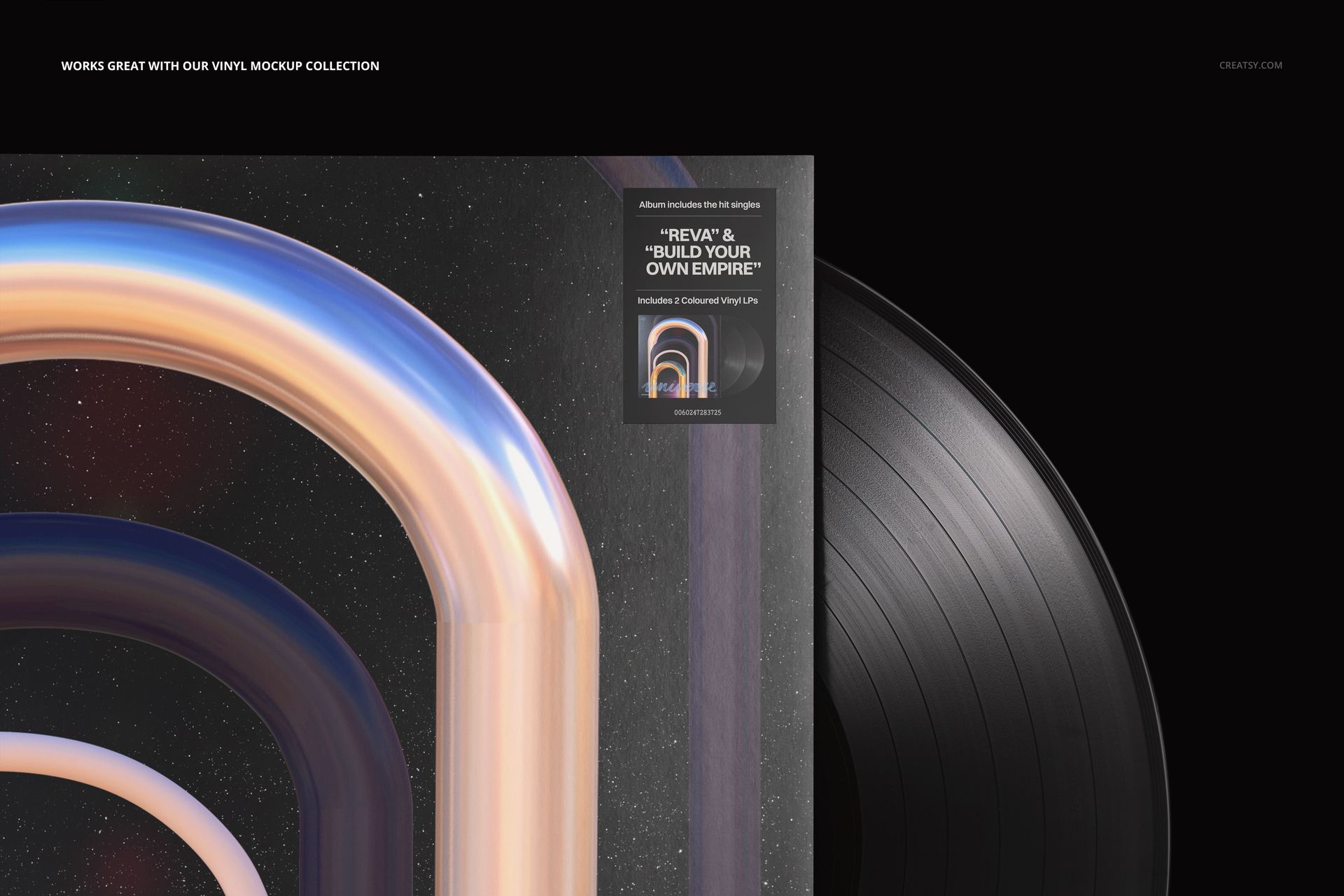
Vinyl record cover mockups
Outer sleeves
Protective shrink wrap presentations
Album launch graphics
Pre-order announcements
Record store product images
Collector edition previews
Band and label social media content
Press kit visuals
Bandcamp and ecommerce graphics
Digital catalogs
Release countdown posts

Because the stickers are designed as separate movable elements, you can place them where they support the composition without covering important parts of the album artwork. The parent Vinyl Record Mockup Bundle also lists the hype stickers as movable elements with editable design and color.

Make Album Mockups Feel More Like Real Releases

A vinyl mockup may show the record, sleeve and cover artwork beautifully, but it can still feel like a clean design presentation rather than a finished retail product.

Adding a hype sticker introduces the kind of detail associated with physical record packaging. It can make the visual feel closer to something a collector might discover in a record store, receive in a pre-order package or share in an unboxing post.

That extra layer can help:

Explain the value of a special edition
Differentiate several pressing variants
Add context without changing the album cover
Make product images feel more complete
Create a stronger focal point
Give release information a visual hierarchy
Connect the mockup with the wider campaign identity

The sticker becomes part of the storytelling rather than an unrelated marketing caption.

Useful for Bands, Labels and Album Designers

The set is made for creative work around music releases, including:

Independent musicians
Bands preparing new albums or EPs
Record labels
Album cover designers
Music branding studios
Vinyl pressing businesses
Record stores
Tour merchandise designers
Artist management teams
Music distributors
Collectors presenting custom releases
Graphic designers building music portfolios

It can also be used by designers creating fictional album projects, visual identity case studies or concept releases for their portfolios.

Build a Consistent Release Campaign

A good release campaign needs more than one image.

The same hype sticker can appear across the album cover mockup, preorder announcement, social media teaser, product page and press image. Repeating the element helps the campaign feel connected and makes important release details easier to recognize.

For example, you can use one sticker to promote:

A limited red vinyl pressing
A ten-year anniversary edition
An album with bonus tracks
A remastered reissue
A signed collector version
An exclusive store release

Then reuse the edited sticker across several mockup scenes to create a coherent visual system.

Editable Text, Color and Design

Open the PSD in Adobe Photoshop, choose a sticker design and customize the available text, colors and graphic elements. The free fonts used in the set are included, helping you retain the intended typographic appearance or adapt the wording to your own release.

You can adjust the stickers to match:

Album artwork colors
Record label branding
Vinyl pressing colors
Artist typography
Release campaign graphics
Collector edition packaging
Seasonal or anniversary themes

Check the product screenshots for the exact editing options available within each sticker design.

What You Can Create

Use the Hype Stickers Mockup Set for:

Vinyl album cover presentations
LP sleeve mockups
Limited pressing announcements
Colored vinyl launch graphics
Collector edition previews
Album reissue campaigns
Record label product pages
Band and musician social media posts
Record store listings
Music portfolio projects
Press kit artwork
Pre-order announcements
Release day graphics
Album packaging case studies
Promotional music visuals

File Specifications

Part of Vinyl Record Mockup Bundle
Main editable file: 1 PSD
Includes 25 editable hype sticker designs
Resolution: 300 DPI
Minimum Photoshop version currently listed: CC2015
Free fonts included
Well-organized layers
Supporting preview files included
Sticker elements can be used on vinyl covers and album packaging presentations

A Small Detail That Makes the Release Feel Finished

Album artwork may be the main visual, but the packaging details often make a release feel real.

The Hype Stickers Mockup Set helps you add those details without designing every sticker from scratch. Use the collection to introduce pressing information, emphasize special features and turn a clean vinyl mockup into a more complete release presentation.

Whether you are launching an album, preparing collector packaging or building a music branding portfolio, these 25 editable designs give important release information a visual identity of its own.

File details

Compatibility
PhotopeaAdobe Photoshop
Package size
29.4 MB29.4 MB|30.9 MB30.9 MB
Files type
.psd, .jpg
Files size
7200x4200
TEST FOR FREE

35 files total: 29 OTF, 4 TTF, 1 JPG, 1 PSD.

MEET THE SHOP

Creatsy logo

Creatsy

Poland
4.7 (665)

Bring your ideas to life.

We're a family-run studio in Katowice, Poland, making PSD mockups by hand since 2016. Everything in this shop starts in our own studio. We shoot the photography, build the 3D, and put together every Smart Object PSD ourselves - then we test it, organize the layers, and only ship it once it actually works...
GO TO SHOP

HOW IT WORKS

3 clicks. That's it.

No tutorial needed. If you can copy-paste, you can use this.

  1. 1OpenDouble-click the smart object inside the PSD - in Adobe Photoshop, or free in your browser with Photopea.
  2. 2PasteDrop in your pattern, print, or artwork. Any design, any style.
  3. 3SaveHit save and the mockup wraps it in for you - shadows, folds, and lighting included.

FROM IDEA TO IMAGE

Built for real workflows

Skip the photo shoot Show your artwork on the real product type for approvals or listings - no studio, no model, no sample.

See it on the product, not a swatch Drop your file into the smart object and the scene's lighting and folds wrap around it, so you judge the real thing before you commit.

Smart Objects

Edit once and you're done. Your artwork drops into a smart object and the mockup updates itself - no masking, no warping by hand.

Perfectly Organized

Named layers and folders you can actually navigate. Find what you need, change what you want, and get out fast.

Print-Ready

High-resolution files built to hold up on screen and in print. Exact size and DPI are in this product's Details above.