Painted Glass Reed Diffuser Mockup Set

ID: 2124216661 | Updated: Mar 19, 2026

Product Details

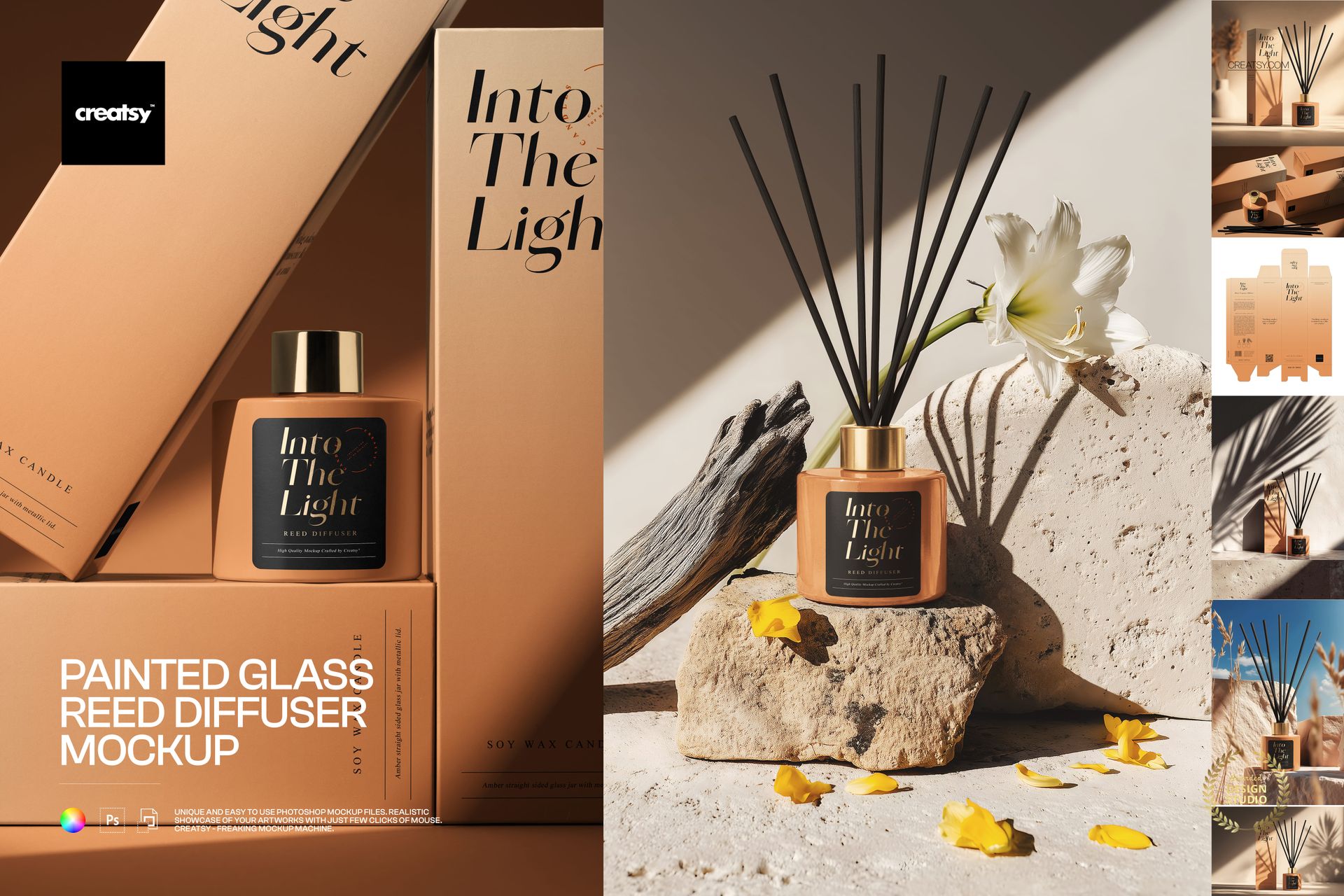
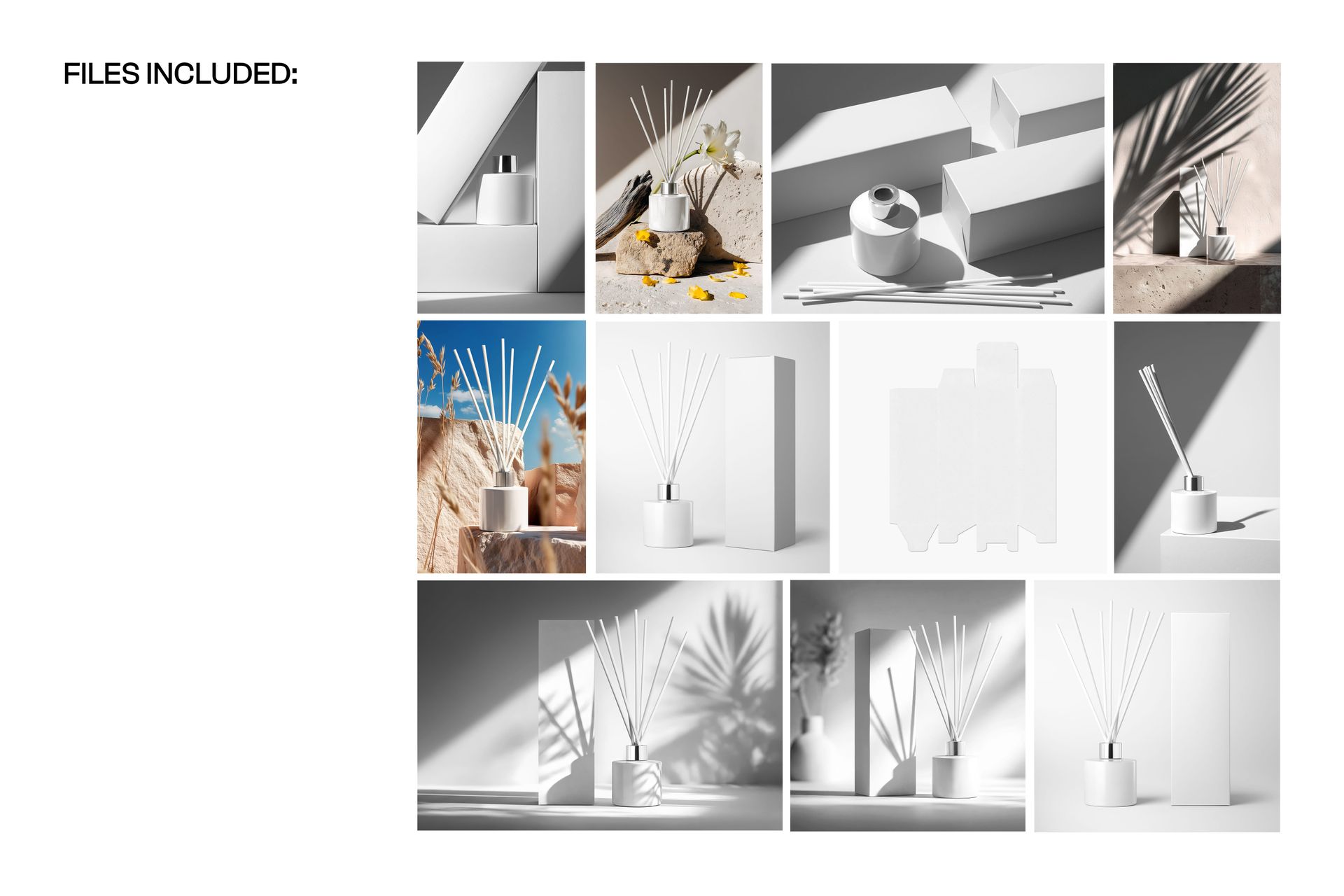
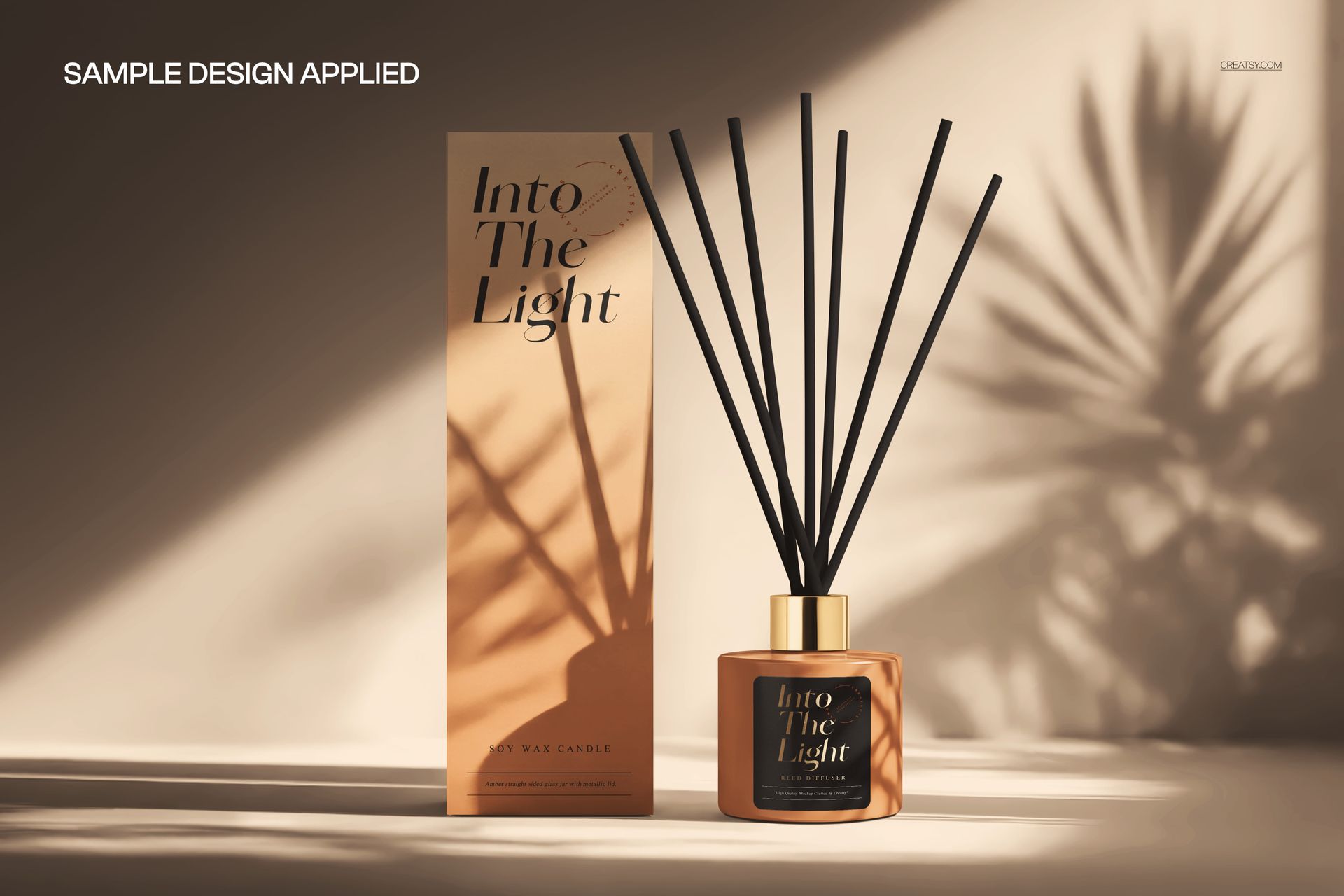
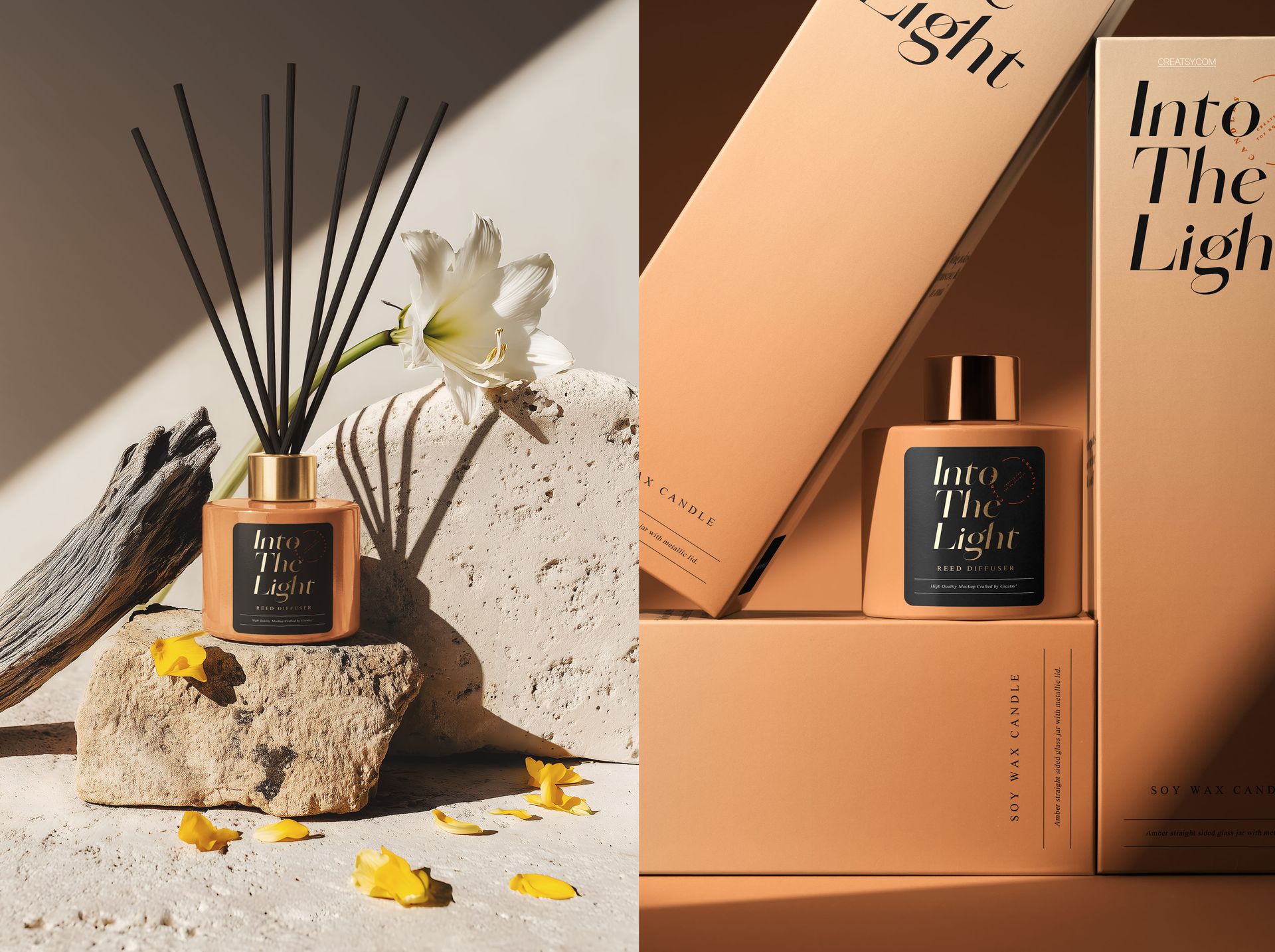
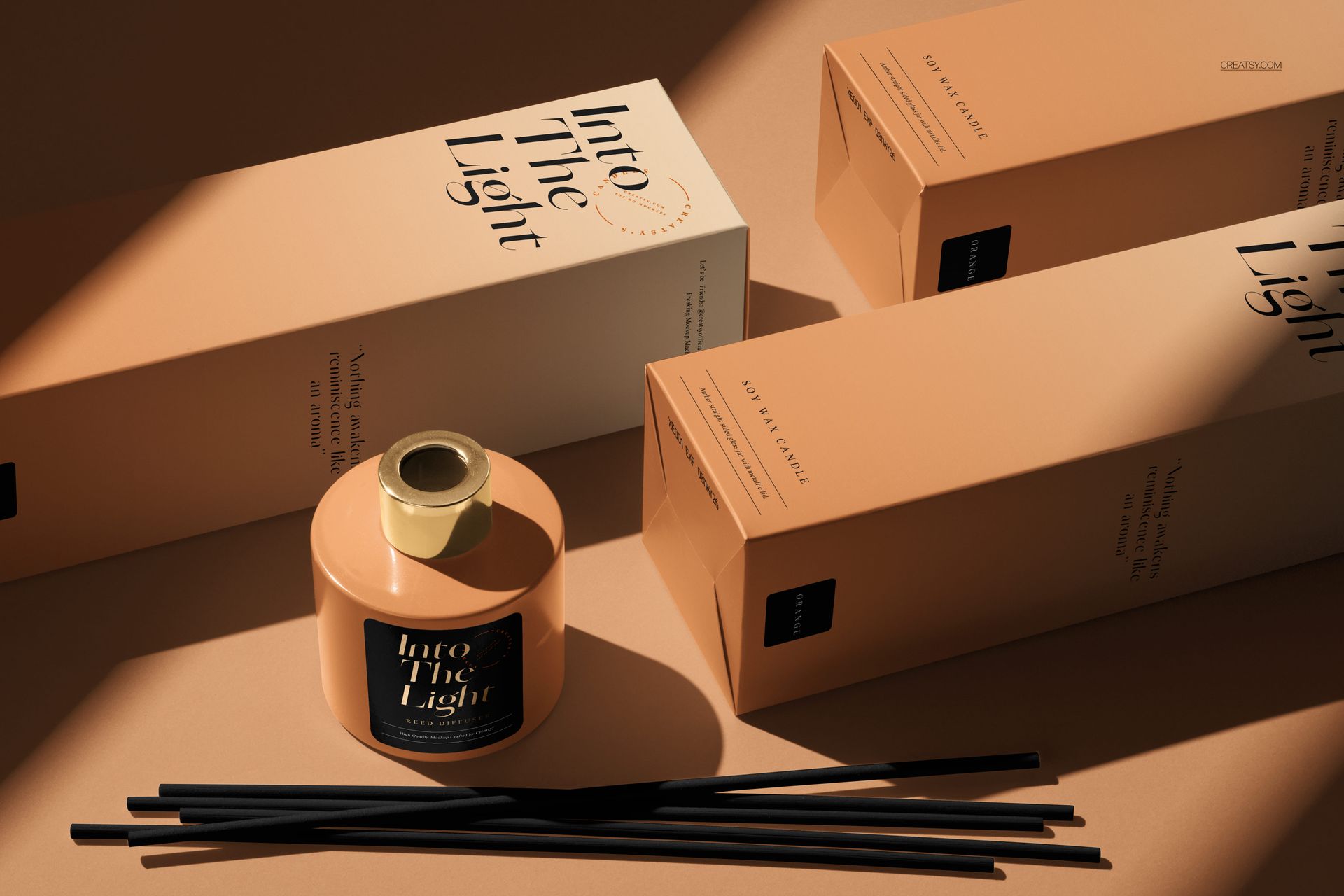
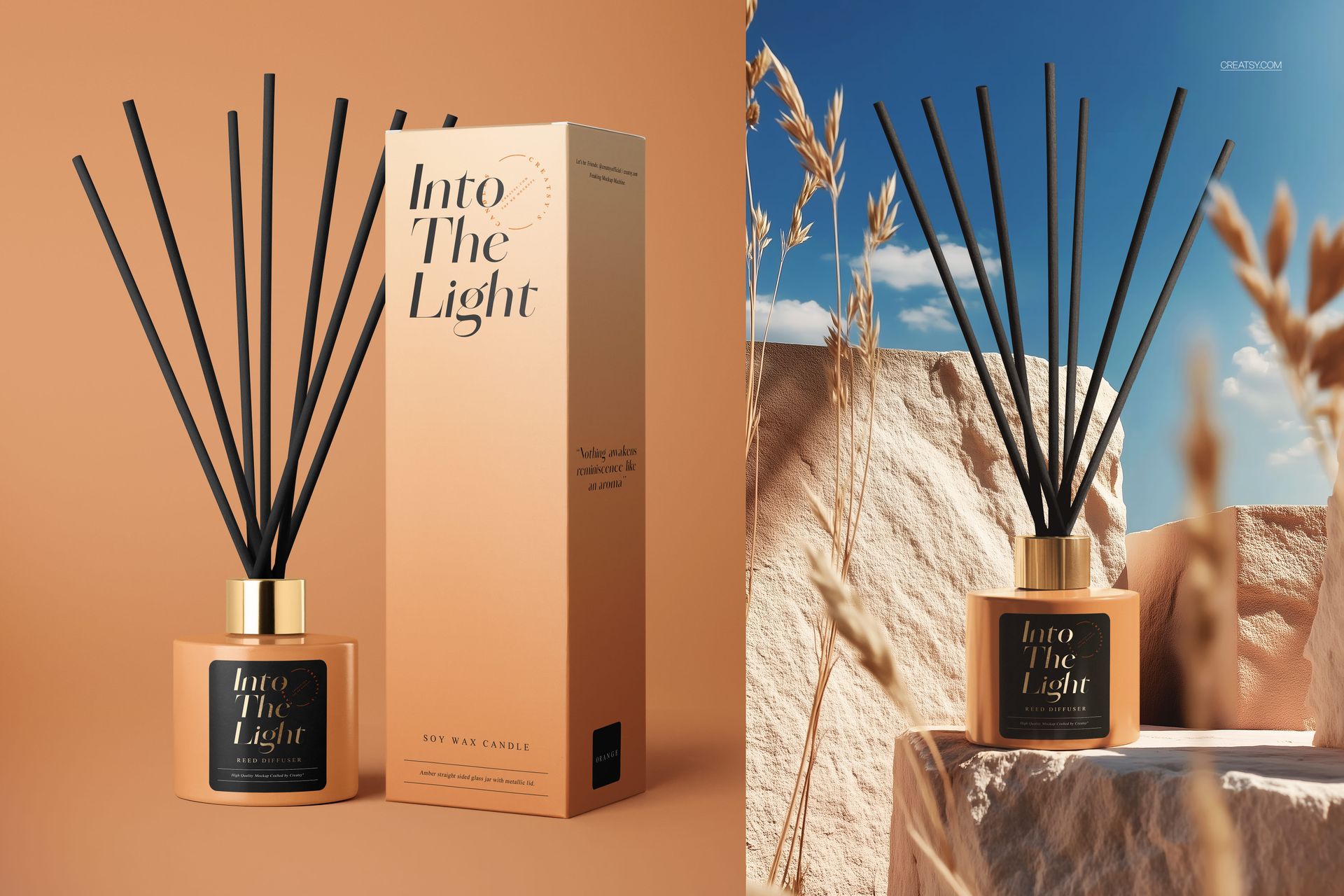
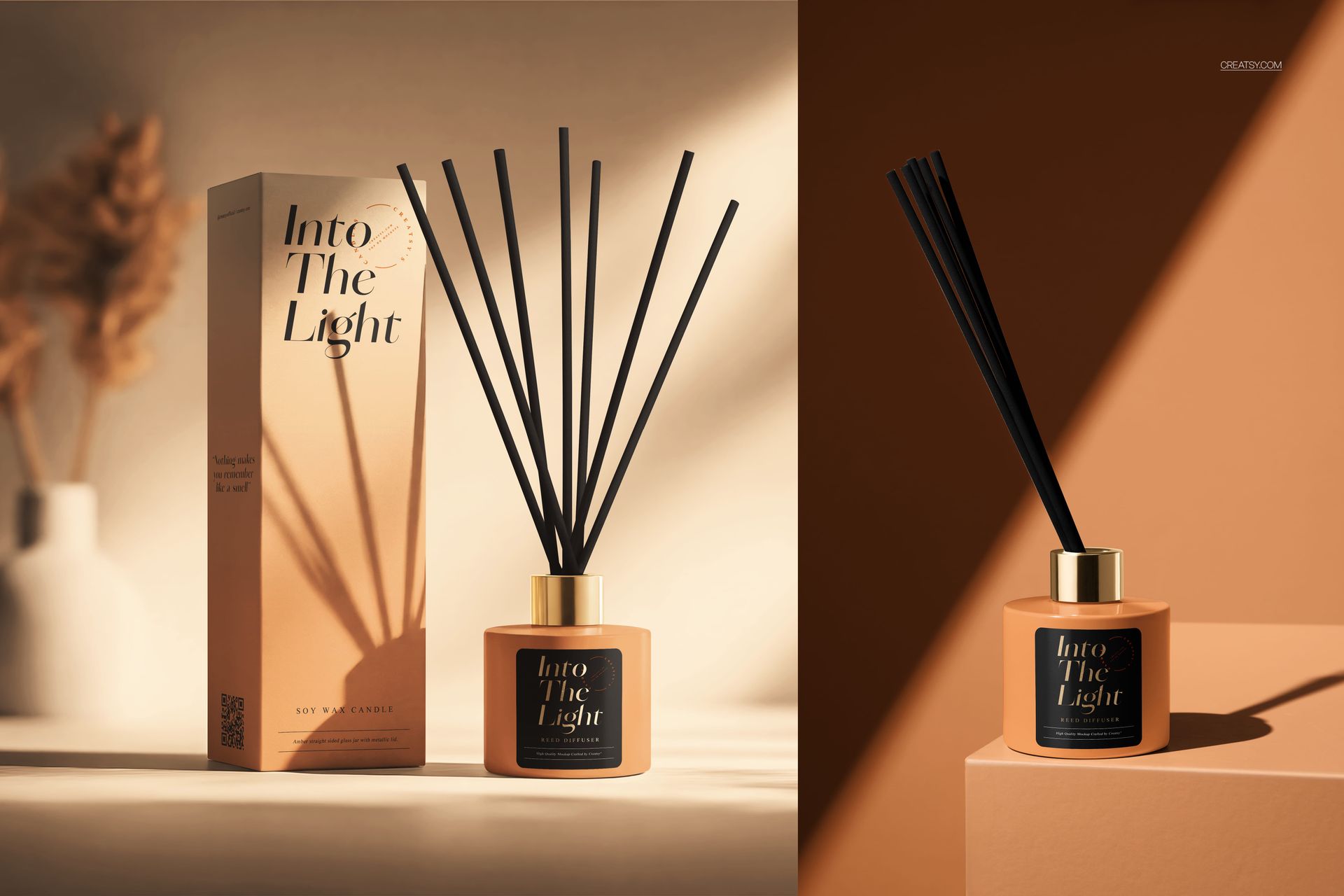
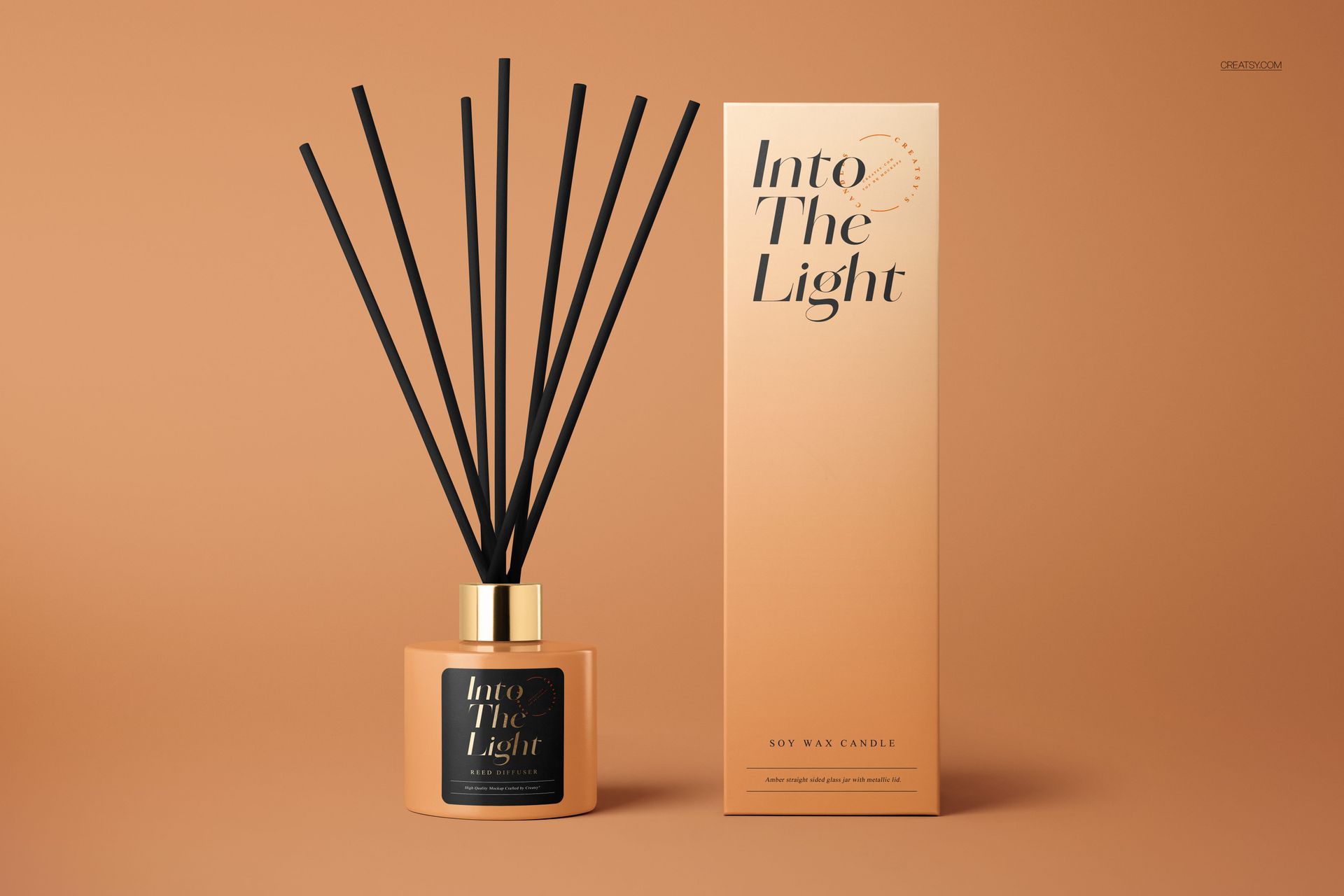
Showcase your reed diffuser, home fragrance, or aromatherapy brand with this premium Painted Glass Reed Diffuser Mockup Set by Creatsy. This comprehensive collection features 11 photorealistic PSD scenes at 6000×4000px (300 dpi), each built with organized smart object layers for effortless one-click customization.

What's Inside:

- 11 high-resolution PSD files (~6000×4000px, 300 dpi)

- Painted glass bottle with rattan reed sticks in multiple angles and compositions

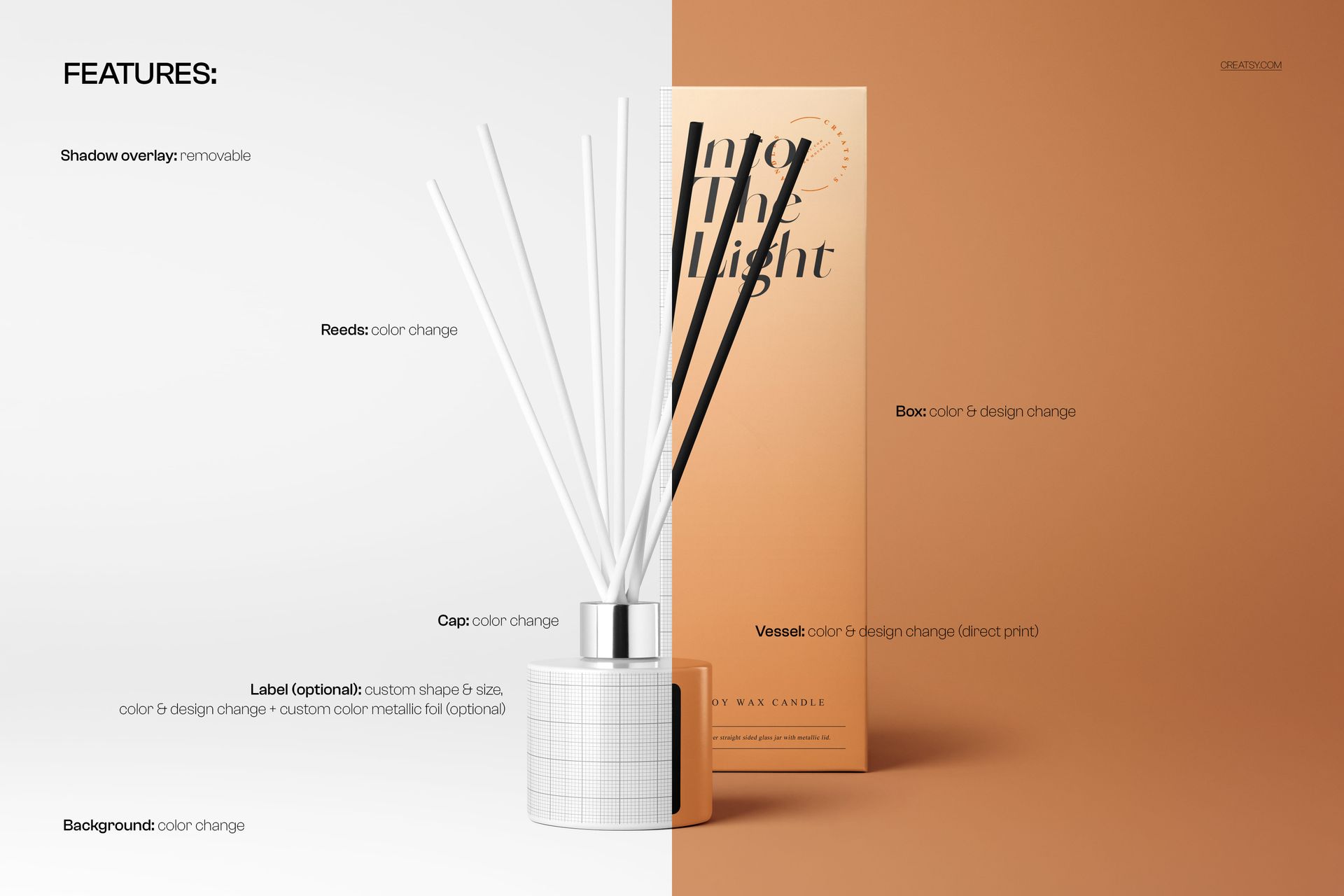
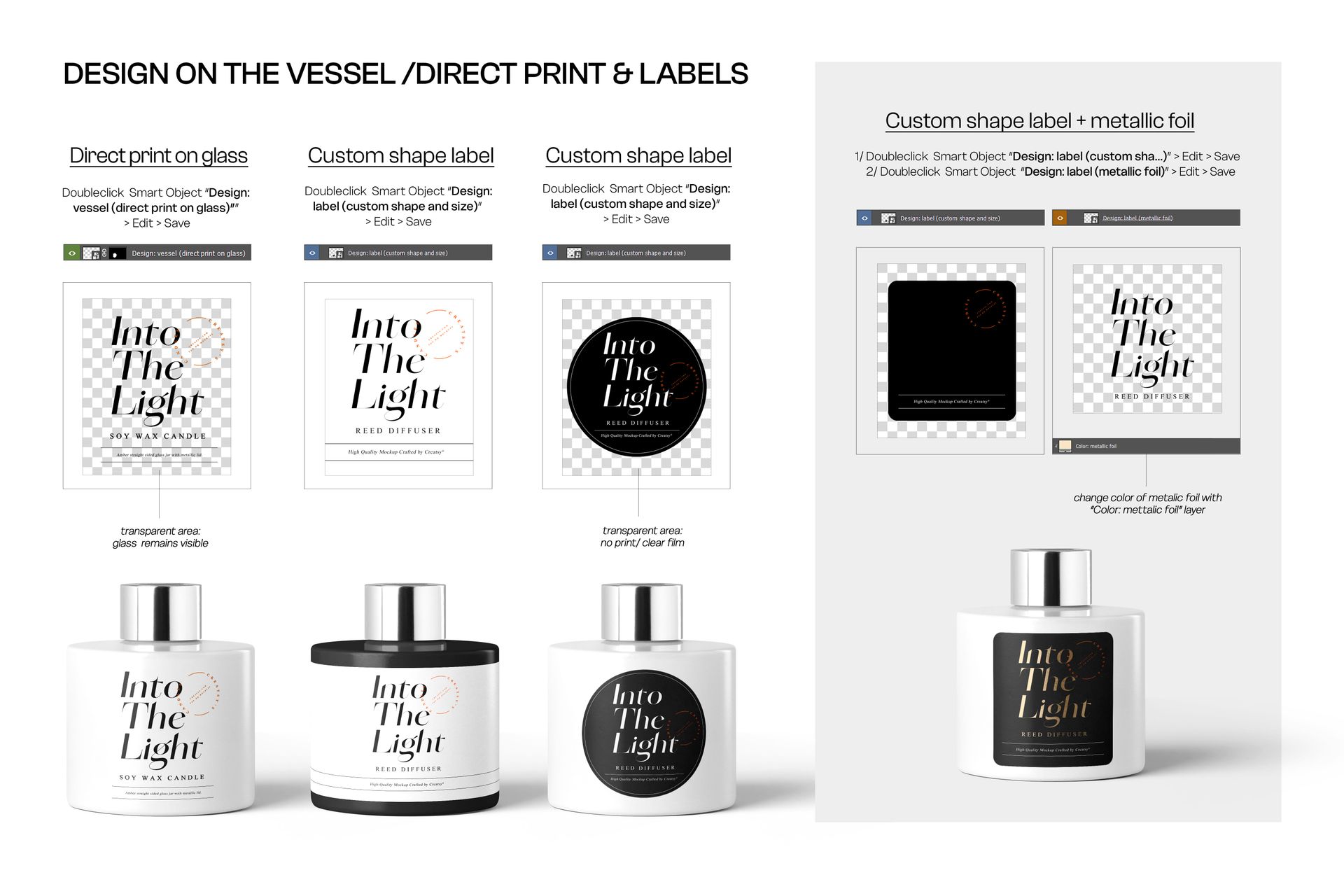
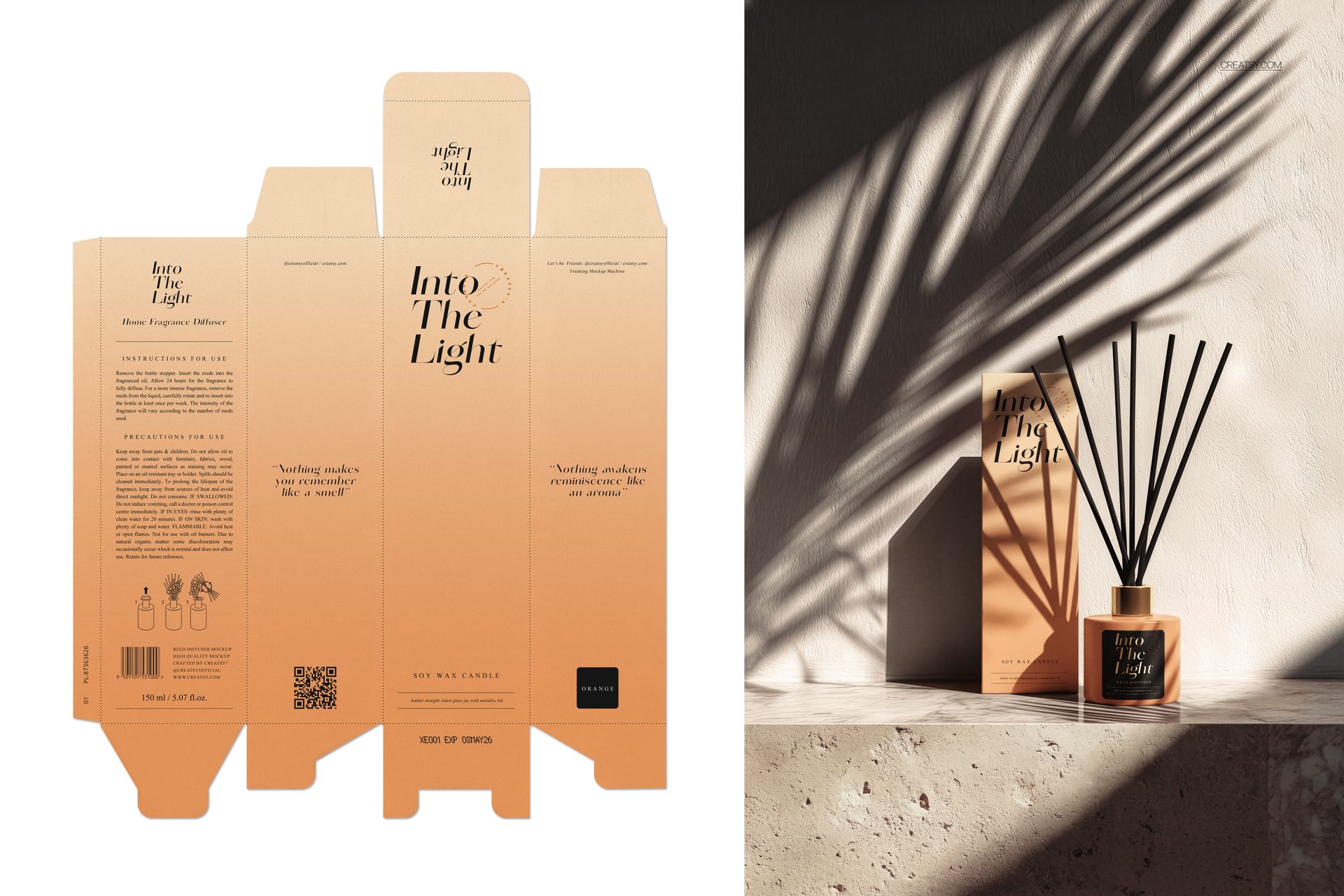
- Fully editable labels, packaging box, and vessel surface via smart objects

- Changeable backgrounds, shadows, and reflections

- Natural lifestyle settings with botanical elements, stone, and linen textures

Design Capabilities:

- Apply your artwork directly on the glass vessel, print on the label, or foil-stamp the packaging

- Toggle individual layers on/off (reeds, cap, box, background props)

- Adjust bottle color tint, label material (matte, gloss, kraft, foil), and reed count

Compatibility:

- Adobe Photoshop CC 2020 or newer

- Photopea (free browser-based alternative)

Ideal For:

- Home fragrance and candle brands launching reed diffuser product lines

- Packaging designers presenting label and box concepts to clients

- E-commerce shops needing photorealistic product imagery without a photo shoot

- Wellness, spa, and aromatherapy brand identity projects

- Etsy, Amazon, and Shopify sellers creating professional product listings

File details

Compatibility
PhotopeaAdobe Photoshop
Number of files included
22
Package size
2.2 GB2.2 GB|2.36 GB2.36 GB
Files type
.psd, .jpg
TEST FOR FREE

MEET THE SHOP

Creatsy logo

Creatsy

Poland
4.7 (647)

Bring your ideas to life.

We're a family-run studio in Katowice, Poland, making PSD mockups by hand since 2016. Everything in this shop starts in our own studio. We shoot the photography, build the 3D, and put together every Smart Object PSD ourselves - then we test it, organize the layers, and only ship it once it actually works...
GO TO SHOP

HOW IT WORKS

3 clicks. That's it.

No tutorial needed. If you can copy-paste, you can use this.

  1. 1OpenDouble-click the smart object inside the PSD - in Adobe Photoshop, or free in your browser with Photopea.
  2. 2PasteDrop in your pattern, print, or artwork. Any design, any style.
  3. 3SaveHit save and the mockup wraps it in for you - shadows, folds, and lighting included.
FROM IDEA TO IMAGE

Built for real workflows

Skip the photo shoot Show your artwork on the real product type for approvals or listings - no studio, no model, no sample.

See it on the product, not a swatch Drop your file into the smart object and the scene's lighting and folds wrap around it, so you judge the real thing before you commit.

Smart Objects

Edit once and you're done. Your artwork drops into a smart object and the mockup updates itself - no masking, no warping by hand.

Perfectly Organized

Named layers and folders you can actually navigate. Find what you need, change what you want, and get out fast.

Print-Ready

High-resolution files built to hold up on screen and in print. Exact size and DPI are in this product's Details above.