Square Coasters Mockup Set v.1

Product Details
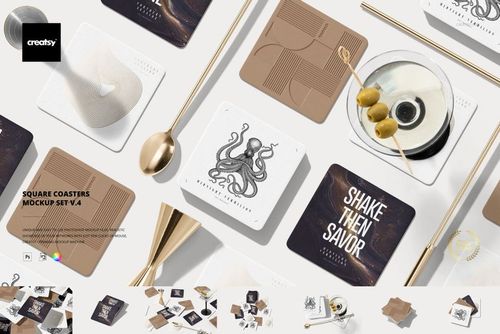
Square Coaster Mockup Set v.1: Eleven Main Scenes
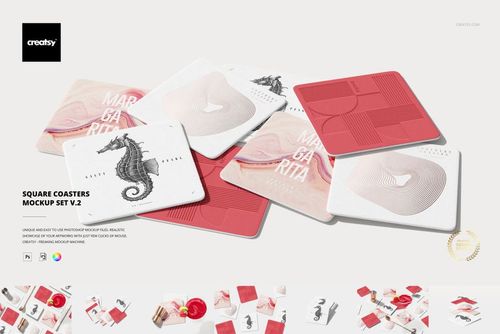
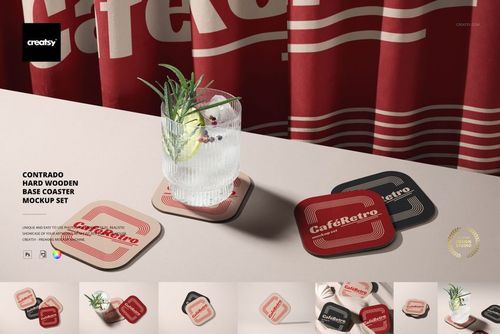
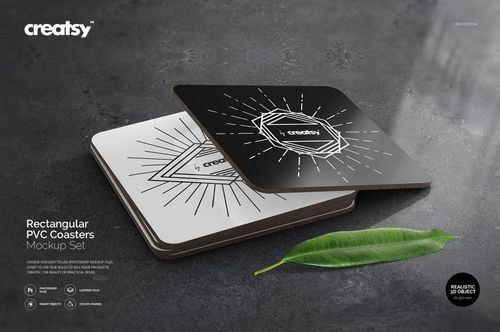
Explore square coaster designs in clean product arrangements and styled drink scenes. This set combines scattered coasters, stacks, overlapping layouts and cocktail compositions, giving your artwork several ways to appear in a tabletop collection. Foil-stamp and letterpress styles add alternative finishes for presenting a logo or graphic.
Customization Features
Change the coaster artwork and color.
Apply the included foil-stamp and letterpress presentation styles.
Move the drink in the scene identified in the feature preview.
Set a custom background color or add a texture.
Hide the background for an export with transparency.
Download Contents
11 main PSD scene files plus 7 additional PSD variants labeled “(auto)”.
18 PSD files, 18 JPG files and 1 PDF user manual in total.
PSD specification: 6000 × 4000 px at 300 dpi.
Adobe Photoshop CC 2015 or later, or Photopea.
Example Artwork Credit
Example artwork by Alina Sagirova. Sample patterns are not included; add your own designs.
File details
- Compatibility
- Package size
- 4.98 GB
|5.35 GB
- Files type
- .psd, .jpg, .pdf
- Files size
- 6000x4000
37 files total: 18 JPG, 18 PSD, 1 PDF.


Made with Creatsy
Real designs. Real customers. See how creatives use Creatsy mockups to turn their artwork, branding, and product ideas into polished visuals.
MEET THE SHOP
- $6715$79.00
- $2550$30.00
- $1870$22.00
- $1615$19.00

HOW IT WORKS
3 clicks. That's it.
No tutorial needed. If you can copy-paste, you can use this.
- 1OpenDouble-click the smart object inside the PSD - in Adobe Photoshop, or free in your browser with Photopea.
- 2PasteDrop in your pattern, print, or artwork. Any design, any style.
- 3SaveHit save and the mockup wraps it in for you - shadows, folds, and lighting included.
FROM IDEA TO IMAGE
Built for real workflows
Skip the photo shoot Show your artwork on the real product type for approvals or listings - no studio, no model, no sample.
See it on the product, not a swatch Drop your file into the smart object and the scene's lighting and folds wrap around it, so you judge the real thing before you commit.
Smart Objects
Edit once and you're done. Your artwork drops into a smart object and the mockup updates itself - no masking, no warping by hand.
Perfectly Organized
Named layers and folders you can actually navigate. Find what you need, change what you want, and get out fast.
Print-Ready
High-resolution files built to hold up on screen and in print. Exact size and DPI are in this product's Details above.